Pocket Alternative Android — Save & AI-Summarize Articles
Pocket alternative Android users need after the 2025 shutdown. Arc saves articles from any app, AI-summarizes them instantly, and organizes. Free to try.
Pocket shut down on July 8, 2025 — and if you’re one of the millions of Android users who relied on it to save articles for later, you’ve been left hanging. Mozilla pulled Pocket from the Play Store with barely two months’ notice, and the official shutdown notice gave no real replacement path for mobile users. Finding a Pocket alternative Android app that actually works the way you need — saving articles from any app, not just your browser — has been frustrating. I know, because I heard it directly from Arc users in India, the US, and Japan who migrated to my app after Pocket disappeared.
I built Arc’s “Save for Later” feature precisely for this gap. Over 28,000+ Android users have installed Arc, and 600+ daily active users now use it to save articles, summarize them with AI, and organize everything in one place. This isn’t a bookmarking app rebadged for 2026 — it’s a read-it-later tool built around how Android actually works today.
Arc by the Numbers — Pocket Alternative Android Users Trust
Before diving into features, here’s what real usage looks like since Pocket shut down:
- 28,000+ Android installs
- 600+ daily active users
- 3,000+ AI summaries generated per month
- 50+ countries using Arc’s save-and-summarize workflow
- India, US, Japan — top 3 countries by active users
- 5,900+ custom actions executed this month alone
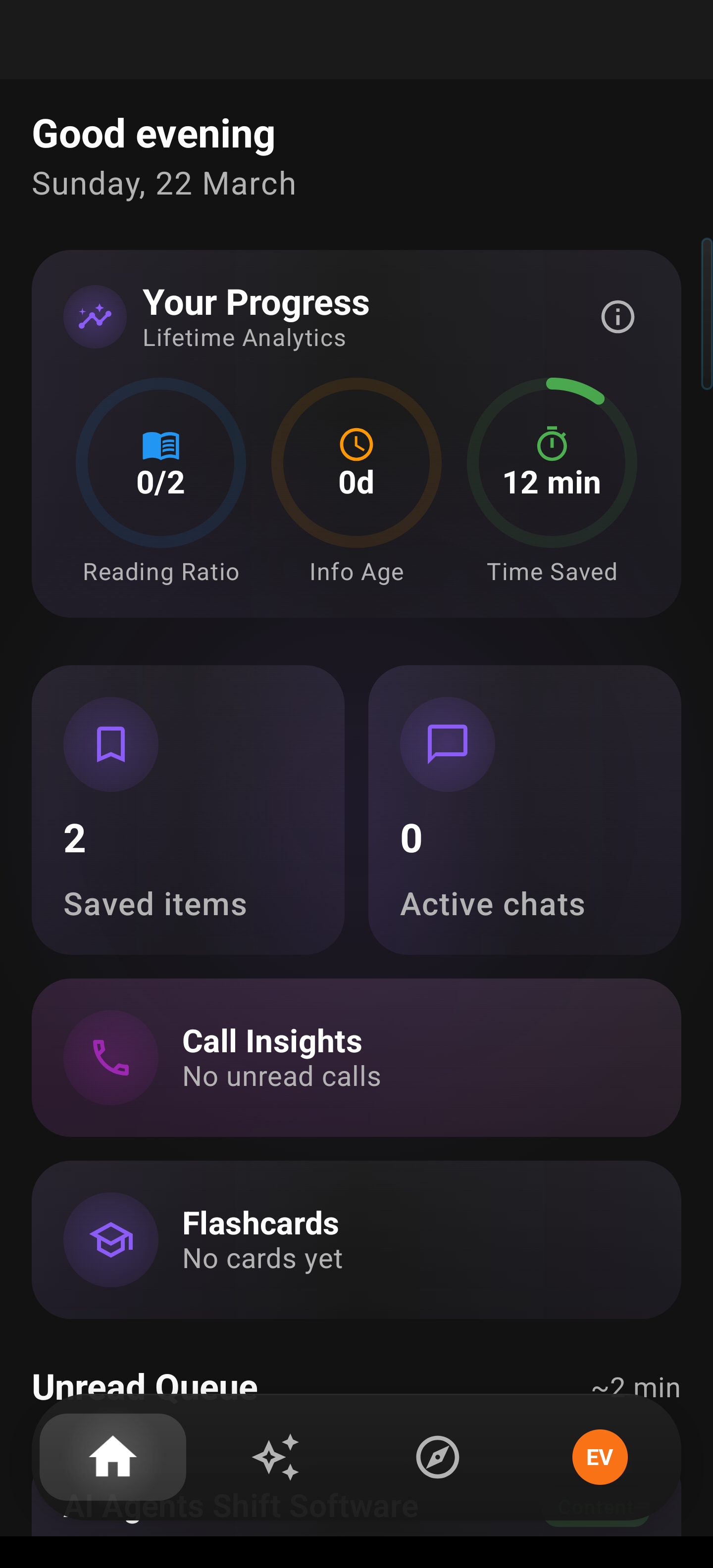
When I look at the data, users in India were the fastest to adopt Arc after Pocket’s shutdown — they now represent roughly 40% of my active user base. That told me something important: people don’t just want to save articles Android-style anymore. They want to read, understand, and act on them — without switching apps.
Why Android Users Need a Better Pocket Alternative
Pocket worked well enough for its era: you shared a URL from your browser, it saved it, and you read it later. But Android has changed. Here’s what Pocket never solved:
- You can only save from browsers. What about that long WhatsApp forward? That email thread in Gmail? That PDF in your file manager? Pocket couldn’t touch any of it.
- No summarization. You still had to read the full article. In 2026, that’s a dealbreaker when research shows the average person encounters 34 GB of content daily.
- No organization beyond tags. Tags are fine for 50 articles. They break at 500. Pocket never gave you smart categorization or search.
- It was a separate app. You had to leave what you were doing, open Pocket, find the article, read it. The friction was real.
A real Pocket alternative Android users need in 2026 has to work across any app — not just Chrome. It needs AI. And it needs to stay out of your way.
How Arc Saves Articles Android-First — From Any App
Arc’s floating sidebar is what makes this work. Instead of sharing a URL to a separate app, you tap the sidebar from inside whatever you’re reading:
- Open any app — Chrome, WhatsApp, Gmail, PDF reader, Twitter/X, anything
- Tap the Arc sidebar — it slides in from the edge of your screen
- Hit “Save for Later” — Arc captures the content and stores it locally
- Done — go back to what you were doing
No switching apps. No copy-pasting URLs. No “Share to…” menu roulette. The article is saved before your screen even refreshes.
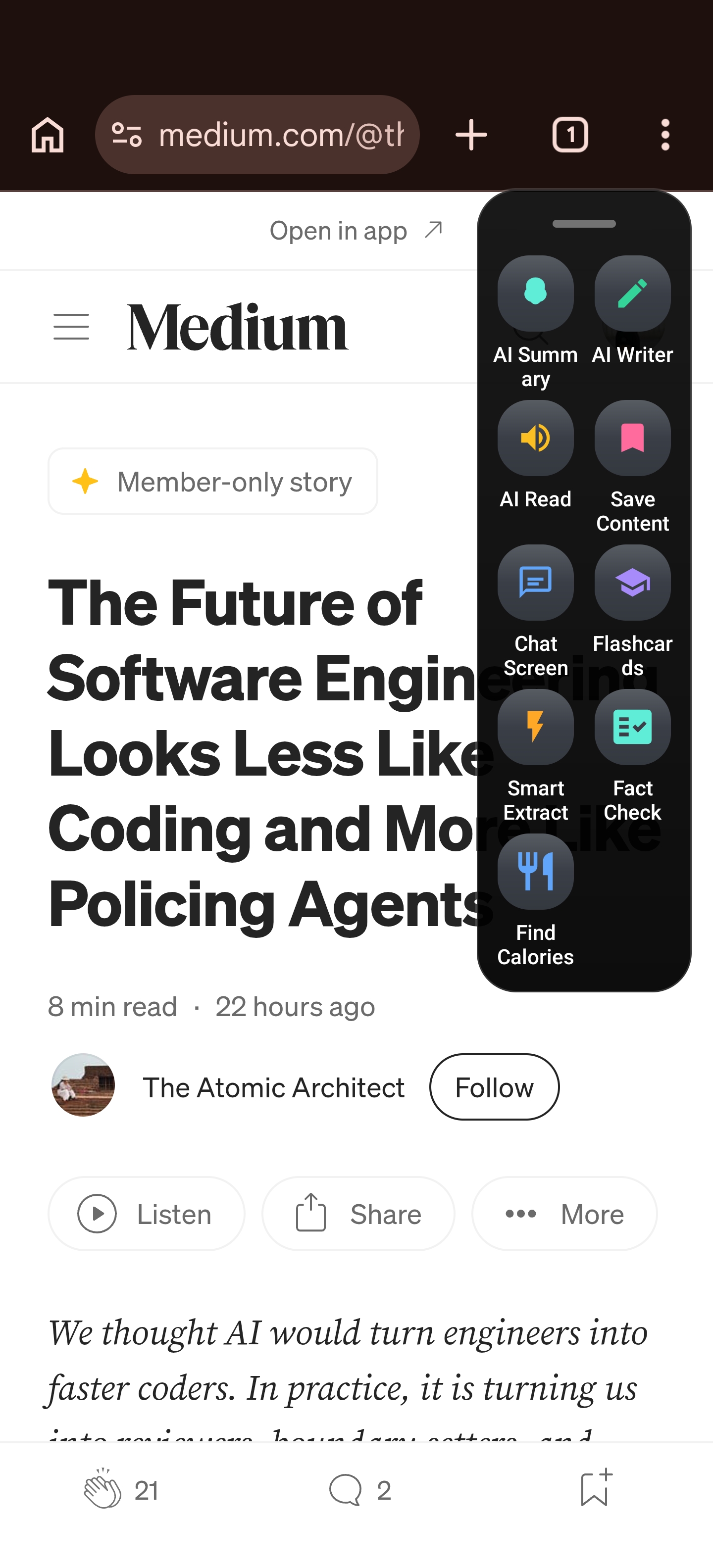
When I was building this feature, I noticed users were saving 3× more content from messaging apps than from browsers. That’s because most of the articles people actually care about arrive via WhatsApp groups, Telegram channels, or Slack — not from browsing. Pocket never handled that. Arc does.
AI Summarize Articles — Read Less, Know More
Saving is step one. Actually reading what you saved is where most read-it-later Android apps fall apart. Your queue grows to hundreds of articles, and you never catch up.
Arc solves this with AI Summary — one tap, and Arc’s AI reads the article and gives you the key points in seconds. Over 3,000 AI summaries are generated per month by Arc users across 50+ countries.
Here’s how it works:
- Open any saved article (or any screen with text)
- Tap AI Summary in the sidebar
- Get a concise summary with key points highlighted — in 2-3 seconds
- Save the summary, listen to it, or chat about it with AI
I built the summary feature because I was drowning in saved articles myself. My reading queue would hit 200+ and I’d just give up. Now, I scan the AI summaries first, then only deep-read the articles that matter. Users tell me they’re reading 3-4× more of what they save because the summary acts as a triage layer.
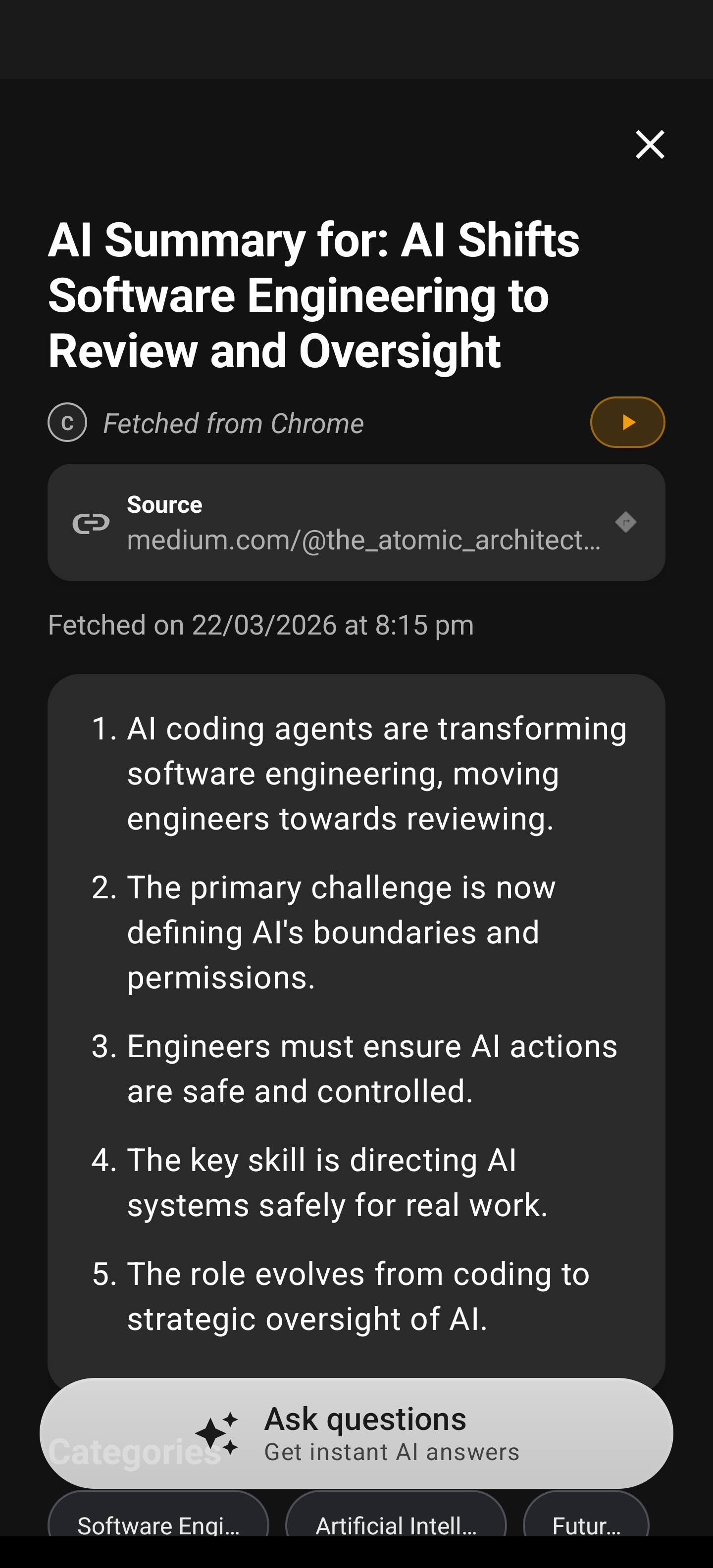
You can also AI summarize articles before saving them — just trigger the summary from any screen, and if it’s worth keeping, save both the original and the summary to your library. This is something no other Pocket alternative Android app does.
Read It Later Android — But Also Listen, Search, and Organize
A good read it later Android tool isn’t just about saving. It’s about getting to what you saved. Arc gives you multiple ways:
Listen with AI Read Aloud
Tap the speaker icon on any saved article or summary, and Arc reads it aloud with natural text-to-speech and automatic language detection. Great for commuting, cooking, or when your eyes need a break. I wrote more about this in my AI read aloud Android guide.
Smart Organization
Your saved articles and summaries are organized by:
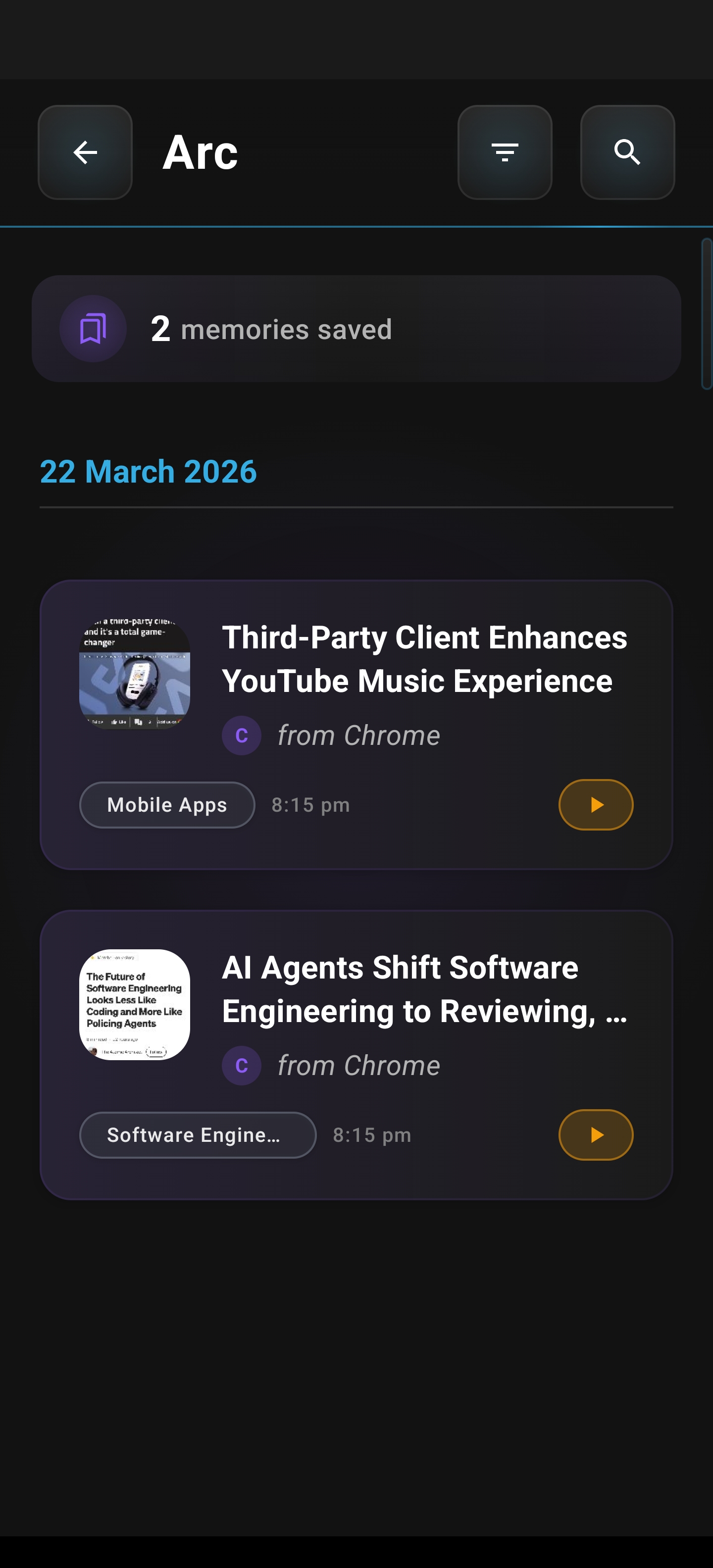
- App source — see everything saved from WhatsApp, Chrome, Gmail separately
- Categories — auto-categorized by topic
- Full-text search — find any saved article by keyword
- Streaks — track your reading consistency on the home screen
This is where Arc fundamentally differs from Pocket’s tag-based system. Instead of manually tagging everything, Arc auto-organizes by source and lets you search the full text. When you have 300+ saved articles (and I know many of you do), search beats tags every time.
Beyond Pocket: AI Actions That Work on Any Saved Content
This is where Arc stops being a Pocket replacement and becomes something Pocket never was. When you save articles Android users send you, you don’t just want to read them later — you want to do something with them.
AI Chat About Any Saved Article
Ask follow-up questions about anything you saved. “What was the main argument?” “Pull out the statistics.” “Fact-check the claim about revenue growth.” Arc’s AI chat assistant works on any saved content.
AI Writer for Responses
Found an article you want to respond to? Arc’s AI Writer can draft a reply, rewrite it in a specific tone, or fix grammar — without leaving the article.
Smart Extract
Saved an article with a meeting time or contact info? Arc’s Smart Extract pulls out events, links, phone numbers, and verification codes from any screen. One tap to add to calendar or contacts. No manual copying.
Custom AI Actions
Create your own one-tap workflows. “Translate to Hindi.” “Summarize in 3 bullet points.” “Check if this claim is cited.” Over 5,900 custom actions were executed by Arc users this month — and you can browse community actions others have shared.
Pocket Alternative Android — Feature Comparison
| Feature | Pocket (discontinued) | Arc |
|---|---|---|
| Save from browser | ✅ | ✅ |
| Save from any app | ❌ | ✅ |
| AI summaries | ❌ | ✅ (3,000+/month) |
| Text-to-speech | ❌ Basic | ✅ Full TTS with language detection |
| Smart categorization | ❌ Tags only | ✅ Auto-categorize + full search |
| AI chat about content | ❌ | ✅ |
| Smart Extract (events, contacts) | ❌ | ✅ |
| Custom AI actions | ❌ | ✅ (5,900+/month) |
| Works offline | ✅ | ✅ (content stored locally) |
| Price | Free | Free tier (freemium) |
Pocket was a solid product for 2017. But it never evolved to handle how Android users actually consume content in 2026 — across apps, with AI, and without friction.
Getting Started: Migrate from Pocket to Arc in 5 Minutes
If you’re coming from Pocket, here’s how to set up Arc as your new read it later Android app:
- Download Arc from the Google Play Store
- Enable the floating sidebar — Arc walks you through this on first launch
- Export your Pocket data — Mozilla lets you export your saves until October 8, 2025 as an HTML file
- Import into Arc — open the HTML file on your phone, share it to Arc, and your key articles are saved
- Try AI Summary on your first saved article — you’ll see the difference immediately
The whole process takes under five minutes. Your reading queue won’t be identical (Pocket’s database had years of history), but you’ll have a system that actually works better for how you read today.
FAQ — Pocket Alternative Android
Can I use Arc as a Pocket alternative on Android for free?
Yes. Arc has a free tier that includes saving articles, AI summaries, and text-to-speech. You don’t need to pay anything to replace Pocket’s core functionality. Premium features like unlimited custom AI actions and advanced Smart Extract are available via the freemium upgrade.
How does Arc save articles from Android apps other than Chrome?
Arc uses Android’s Accessibility Service to read on-screen text when you trigger an action — but only when you tap the sidebar. It does not continuously monitor your screen. When you tap “Save for Later,” Arc captures the visible content from whatever app you’re in — WhatsApp, Gmail, PDF readers, social media, anything. I wrote more about how this works safely in my Android Accessibility Service guide.
Can Arc AI summarize articles I saved from WhatsApp or email?
Yes. Arc’s AI Summary works on any screen content, not just browser pages. If you saved an article from a WhatsApp forward or a long email, tap AI Summary and you’ll get the key points in 2-3 seconds. This is the core advantage over browser-only read-it-later tools.
Is Arc safe to use for saving personal content?
Arc stores all saved content locally on your device. Content is processed for AI summaries but never permanently stored on my servers. Nearly 400 sensitive apps (banking, health, etc.) are blocked by default from screen reading. Your privacy is built into how the app works, not bolted on after the fact.
What happens to my saved articles if I switch phones?
If you sign in with Google, your saved summaries and flashcards are backed up to the cloud and restore automatically on a new device. Without sign-in, data stays local — so I’d recommend signing in for the backup feature.
Final Thoughts — Your Articles Deserve Better Than a Dead App
Pocket had a good 17-year run. But the reality is simple: it’s gone, and what Android users need in 2026 is different from what they needed in 2008. You need a Pocket alternative Android app that saves articles from any app — not just your browser. You need AI that summarizes what you save so you can actually keep up. You need smart organization, not a tagging system you’ll never maintain.
I built Arc because I had the same problems you do. I was losing articles in WhatsApp groups, drowning in my Pocket queue, and switching between five apps just to read and understand one thing. Arc fixes that with one floating sidebar that saves, summarizes, reads aloud, and acts on content from any screen.
Over 28,000 Android users and 600+ daily active users agree. India, the US, and Japan lead the way — and I’d love for you to join them.
Download Arc Free from the Play Store and start saving articles the way Android actually works — across apps, with AI, without the friction.