Free AI Summarizer That Works on Any Screen — Android & Mac
Free AI summarizer for whatever is on your screen — articles, emails, threads. Arc turns them into key points on Android & Mac. No copy-paste needed.
Free AI Summarizer That Works on Any Screen — Android & Mac
Type “AI summarizer” into Google and you’ll get page after page of the same pitch: paste your text here, pick a tone, press the button. Somewhere around result five you realize you’ve just spent five minutes managing a tool that was supposed to save you time.
The paste-in ritual is the problem. You find a long article in Chrome, you select the text, you switch to a chatbot or a summarizer site, you paste, you wait, you read the output in one app while the source sits in another. If the article runs long, you paste it in two chunks because the tool has a character cap. If it’s behind a login — a Gmail thread, a Slack discussion, a course portal — the URL-based summarizers can’t even see it.
I run analytics for Arc, an AI assistant that lives directly on your screen on Android and macOS, and I want to walk through what an “on-screen” AI summarizer actually changes — with real usage data from the last 30 days, not marketing copy. Arc is live on Android and Mac today, with Windows and iOS versions coming soon, so everything below applies to the platforms you can install right now.
The five species of AI summarizer in 2026
Most tools marketed as AI summarizers fall into a handful of familiar buckets. Sorting them is useful because each bucket carries a structural limit — one that determines whether the tool fits how you actually read:
- Chatbot summarizers (ChatGPT, Claude, Gemini’s app). You paste content into a chat box. Limit: you are the transport layer. The tool only knows the excerpt you give it, so you curate what it gets — and curation is most of the work.
- URL-based summarizers and browser extensions. Drop a link, get points. Limit: as a rule they fetch public pages only. Paywalled articles, logged-in threads, and anything inside an app usually stay invisible to them.
- Browser-built-in AI. Gemini in Chrome, Copilot in Edge. Limit: they live in one browser. An email app, a PDF viewer, a message thread — out of scope unless you first move the content into the browser.
- Document chat tools. ChatPDF-style apps for PDFs and docs. Great at their one format, useless for a tweet, a recipe, or a Reddit thread.
- OS-level or device-locked AI. Apple Intelligence on supported Apple hardware, Samsung’s Galaxy AI, Pixel-exclusive features. Powerful, but chained to specific devices or tiers.
None of these can look at the screen that is already in front of you. That’s the gap the fifth bucket gestures at and rarely fills outside its walled garden.
The one check that matters: does it see your screen?
When I compare summarizers — and I’ve tracked this market long enough to have opinions — one question separates the useful from the laborious:
Does the tool read your actual screen, or do you have to carry the content to it?
Everything else follows from that answer. If it reads your screen:
- There’s no copy-paste step, because the tool is already wherever the content is.
- Logged-in content is fair game — your Gmail, your team’s Slack, your course dashboard — because the tool sees what you see, with your permission.
- It reads whatever app is frontmost — email, browser, PDF viewer, messenger — as long as you’ve granted Arc access to that app.
- The summary stays next to the source, so “summarize this” and “now answer a question about it” is one continuous flow.
That’s the design bet Arc made. Instead of being an app you visit, Arc runs as a thin overlay across your device — a sidebar on Android, a Ctrl+Space menu on Mac — and it summarizes whatever is on screen at the moment you summon it.
How the on-screen summarizer works on Android
Arc’s floating sidebar is a small translucent bar that hugs the edge of your screen in every app where you’ve allowed it. Swipe it open and you get a grid of actions; tap AI Summary and this happens:
- Arc reads the visible text through Android’s Accessibility Service — navigation, ads, and clutter get filtered out automatically.
- It captures the source: which app you’re in and the page URL if there is one.
- Google Gemini processes the content — up to roughly 100,000 characters, so a long article or a fat email thread fits in one pass — and the summary lands in about 2–3 seconds.
- The result screen shows an AI-written title, numbered key points, and an auto-detected category badge: Article, Email, Social Media, Document, Chat, Shopping, or Education.
- Buttons along the bottom: Save, Share, Listen, Ask Questions, Copy, and a screenshot view.
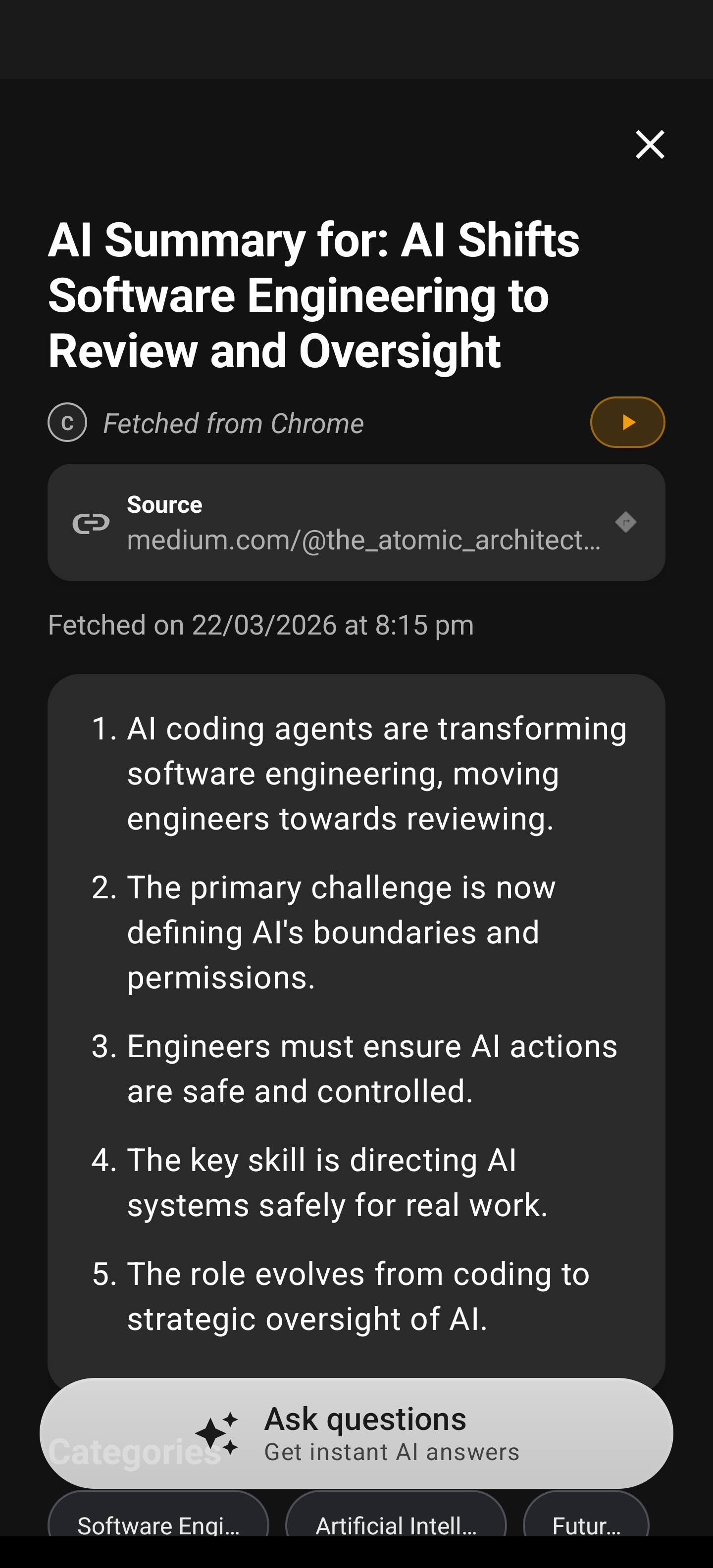
Two details matter more than they sound. First, the category detection isn’t cosmetic — when you save summaries, your library groups and filters by those categories, so an article you saved last week is one chip-tap away instead of buried in a scroll. Second, the numbered-point format is scannable in a way a paragraph summary isn’t: you can read three points, decide the article isn’t for you, and move on having lost nothing.
Then ask it questions without leaving the page
The feature my own usage data says people lean on hardest: Ask Questions. Tap it on any summary and Arc’s chat opens with the summarized content preloaded as context.
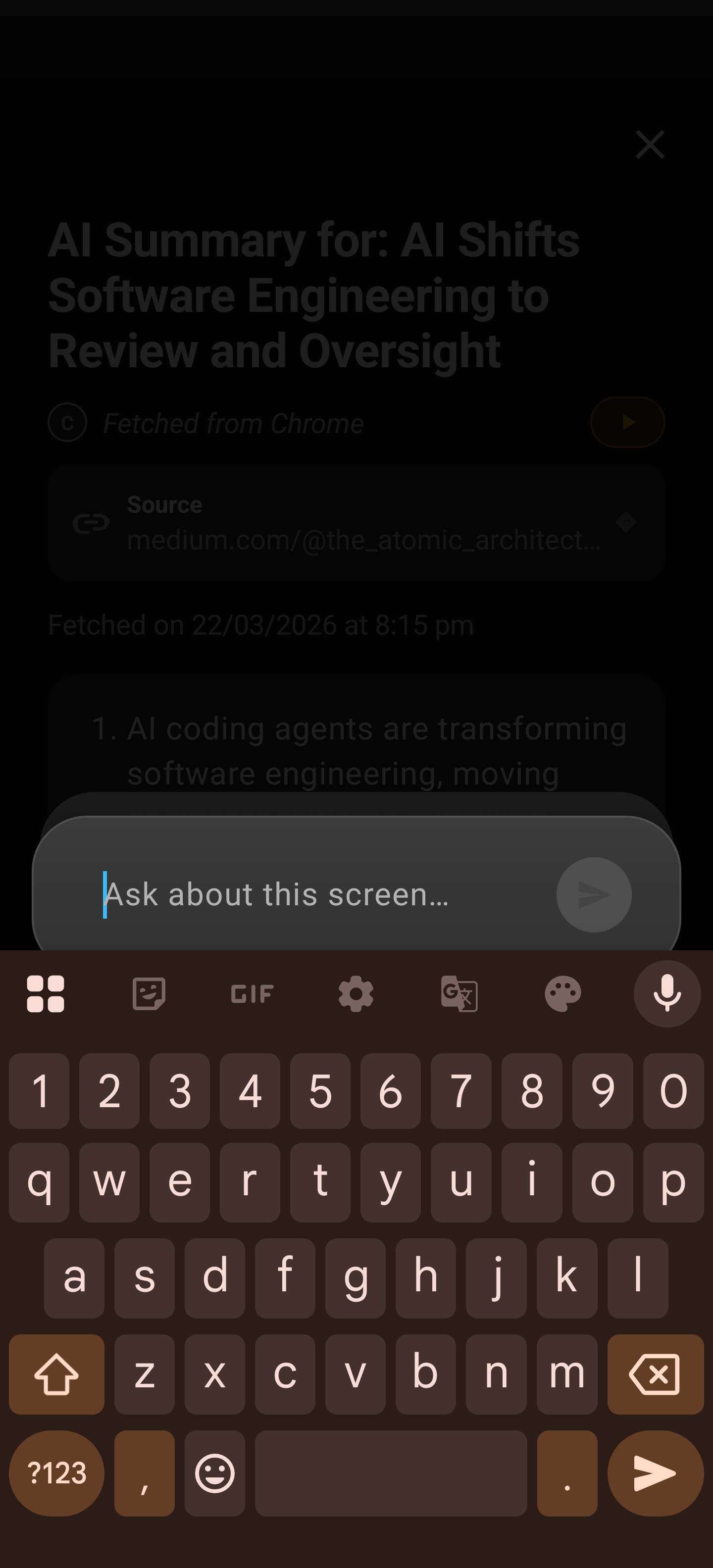
You’re mid-email-thread at 11pm. The summary tells you what the thread decided. “Ask Questions” answers the thing the summary didn’t: what was the deadline they finally agreed on? The answer comes back grounded in the thread you were just reading — no re-explaining the context to a chatbot, no re-pasting anything. Conversations persist in Chat History, so a research rabbit hole you started on Tuesday is still there on Friday.
The same flow powers the group chat catch-up workflow — summarize a 200-message WhatsApp thread, then interrogate it — which pairs naturally with this one.
On Mac: the same summarizer, one keystroke away
Arc also ships on macOS, and the summarizer works the way Mac people expect tools to work: from the keyboard, over whatever app you’re in.
- Press Ctrl+Space anywhere and the Arc menu appears over your current window — a Spotlight-style panel that doesn’t steal focus.
- Select AI Summary and hit Return (or bind AI Summary to its own global shortcut and skip the menu entirely).
- A result panel floats over your app: numbered key points, an AI title, and a source chip showing where the content came from — say,
www.bbc.com. - Footer actions: Share, Copy (it strips Markdown, so summaries paste as clean text), Save, and Ask Questions.
Because it reads the frontmost window through the accessibility layer, it handles tricky surfaces too — Chrome pages, Slack, even Electron apps, which normally hide their content from other programs until a tool like Arc explicitly asks. For chart-heavy or image-heavy screens, you can tell Arc to grab a screenshot region (full screen or a dragged rectangle) and the AI folds the visual context into the summary.
Same engine, same numbered-points format, same saved library that syncs into your workflow on the phone. And when you save a summary on either platform, it lands in the same library you can read later and actually finish.
What the last 30 days of real usage look like
Here’s the part I actually get paid for. These are Arc’s numbers from Google Analytics for the 30 days ending October 15, 2026 — not projections, the live product:
- 8,269 monthly active users. On the busiest day (October 6), 513 people were active simultaneously.
- 54,880 sidebar opens by 3,192 users — roughly 17 opens per active sidebar user per month. The overlay isn’t a demo toy; it’s muscle memory for a third of the base.
- AI requests complete at 99.9% — 10,487 completions against 10,495 attempts. A summarizer that fails one time in a thousand is the baseline people actually tolerate in production, vs. the paste-two-chunks-and-pray workflow.
- 886 AI summaries generated by 446 users, averaging about 2 each — and crucially, 805 copies and 134 shares of those summaries. People don’t just glance at the output; they carry it into their notes and messages.
- 916 users played summaries aloud with text-to-speech (2,102 playback sessions, 1,394 completed) — the Listen button turns a summary into commute audio.
- 4,105 chat messages sent by 1,070 users across 4,491 chat sessions — the Ask Questions flow is doing real work, not sitting unused.
- 3,625 new users installed Arc (first_open) in the same window, and 1,680 of the month’s users reached their first value moment.
The top countries: India (1,954 active users), the US (888), Nigeria (333), the Philippines (283), Indonesia (277) — a genuinely global reader base, which is why the app interface ships in nine languages on Android and ten on Mac, and why summaries follow the source language rather than forcing English.
I’ll be honest about what the data doesn’t say: 886 summaries in a month is modest next to the 54,880 sidebar opens, because most sidebar taps go to other actions — AI Writer (4,351 uses), Chat (4,105 messages), flashcards (547 generated), custom actions (1,344 executed). AI Summary is one verb in a toolbox, not the whole toolbox. If you want the full toolbox tour, the AI assistant guide for Android covers what an overlay can do beyond summarizing.
Arc vs. the summarizers you already tried
| Chatbot paste-in | URL tool or extension | Arc (on-screen) | |
|---|---|---|---|
| Sees logged-in content | Only what you paste | No | Yes, live |
| Works outside the browser | Yes | No | Yes, every app |
| Copy-paste required | Every time | Link only | Never |
| Follow-up questions with source context | Re-paste needed | Sometimes | One tap, context preloaded |
| Listen to the summary | No | Rare | Built-in TTS |
| Saves into a searchable library | Chat history at best | No | Yes, category-filtered |
| Price | Free tier | Freemium | Free tier with generous quota |
The honest trade-off: a chatbot is better when you want creative synthesis — “rewrite this as a poem,” “compare these three documents I paste.” Arc is better when the job is compressing what’s already on your screen and staying in flow. Different verbs, different tools.
What it costs (and what it doesn’t)
Core summarization on Arc is free. The free plan carries a weekly AI quota — generous enough for a typical personal habit (a handful of articles, some email threads, occasional deep-dives), though heavy daily use can brush against it. Pro removes the quota. There’s no per-minute metering like meeting bots, no per-document pricing like the PDF-chat tools, and no upsell wall between you and the Save, Listen, or Ask Questions buttons.
Your saved summaries live in a local database on your device with optional (off-by-default) Google Drive backup. The first time Arc offers to store a screenshot with a summary, you get a consent dialog — deny it and nothing visual is kept. Sensitive apps like banking are excluded from Arc’s reach by default, and you can restrict the app list further in Choose Apps if you want hard boundaries.
Where I wouldn’t use it
Let me state this plainly: there are moments a screen summarizer is the wrong tool, and pretending otherwise would be selling you something:
- Legal, medical, or financial documents where the exact wording is the content. Summarize first to triage, but read the source before you act.
- Anything privacy-critical you haven’t scoped yet. Use Arc’s Choose Apps setting to decide which apps it can read — set that before you open material you’d rather keep private.
- Offline hours. Content capture is fast, but the AI call needs a connection; Save Content works offline, generation doesn’t.
- A text that’s already short. Summarizing a two-paragraph post is faster by just reading it.
Start summarizing your screen, not your clipboard
If you’re on Android, install Arc from the Play Store, grant the accessibility permission during onboarding, and the sidebar appears on your next screen-worth-of-reading. On Mac, grab the app and press Ctrl+Space over whatever you’re reading. Windows and iOS are in development — the on-screen summarizer is not staying stuck to two platforms forever.
The whole pitch in one line: stop transporting content to tools that pretend they can’t come to you. The AI summary reader hub has the full feature breakdown if you want depth, and these guides go further:
- AI summary on Android — what your phone still can’t summarize — the Android-specific gaps this post’s comparison skips
- Gmail AI Inbox is paywalled — summarize any app free — for the email-drowning crowd
- AI note taker with no meeting bot — our most recent deep-dive, on the audio side
- Best AI assistant for Android — the 7-point buyer’s checklist — if you’re comparing full assistants, not just summarizers
FAQ
Does an AI summarizer work on any app or only websites?
It depends on the tool’s design. URL-based summarizers and browser extensions generally only reach public web pages. Arc’s on-screen summarizer reads whatever is visible in apps you’ve granted it access to on your Android phone or Mac — email clients, message threads, PDF viewers, browser pages — because it reads the screen itself rather than fetching a URL. Sensitive apps like banking are excluded by default, and you can disable more apps in Choose Apps.
Is Arc’s AI summarizer really free?
Yes. Generating summaries, saving them to the library, listening via text-to-speech, and asking follow-up questions are included on the free plan, which carries a weekly AI usage quota. Pro removes the quota if you become a heavy user. There are no per-minute or per-document charges on core features.
How does the summarizer handle private or paywalled content?
Because Arc reads your screen with your granted permission — not by fetching pages — logged-in and paywalled content you can see is summarizable. Arc never asks for your account passwords. Sensitive categories are disabled by default out of the box, a screenshot-consent dialog gates all visual capture, and saved summaries stay in a local database with optional Drive backup off unless you enable it.
Can I listen to summaries instead of reading them?
Yes. Every summary has a Listen button that reads it aloud with text-to-speech, respecting your configured voice, rate, and pitch. On Android, playback continues in the background with controls in the media notification; on Mac, playback is one click from the result panel. In the last 30 days, 916 users played over 2,100 summary readbacks.
Does this work on Mac and Windows, not just Android?
Arc’s AI summarizer is live on Android and macOS today — same numbered-points format, same library. On Mac it runs from Ctrl+Space over any app. Windows and iOS versions are in development and coming soon; the Android and Mac apps are the ones you can install and use right now.