Stop Retyping Personal Info: Arc Info Vault
Tired of typing your address, job title, or account number in every app? Arc's Info Vault remembers it all for you. Free to try.
Every day, you type the same details over and over. Your name. Your address. Your job title. Your email signature. Your kid’s school name for the permission slip. Your account number for the utility portal. If you’re a professional juggling clients, a caregiver managing appointments, or simply someone who fills out forms regularly, the repetition is relentless — and your phone’s keyboard was never designed to solve it.
I built Arc’s Info Vault to end this cycle. And I am not alone in wanting it: across Arc’s 28,000+ installs, users create roughly 30 personal info items each month in their vaults, cutting down hundreds of repetitive keystrokes in the process.
Chrome autofill covers addresses and payment cards. Clipboard managers hold your last copy. Snippet apps store text shortcuts. But none of them actually understand what you’re writing or generate a response that uses your information in context. That’s the gap Arc’s Info Vault fills. It’s a personal information store that doesn’t just save your details — it feeds them directly into an AI writer that produces personalized, ready-to-send content. If you’ve been searching for a way to stop retyping personal info on Android, this is the solution that finally ends the cycle.
The Retyping Problem Nobody Solves Well
Think about your last week. How many times did you:
- Re-type your full name and title into an email sign-off?
- Paste your mailing address into a web form that autofill somehow missed?
- Rewrite the same professional bio for a LinkedIn comment, a conference registration, and a Slack introduction?
- Manually enter medical details — allergies, medications, doctor contacts — into yet another patient portal?
Now multiply that across months. The keystrokes add up. So does the frustration.
Standard Android autofill handles credit cards and saved addresses. Clipboard managers forget anything older than your last copy. Third-party snippet apps give you text expanders, but they’re dumb substitution — they don’t know when or how to use your information. You still have to pick the snippet, insert it, and edit it to fit the context.
An effective android personal info manager needs to do more than store text. It needs to understand context and act on it. And with Arc’s 2,700+ AI Writer uses per month drawing on Info Vault entries, that context is being put to work constantly — not sitting idle in a static list.
How Arc’s Info Vault Works
Arc’s Info Vault is a secure, local-first personal information store built directly into the Arc app. You save details about yourself — anything from your name and job title to your interests, email signature, or custom instructions — and Arc’s AI Writer automatically weaves that context into every reply, post, or message it generates for you.
Here’s how the flow works in practice:
- Add your details once. Create vault entries with a title and content. Your job title, your location, your professional summary, your kid’s pediatrician — whatever you type repeatedly.
- Select what’s relevant. When you open Arc’s AI Writer, a collapsible “My Info Vault” section shows your entries with checkboxes. Pick only the ones that matter for this specific task.
- Generate a personalized response. Hit Generate. Arc’s AI uses your selected vault items as context and produces content that sounds like you — complete with the right sign-off, the right tone, and the right details baked in.
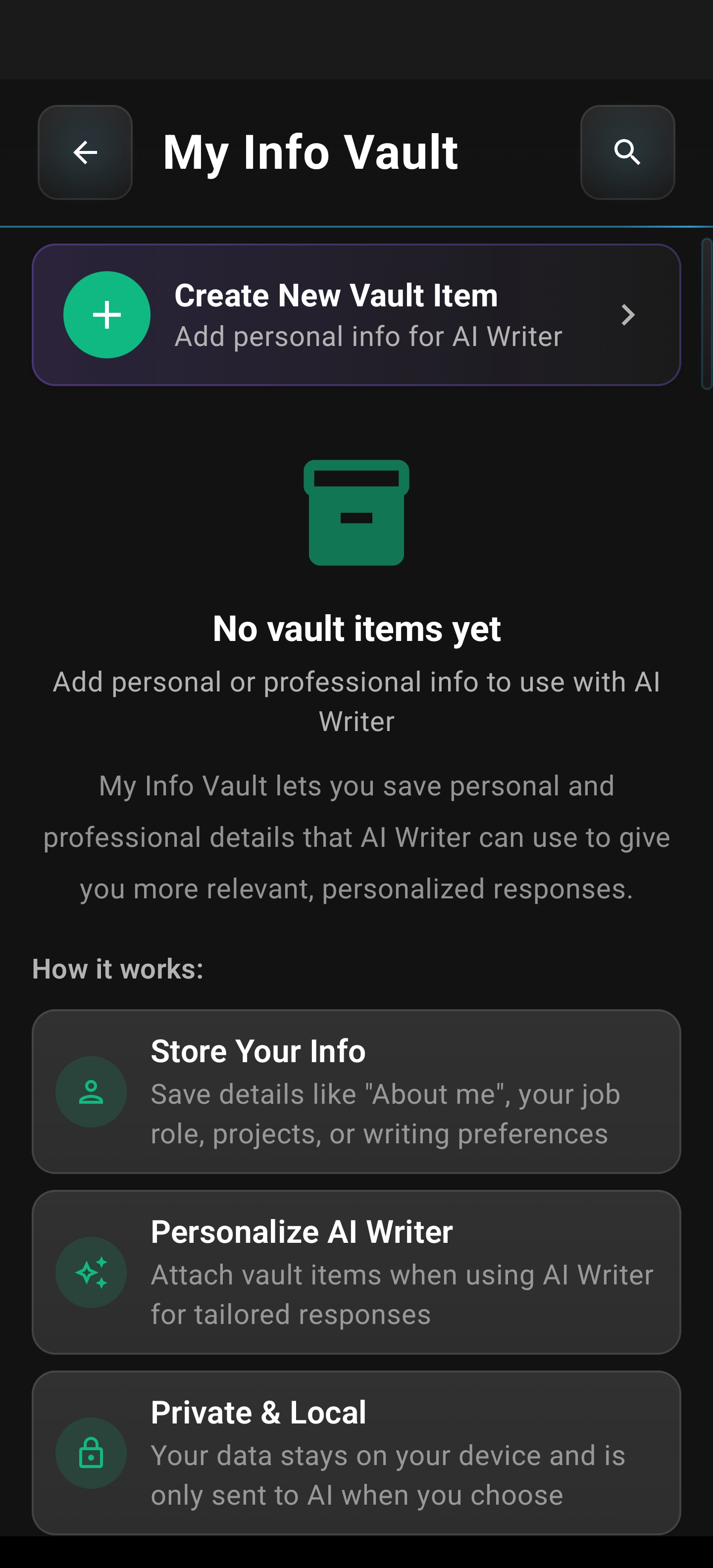
The empty vault screen is your blank canvas. Tap the create button and start adding the information you reach for most often — no character limits that matter (titles up to 100 characters, content up to 5,000 characters per entry), and no cap on how many entries you create.
Setting Up Your Info Vault — Step by Step
Getting started takes under two minutes for the details you use daily.
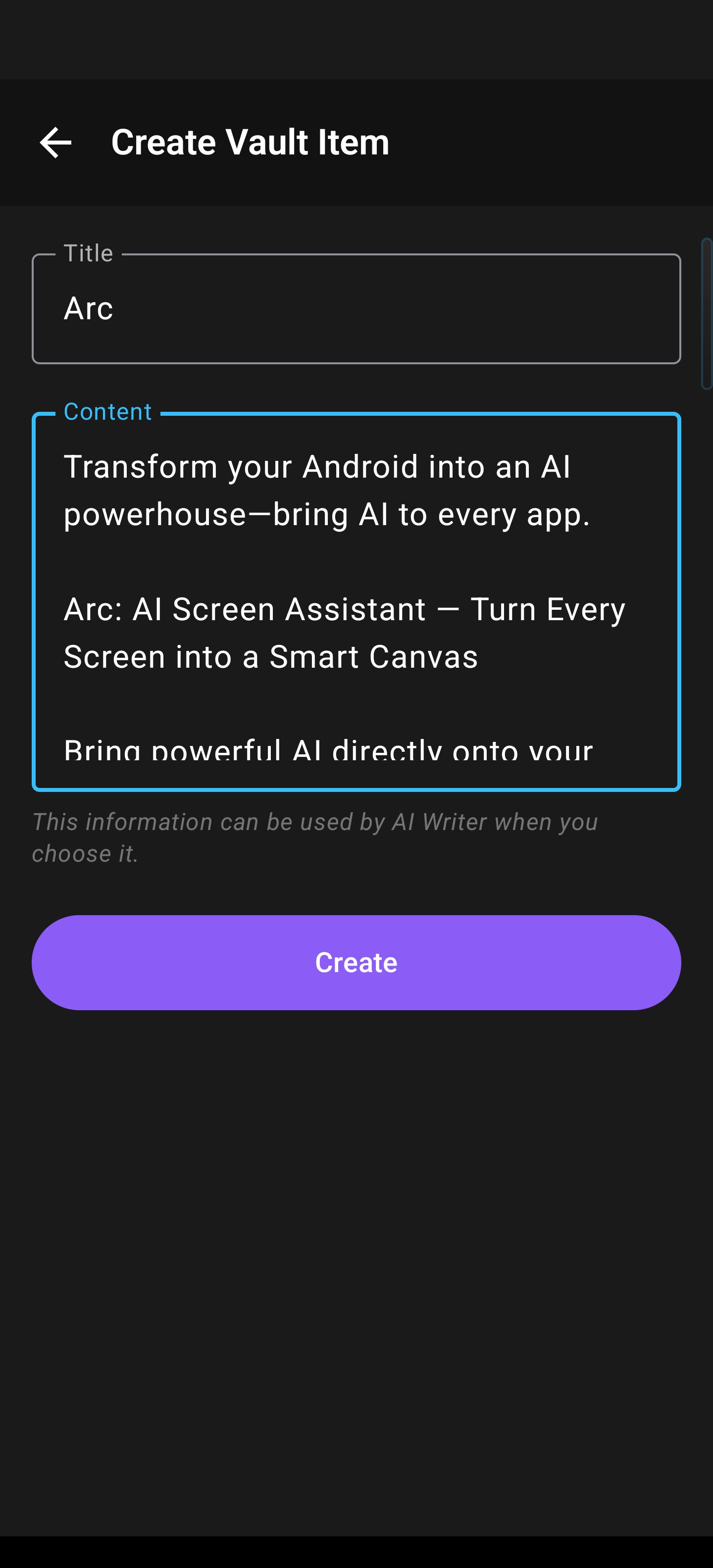
Create your first entry. Tap the create button. You’ll see a clean form with a title field and a content field.
Add a descriptive title — “Work Title,” “Home Address,” “Email Signature” — then type or paste the content. You can write in any language. Hit save, and it’s locked in your vault.
Repeat for your common details. Most people add five to ten entries to cover their recurring needs:
- Full name and preferred name
- Job title and company
- Mailing address
- Email signature block
- Professional bio (short and long versions)
- Key interests or hobbies
- Medical details (allergies, medications, doctor info)
- Account numbers or reference IDs
- Custom instructions for AI (tone preferences, writing style notes)
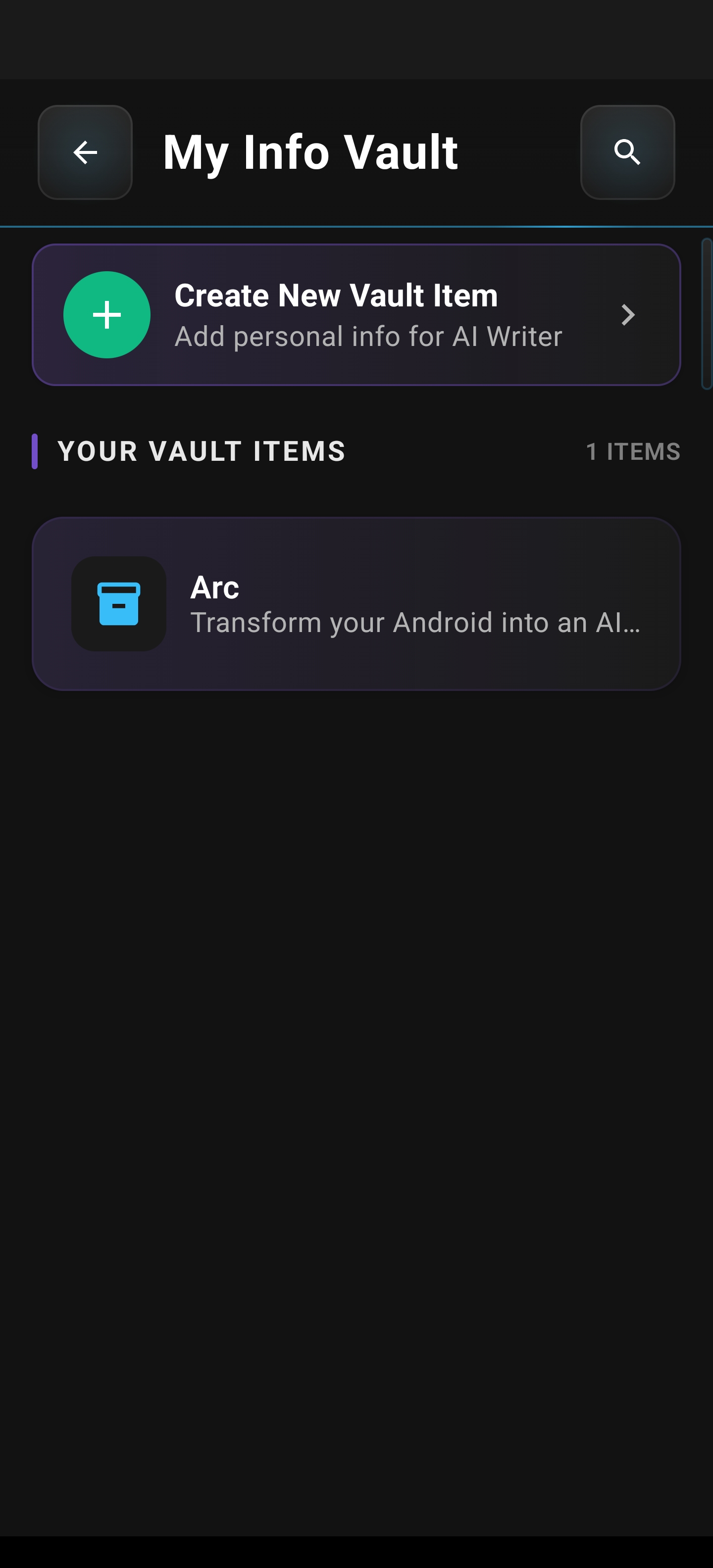
Once you’ve added entries, your vault shows them as clean, scannable cards. Long-press any card to drag and reorder — put the ones you use most at the top. Edit or delete anytime.
Why This Beats Every Other Approach
Versus Android Autofill
Android’s built-in autofill is limited to addresses, payment methods, and passwords. It doesn’t store your professional bio, your medical history, or your writing preferences. It can’t generate a contextual email reply that includes your job title and signs off with your preferred signature. It fills fields — it doesn’t write content.
Versus Clipboard Managers
Clipboard managers track what you’ve copied. That’s useful for pasting the same block of text, but they have no concept of which information is relevant right now. You’re still manually copying, switching apps, pasting, and editing. And clipboard history gets overwritten fast on mobile.
Versus Text Expander Apps
Snippet expanders replace a shortcut (like @sig) with a predefined block of text. They’re rigid — no context awareness, no AI generation, no adaptability. If you need to write an email that mentions your job title and your location and your recent project, you’re either creating a combined snippet or pasting three separate ones. Either way, you’re still doing the assembly work.
The Arc Difference: AI That Remembers Your Details
Arc’s Info Vault isn’t a static storage locker. It’s the memory bank for an AI that actually generates content for you. When AI remembers your details, the output isn’t a copy-paste job — it’s a freshly written response that incorporates your information naturally, in the right tone, for the right context. That’s the leap from “text replacement” to “text creation,” and it’s what makes Arc a genuine arc info vault personal context solution rather than another snippet tool.
Real-World Scenarios: Who Benefits Most
Professionals Who Live in Their Inbox
You reply to client emails, vendor inquiries, and internal threads all day. Every reply needs your name, your title, maybe your contact info. With Info Vault, you select “Name,” “Job Title,” and “Email Signature” in the AI Writer, hit Generate, and the reply lands with a polished, consistent sign-off — no retyping, no missed details, no inconsistent formatting across apps.
Caregivers Managing Appointments and Forms
Parents, medical caregivers, and anyone handling paperwork for others type the same personal and medical details into forms, messages, and portal fields constantly. Store your child’s school info, your parent’s medical details, or your own health history in the vault. Select the relevant entries, and Arc’s AI produces the content you need — whether that’s an email to the school nurse or a message to a specialist’s office.
Social Media and Content Creators
Your Instagram caption should reflect your actual interests. Your LinkedIn post should sound like a professional in your actual field. Store your hobbies, your professional focus areas, and your preferred tone in the vault. Select what’s relevant, and Arc generates captions and posts that are authentically you — not generic filler.
Anyone Who Fills Out Forms Regularly
Online registrations, government portals, medical intake forms, job applications — they all ask for the same information. Having it stored, organized, and ready to deploy through an AI that can format it appropriately for each context saves real time and real frustration.
Privacy and Security: Your Data Stays on Your Device
Info Vault is built with a local-first architecture. All vault data lives in Android’s app sandbox, stored using Room/SQLite with EncryptedSharedPreferences. Your personal information is never uploaded to any server unless you explicitly hit Generate in the AI Writer — and even then, only the items you’ve selected are included in the request.
Want backup? Optional encrypted Google Drive backup is available with end-to-end encryption. You control exactly what’s stored, what’s backed up, and what’s shared with the AI for each generation. No silent syncing, no cloud-first defaults, no third-party access.
Accessibility: Built for Everyone
Arc’s Info Vault is designed to reduce the physical burden of repetitive typing — especially important for users with motor impairments who find on-screen keyboards fatiguing. Setting up your details once and letting AI handle the generation afterward can cut hundreds of keystrokes per day.
The feature also includes:
- Full TalkBack support — all fields, buttons, and cards are labeled for screen readers
- 48dp minimum touch targets — WCAG 2.1 AA compliant
- High contrast visual separation — glassmorphism cards with gradient overlays and accent borders
- System text scaling — respects your device’s font size settings
- Reduced motion preference — honored for users who prefer minimal animation
How to Start Using Info Vault Today
- Download Arc from the Google Play Store
- Open Info Vault — find it in Settings, the AI Writer’s “Manage Vault” button, or the onboarding card
- Add your first five entries — name, job, address, signature, and one custom instruction
- Open AI Writer, check the relevant vault items, and generate your first personalized response
That’s it. No import process, no account migration, no learning curve. Type it once, select it forever.
Frequently Asked Questions
What can I store in Info Vault? Anything you type repeatedly — names, addresses, job titles, email signatures, medical details, account numbers, interests, custom AI instructions, professional bios, and more. Each entry supports up to 5,000 characters of content in any language.
Is my vault data sent to the cloud? Vault data stays local on your device by default. It’s only included in an AI Writer request when you explicitly select items and hit Generate. Optional encrypted Google Drive backup is available with end-to-end encryption.
Can I use Info Vault entries across different apps? Yes. Arc’s AI Writer works across apps on your device. Select the vault items relevant to your task, and the generated output goes wherever you need it — Gmail, Slack, LinkedIn, Instagram, or any other app.
How many entries can I create? There’s no limit on the number of vault entries. Create as many as you need and reorder them by long-pressing to drag.
Does Info Vault work with screen readers? Absolutely. All vault fields, buttons, and cards are fully labeled for TalkBack, with 48dp minimum touch targets and high contrast visual design.
If you’re ready to stop retyping personal info on Android, Arc’s Info Vault is the answer. It stores your details, understands your context, and generates personalized content — so you type less and get more done. Download Arc from the Google Play Store and set up your vault today.