Samsung's Now Nudge: On-Screen AI Is the Future
Samsung's Now Nudge brought screen-aware AI to Galaxy, but Arc has been doing it longer. Here's why on-screen AI matters. Free to try.
Samsung just made headlines with Now Nudge, a feature on the Galaxy S26 that reads your screen and offers contextual suggestions. It’s a bold move — and it validates something Arc users have known for a while: an on-screen AI assistant for Android isn’t a gimmick. It’s the next fundamental layer of how you interact with your phone.
But here’s the part most coverage misses. You don’t need a Galaxy S26, and you don’t need to wait for Samsung to figure out what “contextual suggestions” actually means in practice. Arc has been a fully functional on-screen AI assistant for Android since day one — and it runs on practically any Android phone you already own. Over 28,000 installs across 50+ countries prove that screen-aware AI isn’t a future concept. It’s a present tool.
Let’s unpack what Now Nudge actually does, where screen context AI on Android is headed, and why Arc’s approach is already miles ahead.
What Is Samsung’s Now Nudge?
Now Nudge is Samsung’s latest attempt to make AI feel ambient rather than something you open an app for. The idea is straightforward: your phone’s screen has information on it, and an AI should be able to read that information and offer relevant actions without you asking.
See a restaurant mentioned in a chat? Now Nudge surfaces a reservation link. Reading a long article? It might offer a summary. The pitch is simple — instead of copying, switching apps, and pasting, the AI reads your screen and nudges you toward the next logical step.
It’s slick. It’s also limited.
The Catch with Now Nudge
Now Nudge is a Samsung Galaxy S26 exclusive. If you’re on a Pixel, a OnePlus, a Motorola, or even a Galaxy S25, you’re out of luck. And even on the S26, the suggestions are — by design — conservative. It nudges. It doesn’t act. It offers a link. It doesn’t draft your email. It suggests. It doesn’t execute.
For most Android users, the promise of AI that reads your screen remains exactly that — a promise on a phone they don’t own, doing things they’d want done for them rather than just suggested to them.
Why an On-Screen AI Assistant for Android Matters Now
The “on-screen AI assistant for Android” category didn’t exist as a mainstream concept a year ago. Now Samsung is betting on it with Now Nudge, Google is expanding Circle to Search, and Apple is rumored to be working on its own screen-aware Siri update. The writing is on the wall: screen context AI on Android is becoming the next battleground.
Here’s why it matters:
- Your phone screen is where information lives. You don’t think in terms of “which app has this data.” You see a name, a number, a link, a question — and you want to act on it right there.
- Copy-paste is a workaround, not a workflow. The average Android user switches apps 15+ times per session just to move small pieces of information around. That’s not productivity — that’s friction.
- Context is everything. An AI that doesn’t know what’s on your screen is flying blind. An AI that can see what you see has the context to actually help.
Samsung gets this. Google gets this. The industry is moving toward screen context AI on Android as the default interaction model. But the gap between “nudge” and “do” is enormous — and that’s where Arc lives.
Arc: The On-Screen AI Assistant That Actually Does Things
Arc doesn’t nudge. It acts.
Arc is a system-wide floating overlay that lives on the edge of your screen, ready to spring into action on any app, any screen, any Android phone. It reads what’s on your screen and gives you tools to work with that information — not just suggestions, but real actions.
Here’s what that looks like in practice:
- AI Summary — Reading a 2,000-word article? Arc condenses it into key points without leaving the browser.
- Smart Extract — Need to pull a name, address, or tracking number off a screen? One tap and it’s captured.
- AI Writer — Staring at a blank email reply? Arc drafts contextually relevant responses based on the conversation you’re looking at.
- Custom Actions — Build your own one-tap workflows that combine screen reading, AI processing, and output in any format you need.
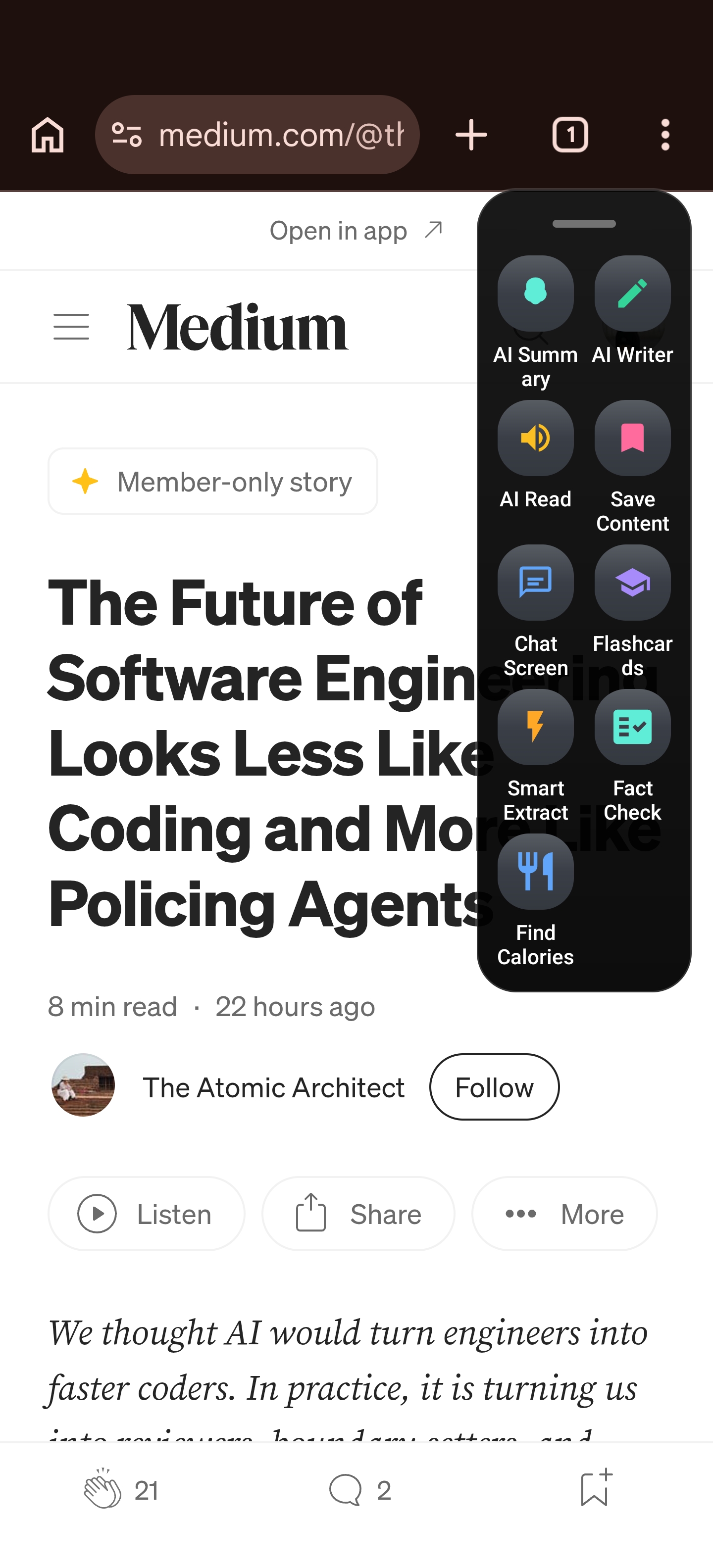
This isn’t a Samsung exclusive. This isn’t a “coming soon” feature. This is Arc — available now, on your phone, regardless of who made it.
Screen Context AI Android: How Arc Sees What You See
The core technology that makes Arc work is screen context AI for Android — the ability to understand what’s displayed on your screen and respond intelligently.
When you trigger Arc’s overlay, it captures the visible content on your screen and processes it through AI models designed for extraction, summarization, and generation. This isn’t a screenshot annotation tool. It’s a real-time understanding engine.
Smart Extract: From Screen to Structured Data
Let’s say you’re looking at a product page with specs scattered across a wall of text. With Smart Extract, Arc pulls the relevant data — price, dimensions, availability — and presents it as clean, structured information. No manual highlighting. No copy-pasting into a notes app.
The same works for:
- Flight details from a booking confirmation
- Contact info from an email signature
- Event dates and locations from a webpage
- Key metrics from a financial report
On any given month, Arc’s Smart Extract processes thousands of data extractions across these categories — part of the 8,500+ monthly active users who rely on it for daily screen-level actions.
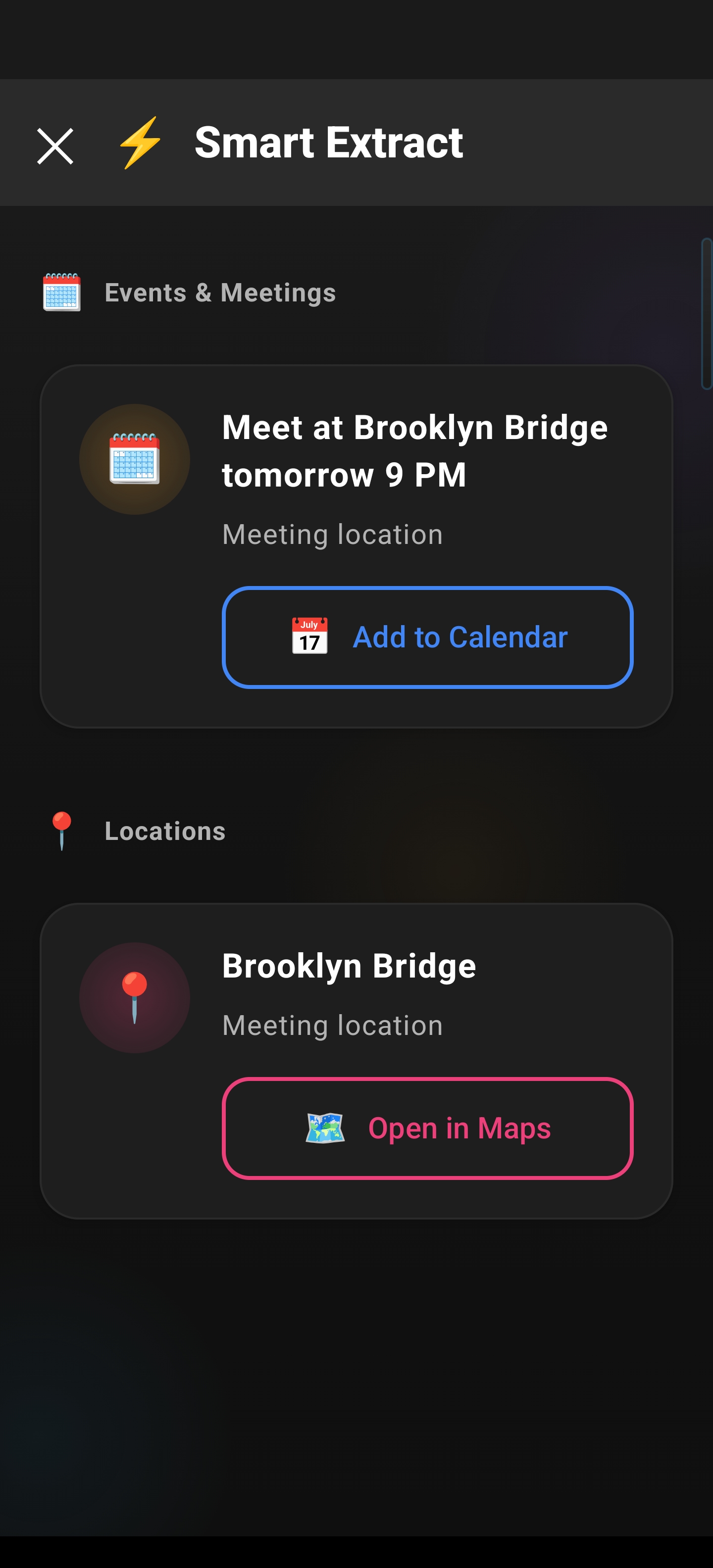
This is what AI reads your screen should mean — not a gentle nudge toward a link, but an instant transformation of visible information into something you can actually use.
AI Summary: The End of “TL;DR” as a Manual Process
Long articles. Endless group chats. That 47-message email thread you’ve been avoiding. Arc’s AI Summary reads the full content on your screen and delivers the key takeaways in seconds.
It’s not truncation — it’s comprehension. Arc identifies the main arguments, filters out filler, and gives you the substance. You can even follow up with questions about the summarized content, turning any article or thread into a conversation.
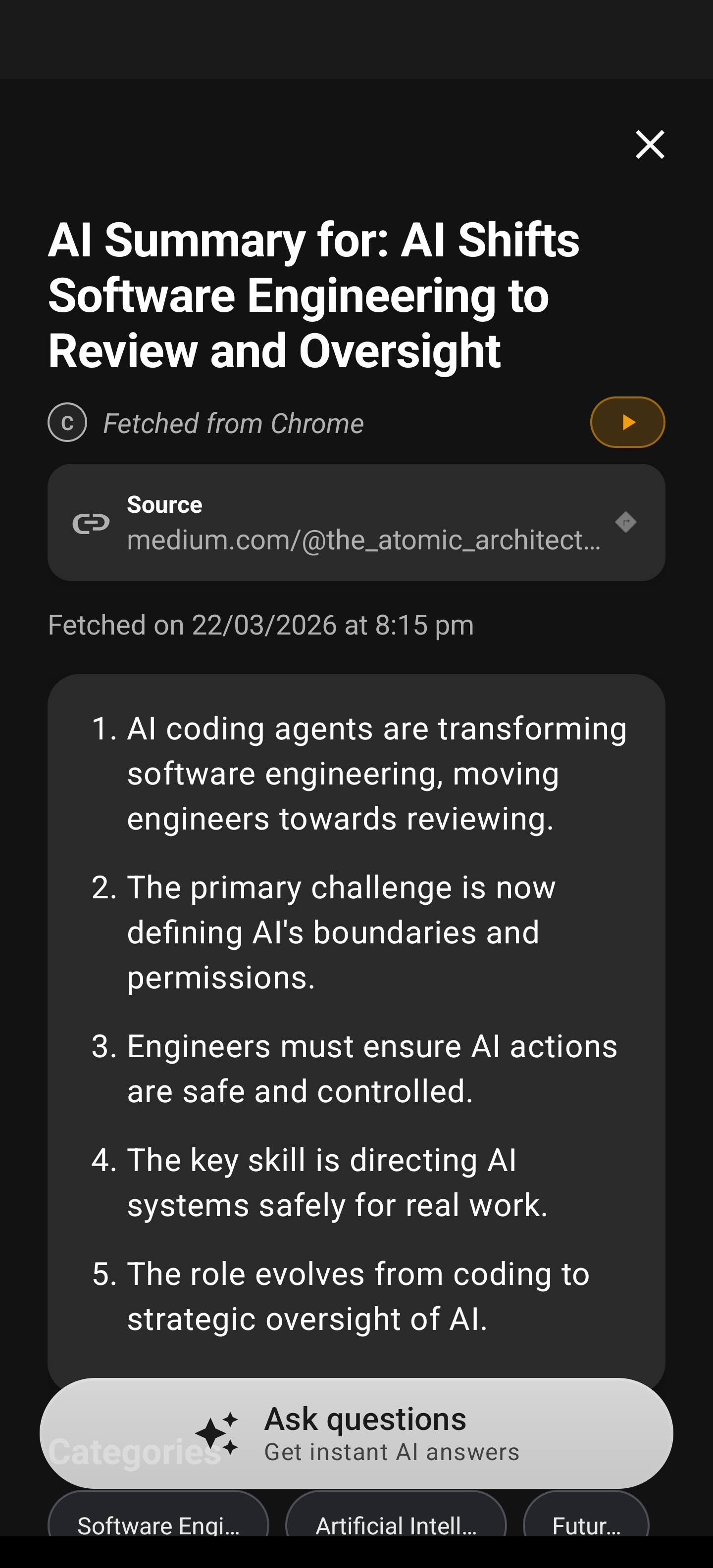
AI Writer: Your On-Screen AI Assistant for Android Drafts, Replies, and Rewrites
Perhaps the most immediately useful feature in Arc’s toolkit is AI Writer — a context-aware writing assistant that works on any screen you’re viewing.
Contextual Replies That Don’t Sound Like a Robot
You’re in your email app, reading a message from a client. Instead of switching to ChatGPT, crafting a prompt, copying the result, and pasting it back — you tap Arc’s overlay, select Reply, and get a draft that references the actual email you’re looking at. It matches the tone, addresses the specific questions, and includes relevant details from the conversation.
Rewrite and Fix Grammar in Place
Already written something but it doesn’t sound right? Arc’s AI Writer can rewrite your text with a different tone, tighten up rambling paragraphs, or fix grammar issues — all without leaving the app you’re in. It reads what’s on screen and improves it in place.
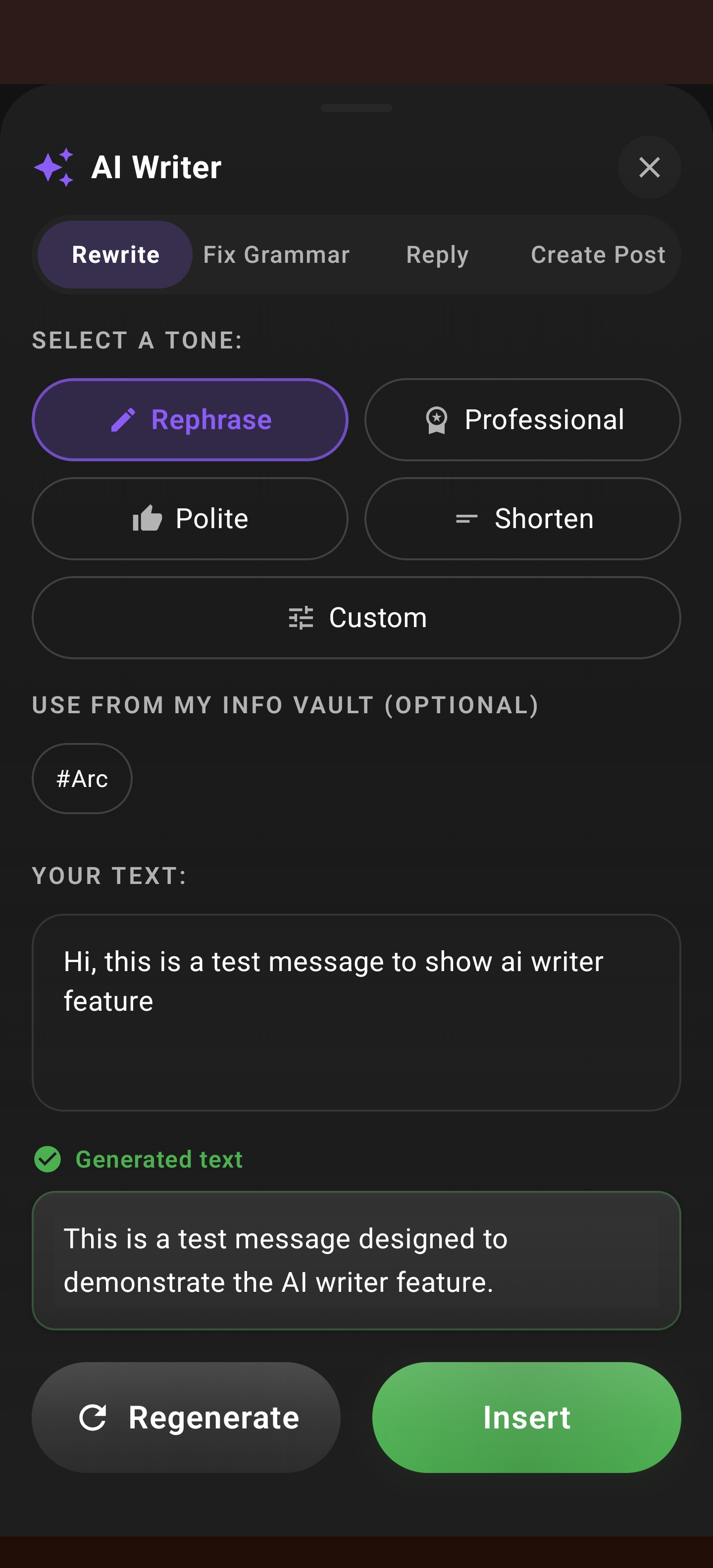
This is the difference between a nudge and an action. Samsung’s Now Nudge might tell you “hey, you should reply to this.” Arc actually writes the reply.
Custom Actions: Build Your Own On-Screen AI Workflows
Here’s where Arc separates itself entirely from anything Samsung or Google is shipping. Custom Actions let you design your own one-tap AI workflows that combine screen reading, AI processing, and formatted output.
What Can You Build?
- Fact-checker — Select a claim on any screen, and Arc verifies it against web sources, returning a verdict with citations
- Translator — Highlight text in any language, get an instant translation in your preferred language
- Formatter — Pull scattered data off a screen and format it into a table, bullet list, or JSON
- Research brief — Capture a topic mentioned on screen and generate a research summary with key sources
The best part? You don’t need to code. Custom Actions are built through a simple form interface — define what Arc should read from the screen, what AI prompt to run, and how to format the result. One tap, done.
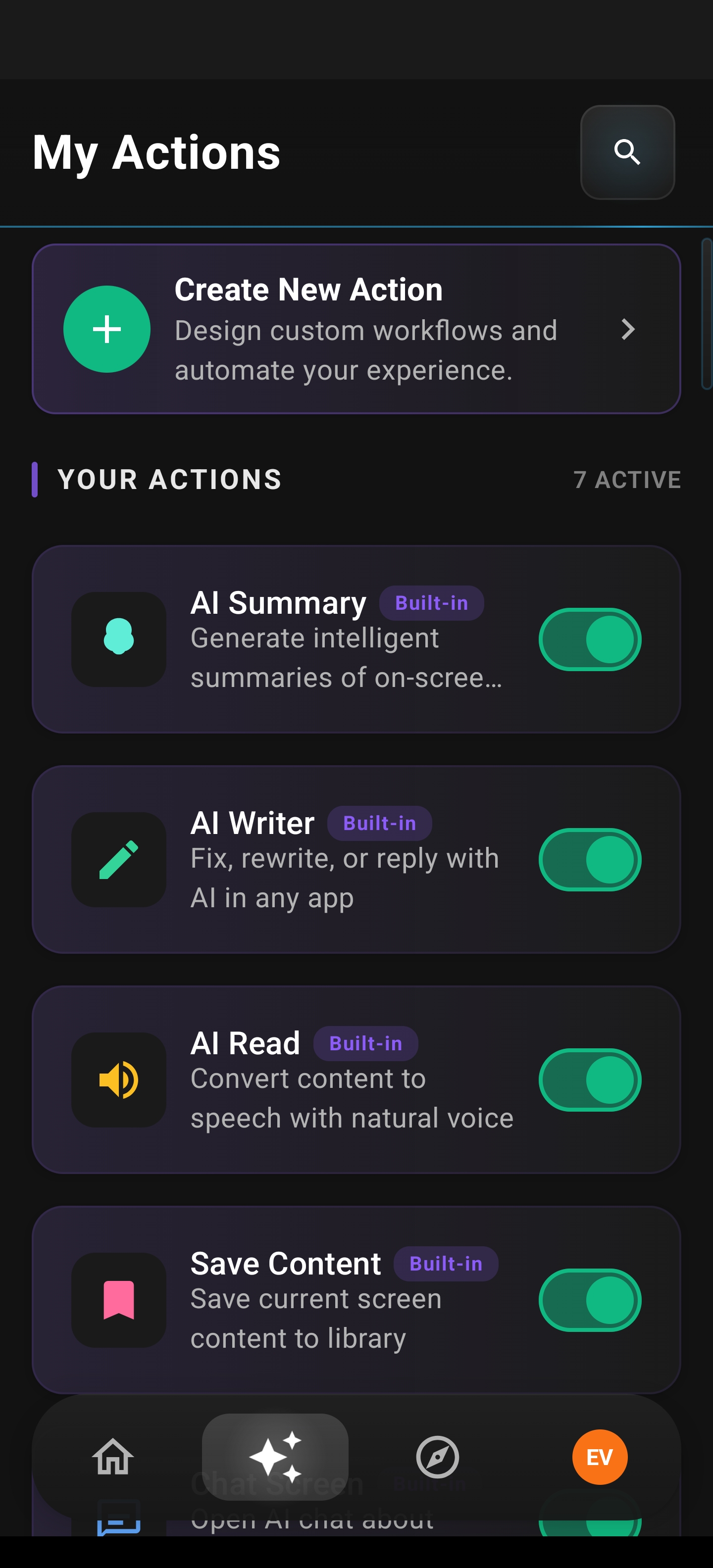
And if you don’t want to build from scratch, Arc’s Community Actions library offers hundreds of pre-built workflows created by other users — from SEO analyzers to recipe extractors to meeting note formatters.
Browse, install, and use. No setup required.
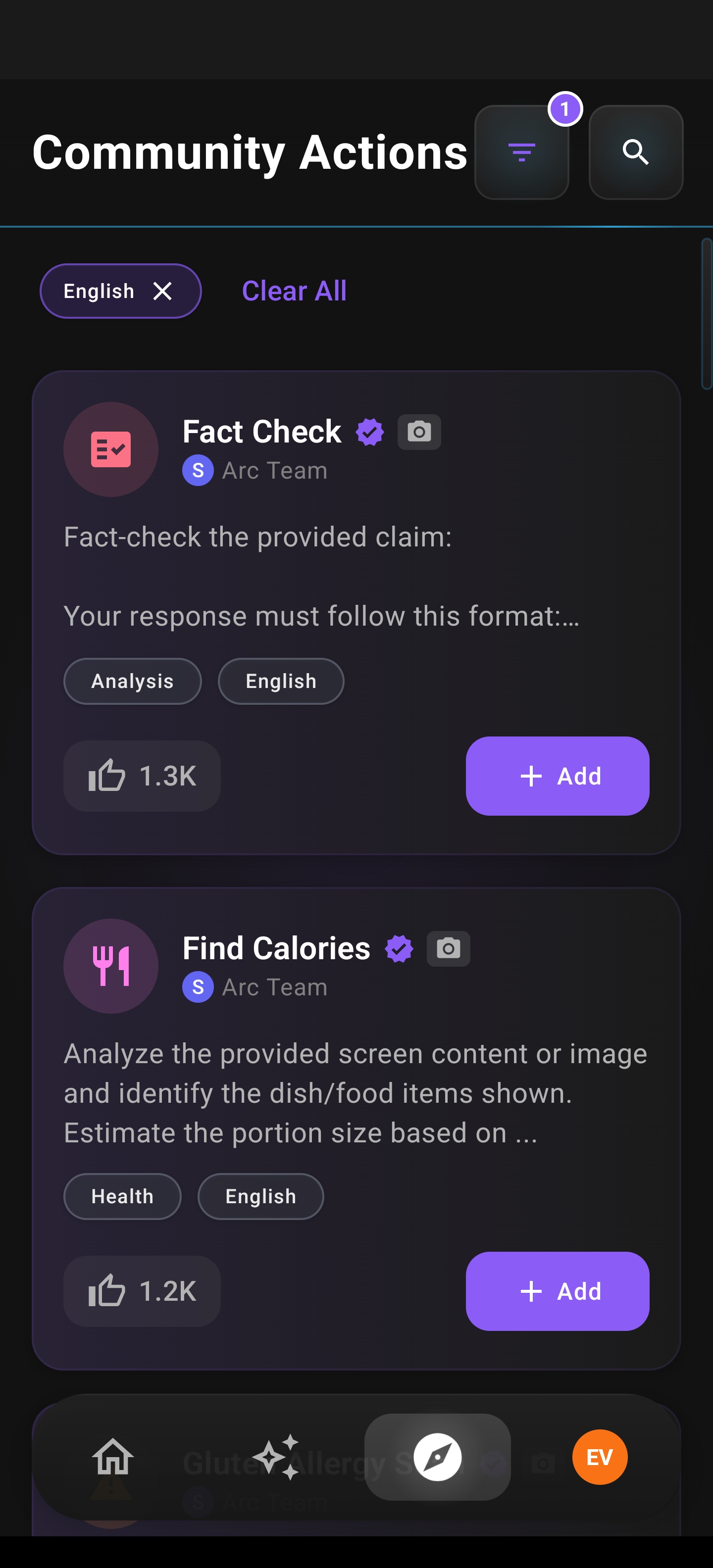
Samsung’s Now Nudge offers pre-defined suggestions. Arc lets you define the suggestions yourself — or borrow from a community that already has.
Now Nudge vs. Arc: The Real Comparison
Let’s be direct about the differences:
| Samsung Now Nudge | Arc | |
|---|---|---|
| Availability | Galaxy S26 only | Any Android phone |
| What it does | Contextual suggestions/nudges | Full AI actions — extract, summarize, write, act |
| Customization | None — Samsung decides what nudge you get | Full Custom Actions — you define your workflows |
| Community | No | Shared Community Actions library |
| Screen reading | Limited to Samsung-identified contexts | Any screen, any app |
| Writing assistance | No | AI Writer with context-aware drafting, replies, rewrites |
| Data extraction | No | Smart Extract for structured data from any screen |
| Cost of entry | New flagship phone ($1,000+) | Free app download |
The headline feature of Now Nudge — that an AI reads your screen and responds — is exactly what Arc does. The difference is that Arc goes further: it reads, understands, and acts. And it works on the phone already in your pocket.
The Broader Shift: Why Screen Context AI on Android Is Inevitable
Samsung didn’t build Now Nudge in a vacuum. The entire industry is converging on the same insight: the screen is the context layer. Every major platform is moving toward AI that doesn’t live in a separate app but sits alongside whatever you’re doing.
- Google expanded Circle to Search from Pixels to a broader Android rollout
- Apple is building screen-aware capabilities into the next Siri iteration
- Microsoft continues to push Copilot as an overlay in Windows and Edge
The direction is clear. The question isn’t whether screen context AI on Android will become standard — it’s whether you’ll get it as a limited, manufacturer-locked feature or as a flexible, universal tool.
Arc chose the universal path. And that choice matters because Android’s greatest strength has always been its openness. Locking the most powerful AI interaction model behind a single device lineup contradicts everything that makes Android, well, Android.
Getting Started with Arc: Your On-Screen AI Assistant for Android
If the idea of an on-screen AI assistant for Android resonates with you — if you’ve ever felt the friction of copy-pasting between apps, wished you could just highlight and act, or looked at Now Nudge and thought “I want that, but more” — Arc is ready.
- Download Arc from the Play Store — it’s free to try, and it works on Android 10+
- Enable the floating sidebar — Arc appears as a small handle on the edge of your screen, expandable with a swipe
- Start with AI Summary or Smart Extract — these are the fastest ways to experience screen-aware AI in action
- Explore AI Writer — try drafting a reply to an email you’re currently reading
- Browse Community Actions — install a few pre-built workflows and see what one-tap AI assistance feels like
- Build your own Custom Actions — once you see the pattern, create workflows tailored to your daily tasks
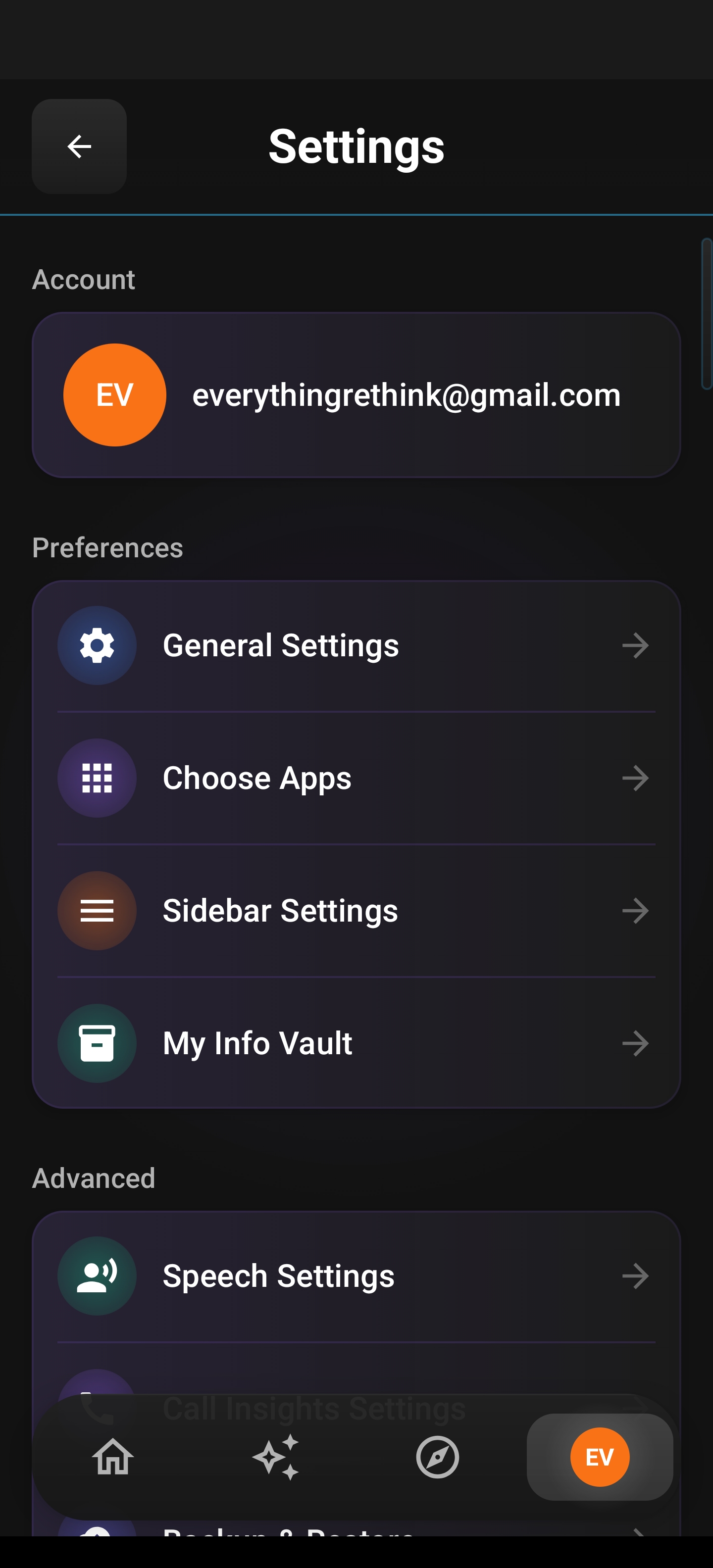
Arc’s settings give you full control over which apps the overlay works with, how it appears, and when it auto-collapses. It’s designed to be there when you need it and invisible when you don’t.
The Bottom Line
Samsung’s Now Nudge did something valuable: it proved that on-screen AI assistant for Android is a category worth building. When the world’s largest Android manufacturer dedicates flagship hardware real estate to screen-aware AI, the market has spoken.
But you don’t need to wait for the next phone upgrade cycle. You don’t need to accept “nudges” when you need actions. You don’t need to settle for a manufacturer-locked feature when a universal solution exists.
AI reads your screen — that’s the future Samsung is promising. AI reads your screen and does something about it — that’s the present Arc already delivers.
Download Arc from the Google Play Store and see what a real on-screen AI assistant for Android feels like.