Gemini Spark Android — What It Means for On-Screen AI
Google's Gemini Spark and Android Halo bring agentic AI to Android phones.. Free to try.
Google just pulled back the curtain on Gemini Spark at I/O 2026 — and it’s the biggest signal yet that on-screen AI is the next frontier for Android. An always-on agentic assistant that runs tasks on cloud VMs, works across Gmail and Google Docs, and tracks progress through a new Android Halo system. It’s ambitious. It’s also a reminder that the real question isn’t whether AI should live on your screen — it’s whether you should wait months for it or have it right now.
If you’re an Android user who’s been watching the AI space evolve, Gemini Spark Android represents a turning point. But here’s the detail most coverage glosses over: the gap between “agentic AI running in the cloud” and “an AI that sees your screen and acts on it immediately” is enormous. And Arc has been bridging that gap since day one — today, over 8,500 monthly active users across 50+ countries rely on Arc’s screen-aware overlay every month, running 5,900+ custom actions and generating 3,100+ AI summaries monthly.
What Is Gemini Spark Android?
Gemini Spark is Google’s new agentic personal assistant, built on the latest Gemini 3.5 model and an agentic harness from Google Antigravity. Unlike a traditional chatbot that waits for your prompt, Spark takes a task and runs with it — handling multi-step workflows in the background without requiring you to keep your phone or laptop open.
Here’s what makes it different from previous Google AI efforts:
- Always-on cloud agent — Spark runs on dedicated virtual machines, so it keeps working even when you close your device
- Deep Google integration — Built-in connections to Gmail, Google Docs, Sheets, Slides, and Chrome mean zero setup friction
- Email-driven interface — You can assign tasks by emailing a dedicated Spark address, like delegating to a colleague
- Android Halo — A new system-level UI that shows live AI agent activity at the top of your screen, keeping you informed without app-switching
The pitch is compelling: tell Spark to draft a status update based on your recent emails, and it pulls facts from Gmail, cross-references your Docs, and writes the draft for you. Small businesses can point Spark at their inbox and never miss a customer question.
Google is rolling Spark out to AI Ultra subscribers ($100/month) first, with broader availability planned for later this year.
Gemini Intelligence Screen Automation: The Missing Piece Everyone’s Talking About
Here’s where things get interesting for Android users. Alongside Spark, Google previewed Gemini Intelligence screen automation — the ability for AI to read what’s on your screen and take action across apps. It’s a feature that’s been spotted in Android 16 QPR3 builds, codenamed “Bonobo,” and it lets Gemini interact with apps by “talking” to them on your behalf.
Want to book a ride? Gemini screen automation can open your ride-sharing app and complete the booking. Need to order food? It navigates the delivery app for you. It’s the same “AI acts on your screen” concept that Samsung’s Now Nudge explored with the Galaxy S26, but with deeper, multi-step execution.
The catch: Gemini Intelligence screen automation has limits. Free accounts get roughly 5 requests per day. Even paid tiers face daily caps. And the feature is device-specific — it launched on the Galaxy S26 and is slowly rolling out to other devices. If you’re on a Pixel, a OnePlus, a Motorola, or anything that isn’t the newest flagship, you’re waiting.
This is the fundamental tension with every major platform’s AI rollout: the vision is right, the timeline is slow, and the access is restricted.
Why an On-Screen AI Assistant for Android Matters Right Now
The “on-screen AI assistant for Android” category barely existed a year ago. Now Samsung is betting on it with Now Nudge, Google is building Gemini Intelligence into the OS layer, and Apple is rumored to be working on screen-aware Siri updates. The entire industry is converging on the same insight:
Your phone screen is where information lives. An AI that can’t see your screen is flying blind.
The math is simple. The average Android user switches apps 15+ times per session — copying a tracking number, pasting it into a search, switching to a notes app, jumping back to email. That’s not a workflow. That’s friction multiplied by repetition. An on-screen AI assistant that understands your screen context and acts on it immediately doesn’t just save time — it fundamentally changes how you use your phone.
Gemini Spark Android validates this direction. Android Halo validates it. Samsung Now Nudge validates it. But validation isn’t the same as availability — and that’s where the conversation gets practical.
Arc: The On-Screen AI Assistant That Already Works on Your Phone
While Google and Samsung announce features coming “later this year,” Arc is on the Play Store right now — a fully functional on-screen AI assistant for Android that runs on practically any device you already own.
Arc doesn’t nudge. It doesn’t suggest. It acts.
How Arc Works
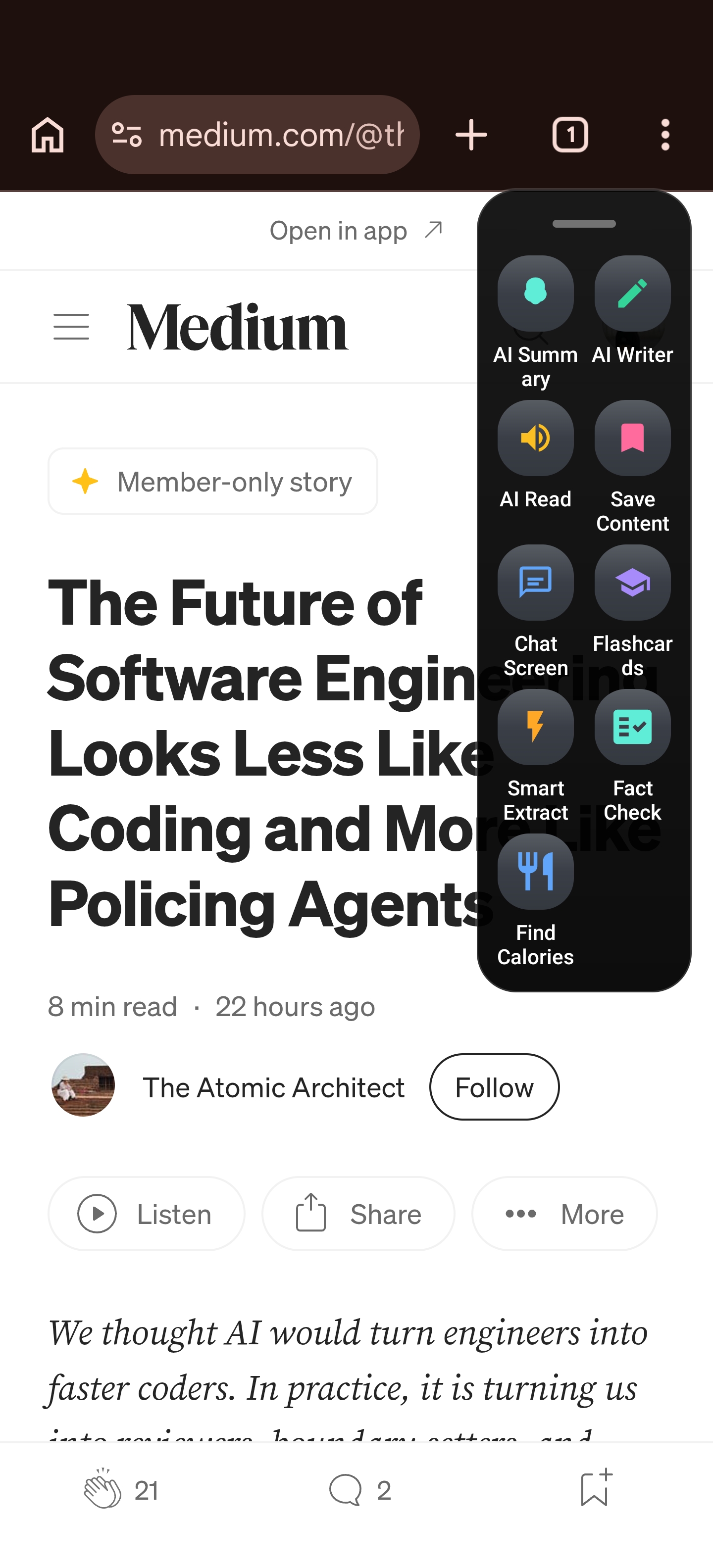
Arc is a system-wide floating overlay that lives on the edge of your screen. Swipe from the edge, and it appears on top of whatever app you’re using — reading the content you’re viewing and offering real actions, not just links.
What You Can Do Today
-
AI Summary — Reading a 2,000-word article? Arc condenses it into key points without leaving the browser. Long email thread? Summarized in seconds. Group chat exploding with messages? Get the gist instantly.
-
Smart Extract — Need to pull a name, address, tracking number, or flight details off any screen? One tap and it’s captured as structured data. No manual highlighting, no copy-pasting into a notes app.
-
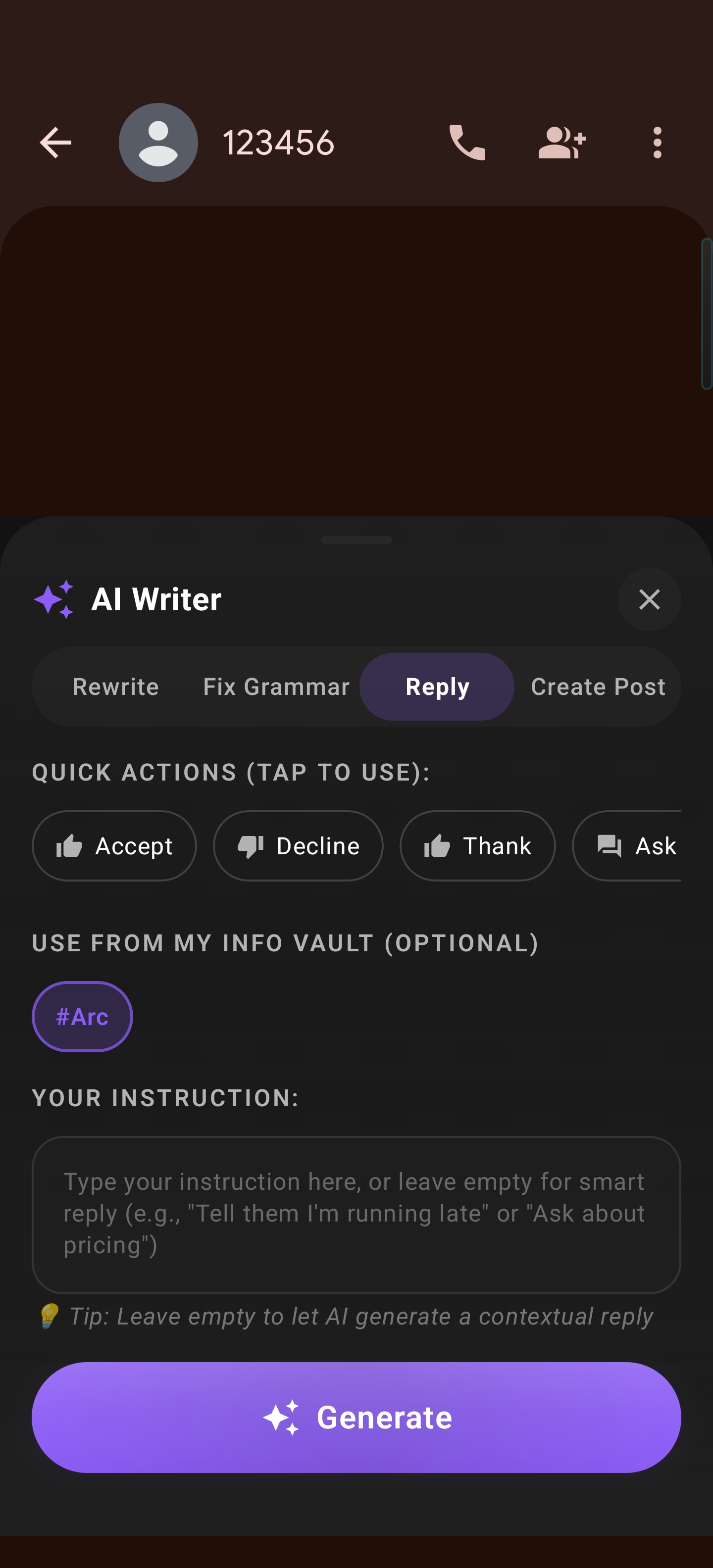
Custom Actions — Build your own one-tap AI workflows that combine screen reading, AI processing, and formatted output. Want a fact-checker that verifies claims against web sources? A translator that handles any on-screen text? A data extractor that formats information into the exact structure you need? You build it once and run it forever.
-
Community Actions — Browse 250+ pre-built actions from other Arc users. If someone’s already built the workflow you need, you don’t have to start from scratch.
Android AI Overlay: How Arc and Gemini Spark Compare
Both Arc and Gemini Spark represent the future of Android AI — but they solve different problems in different ways, and they’re not mutually exclusive. Here’s how they stack up:
| Feature | Arc | Gemini Spark |
|---|---|---|
| Availability | Any Android phone, free | Google AI Ultra subscribers ($100/mo), limited rollout |
| How it works | On-device overlay, instant action | Cloud-based agent, background processing |
| Screen context | Reads your screen in real-time | Limited screen automation (device-dependent) |
| Speed | Instant results | Multi-step tasks take minutes |
| App scope | Works across any app | Deep Google app integration |
| Customization | Build your own AI actions | Pre-built skills, MCP integrations |
| Offline? | Works with on-device models | Requires cloud VMs |
| Privacy | Only reads screen when you trigger it | Cloud-based, continuous background activity |
The key difference: Arc is an on-screen AI assistant for Android that you trigger when you need it. It sees what you see, acts immediately, and goes away when you’re done. Gemini Spark is an off-screen agent that works in the background on tasks you’ve delegated. They’re complementary — but if you want screen-aware AI assistance today, on your phone, Arc is the only option that actually delivers.
The Real Problem: Screen Context Friction
Here’s what Gemini Spark Android and Android Halo don’t solve: the 30-second tasks that happen dozens of times per day.
You’re reading a WhatsApp message with an address. You need to open Maps, type it in, navigate. That’s 20 seconds of friction.
You’re looking at an email with a meeting request. You need to check your calendar, find the time slot, create the event. That’s a minute of switching.
You’re browsing a product page and want to compare specs with another product. Copy, paste, switch, repeat.
These aren’t “delegate to a cloud agent” problems. These are “I need AI to see what I’m looking at and act on it right now” problems. And that’s exactly what an Android AI overlay like Arc is built for.
Gemini Intelligence vs. Arc: Why Screen Context Wins
Google’s Gemini Intelligence screen automation (the Bonobo project) is a step in the right direction — letting AI interact with apps on your behalf. But it comes with constraints:
- Daily limits on free accounts (around 5 requests per day)
- Device restrictions — launched on Galaxy S26, slow rollout to other phones
- Limited to specific apps — works with supported apps, not system-wide
- Background execution — you’re watching a loading indicator, not getting instant results
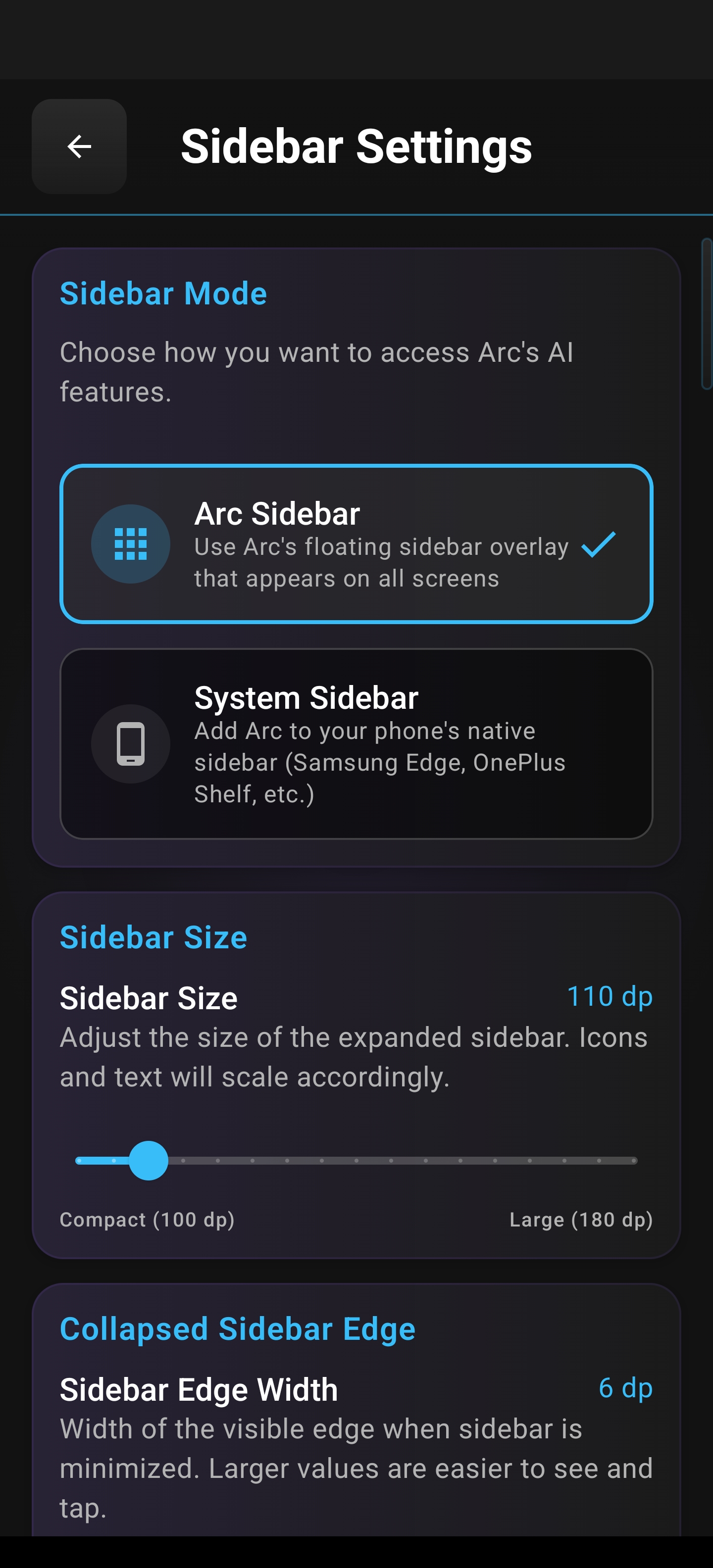
Arc takes the opposite approach. It’s an on-screen AI assistant for Android that works everywhere, right now:
- No daily limits on core features
- Works on any Android 10+ device — no flagship requirement
- System-wide overlay — works on any app, any screen
- Instant results — you see your screen, you get your answer, you move on
The tradeoff is clear: Gemini Spark is better for long-horizon background tasks (sort my inbox, track this thread, compile this report). Arc is better for immediate, on-screen assistance (summarize this page, extract this info, draft this reply). For most Android users, the daily friction lives in the second category.
Why Arc Users Are Already Ahead
If you’ve been using Arc, you’ve been experiencing what Gemini Spark Android promises for months:
- Screen context AI that reads what you see and responds intelligently — 3,100+ AI summaries generated monthly
- One-tap actions that eliminate copy-paste-switch workflows — 5,900+ custom action runs per month
- Custom workflows you build yourself — no coding required
- Community-powered actions that extend what your phone can do
- Real reach — 8,500+ monthly active users in 50+ countries, with India (47%) and the US (13%) leading adoption
Getting Started with Arc as Your On-Screen AI Assistant
Setting up Arc takes about two minutes:
- Download Arc from the Google Play Store
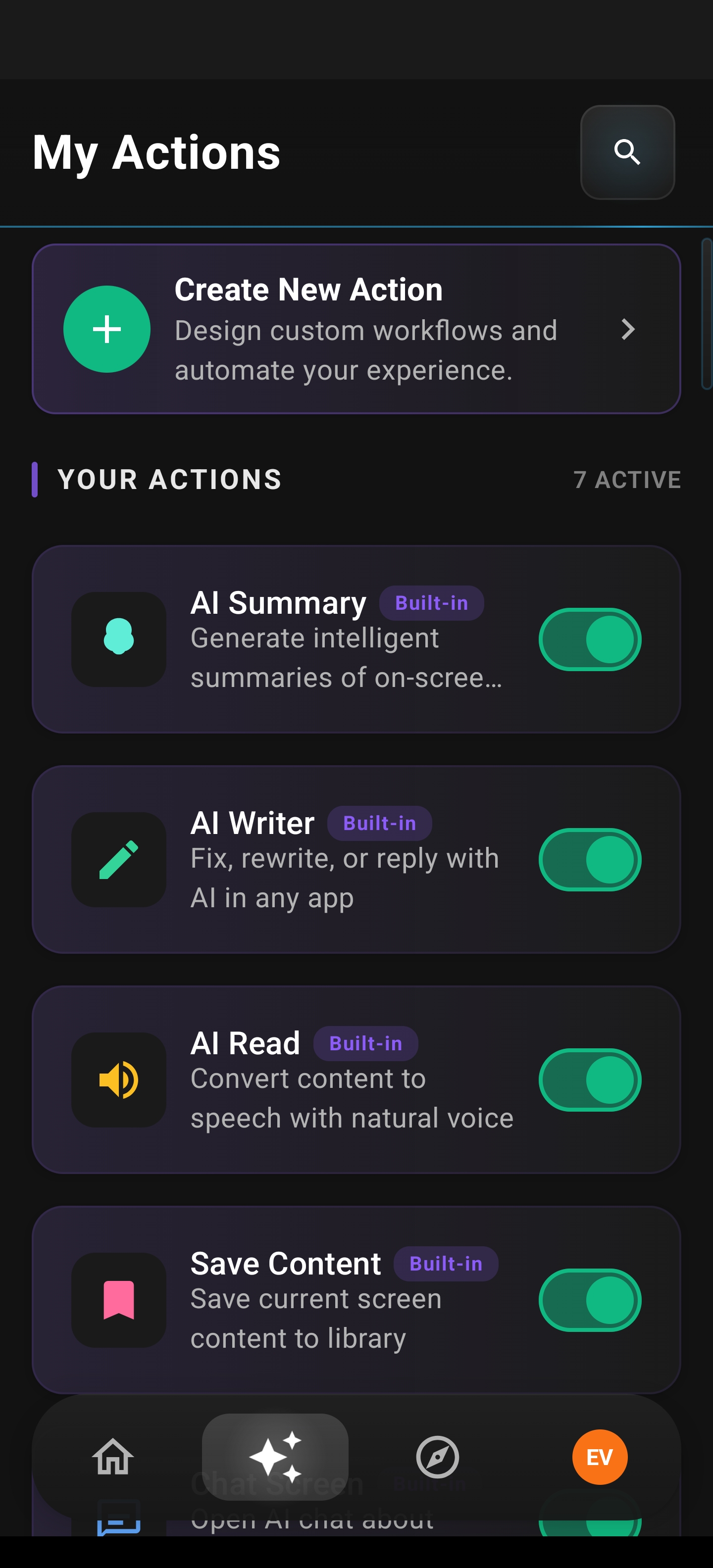
- Enable the floating sidebar — choose your preferred edge, size, and auto-collapse behavior
- Grant accessibility permissions — this lets Arc read your screen content when you trigger it
- Start using it — swipe to open Arc, pick an action, get results
No subscription required. No flagship phone requirement. No waiting list.
Arc only reads your screen when you explicitly tap an action — it never monitors your activity in the background. Your data stays on your device unless you choose to send it to AI models for processing. That’s a privacy model that cloud-based agents can’t match.
The Future of On-Screen AI on Android
Gemini Spark Android is a milestone. It proves that Google sees AI agents as a core part of the Android experience — not a novelty, but a fundamental layer. Android Halo proves that screen-level AI visibility matters. Gemini Intelligence screen automation proves that reading and acting on screen content is the next interaction model.
But milestones aren’t the same as solutions you can use today. The gap between “announced at I/O” and “available on your phone” is measured in months. The gap between “limited daily requests on specific devices” and “unlimited on any Android phone” is measured in philosophy.
Arc chose a different philosophy: deliver the future now, to everyone, on the device they already own.
Download Arc — Your On-Screen AI Assistant for Android
Ready to experience screen context AI that works today? Arc is free to try, available worldwide, and runs on any Android 10+ device.
Download Arc from the Play StoreSummarize any screen. Extract any data. Draft any reply. Build any workflow. All without switching apps — all powered by an on-screen AI assistant that sees what you see and acts on it immediately.
The future of Android isn’t waiting for a cloud agent to finish your task. It’s having an AI overlay that’s ready the moment you need it.
Frequently Asked Questions
What is Gemini Spark Android?
Gemini Spark is Google’s agentic AI assistant announced at I/O 2026. It runs on dedicated cloud virtual machines, handles multi-step tasks across Google apps like Gmail and Docs, and tracks progress through Android Halo — a system-level indicator that shows AI agent activity on your phone screen.
Is Gemini Spark available on all Android phones?
No. Gemini Spark is initially rolling out to Google AI Ultra subscribers ($100/month) and has limited availability. Gemini Intelligence screen automation launched on the Galaxy S26 and is slowly expanding to other devices.
How is Arc different from Gemini Spark?
Arc is an on-screen AI assistant for Android that works instantly on any Android 10+ device. It reads your screen when you trigger it and delivers immediate results — summaries, extractions, drafts, and custom actions. Gemini Spark is a cloud-based background agent for long-horizon tasks. They solve different problems and can be used together.
What is Gemini Intelligence screen automation?
Gemini Intelligence screen automation (codenamed “Bonobo”) is a feature that lets Android’s Gemini assistant interact with apps on your screen — booking rides, ordering food, and completing multi-step tasks. It’s currently limited to specific devices and has daily usage caps.
Does Arc require a subscription?
No. Arc is free to download with a generous free tier. Core features like AI Summary, Smart Extract, and AI Writer have daily free limits. Custom and Community Actions are also included. Premium removes limits and unlocks more features.
What phones does Arc work on?
Arc works on any Android device running Android 10 or later. There’s no flagship requirement — no need for a Galaxy S26, Pixel 10, or any specific model.
Is Arc’s on-screen AI overlay private?
Yes. Arc only reads your screen content when you explicitly tap an action in the floating sidebar. It never monitors your screen in the background. Processing happens on-device when possible, and data is only sent to AI models when you trigger an action.