ADHD App for Android: Reduce Overload & Get Things Done
ADHD phone overload? Arc reduces cognitive load by summarizing, reading aloud, and extracting key info from any screen. Free to try on Android.
For many neurodivergent individuals, the digital world is a minefield of distractions. If you live with ADHD, you know the cycle well: you open your device to complete a single task, only to get lost in a barrage of notifications, tab-hoarding, and information overload. That initial momentum vanishes, replaced by task paralysis.
If you’ve ever wondered what AI can see your screen and actually act on what’s there — rather than just being another chatbot you have to switch to — the Arc AI Screen Assistant was built for exactly this. It isn’t just another app; it is a system-wide cognitive companion that acts as an external executive function layer for your Android device. Arc literally reads what’s on your screen and takes action, which is the key difference between an AI that talks and an AI that helps.
I built Arc because I lived this struggle. I’d open my phone to pay a bill and twenty minutes later find myself deep in a Wikipedia rabbit hole, the bill completely forgotten. The problem wasn’t laziness — it was that every tap, every switch, every notification was a fork in the road, and my ADHD brain took every single detour. I needed something that would meet me where I already was, on the screen I was already looking at, instead of making me navigate somewhere else. That’s the idea behind Arc: an AI that doesn’t ask you to change your workflow but instead fits into it.
Today, over 28,000 Android users across 50+ countries rely on Arc for exactly this kind of friction reduction. Every month, they generate more than 3,000 AI summaries and start over 1,800 Read Aloud sessions — two features that directly target the reading fatigue and context-switching that derail ADHD brains most. These aren’t theoretical benefits; they’re daily usage patterns from a community that shares the same struggles I do.
Reducing Cognitive Load with the Floating Sidebar
Context switching is an ADHD tax. Every time you leave your current task to check a reference, reply to an email, or look up a definition, you risk losing your “flow state.”
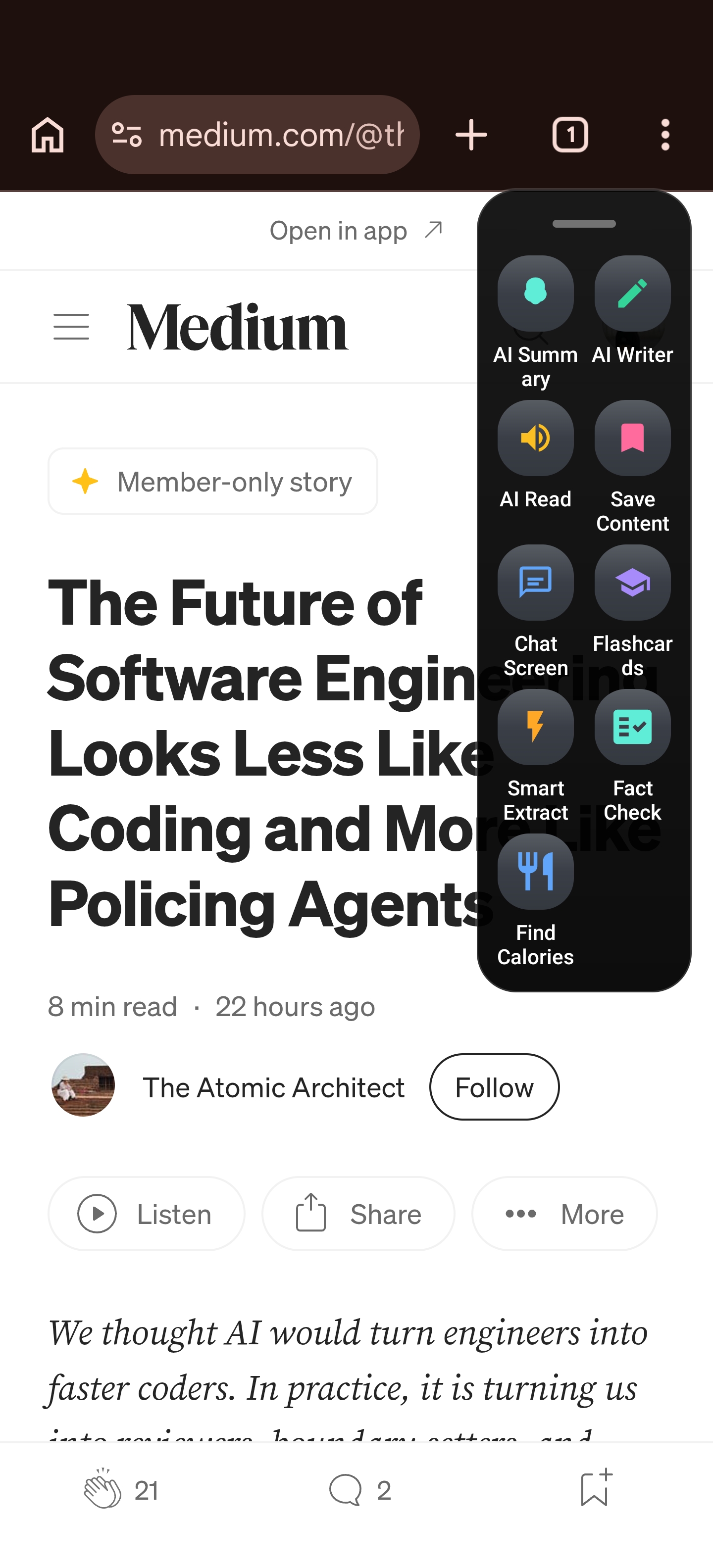
The Floating Sidebar provides instant, system-wide access to your tools without requiring you to switch applications. Whether you are reading an article or waiting for a meeting, your assistant remains a persistent, non-intrusive overlay.
Here’s why this matters more than you might think: research on ADHD consistently shows that context-switching isn’t just a minor inconvenience — it’s a primary driver of task abandonment. Every time you swap from your browser to a notes app, from your email to a calendar, you’re asking your brain to perform a full cognitive reset. For neurotypical brains, that reset costs about 15–25 minutes of refocusing time. For ADHD brains, it can cost the task entirely. You switch to your notes app, see an old notification, tap it, and now you’re in a completely different workflow. The original task is gone.
The floating sidebar breaks this cycle at the root. Instead of leaving your current screen, you swipe, act, and dismiss. Your eyes never leave the page. Your working memory stays loaded with the task at hand. It’s a small design decision with an outsized impact: by eliminating the switch, you eliminate the vulnerability.
By keeping your primary task in view, you eliminate the “app-switching fatigue” that often leads to distraction. It provides a visual anchor, helping you stay grounded in the task at hand rather than wandering into the depths of your device.
The Antidote to Reading Fatigue: AI Summary & Smart Extract
Information overload is a common trigger for cognitive burnout. When you encounter a wall of text, the effort required to process it can be paralyzing.
Key Insight: The Arc AI Summary feature doesn’t just shorten text; it distills complexity, allowing you to scan for actionable insights without the mental drain of exhaustive reading. With over 3,000 AI summaries generated by users every month, it’s clear that this feature addresses a real and recurring need — cutting through walls of text before they trigger overwhelm.
For ADHD brains, the problem with long-form content isn’t laziness — it’s that the mental energy required to sustain attention through a 2,000-word article often exceeds what’s available. You start strong, but by paragraph five, your working memory is overloaded, your focus drifts, and you either skim inaccurately or give up entirely. AI Summary meets you at the point of overwhelm. Instead of forcing yourself through a wall of text, you get the key takeaways in seconds, and can then choose to dive deeper into specific sections that matter — on your terms, not the author’s.
I use this daily when processing news. Instead of opening ten tabs and feeling the weight of all that unread content, I let Arc summarize each article as I encounter it. If something is genuinely important, I read the full version. If it’s not, I move on with the key points already captured. It turns information anxiety into information confidence.
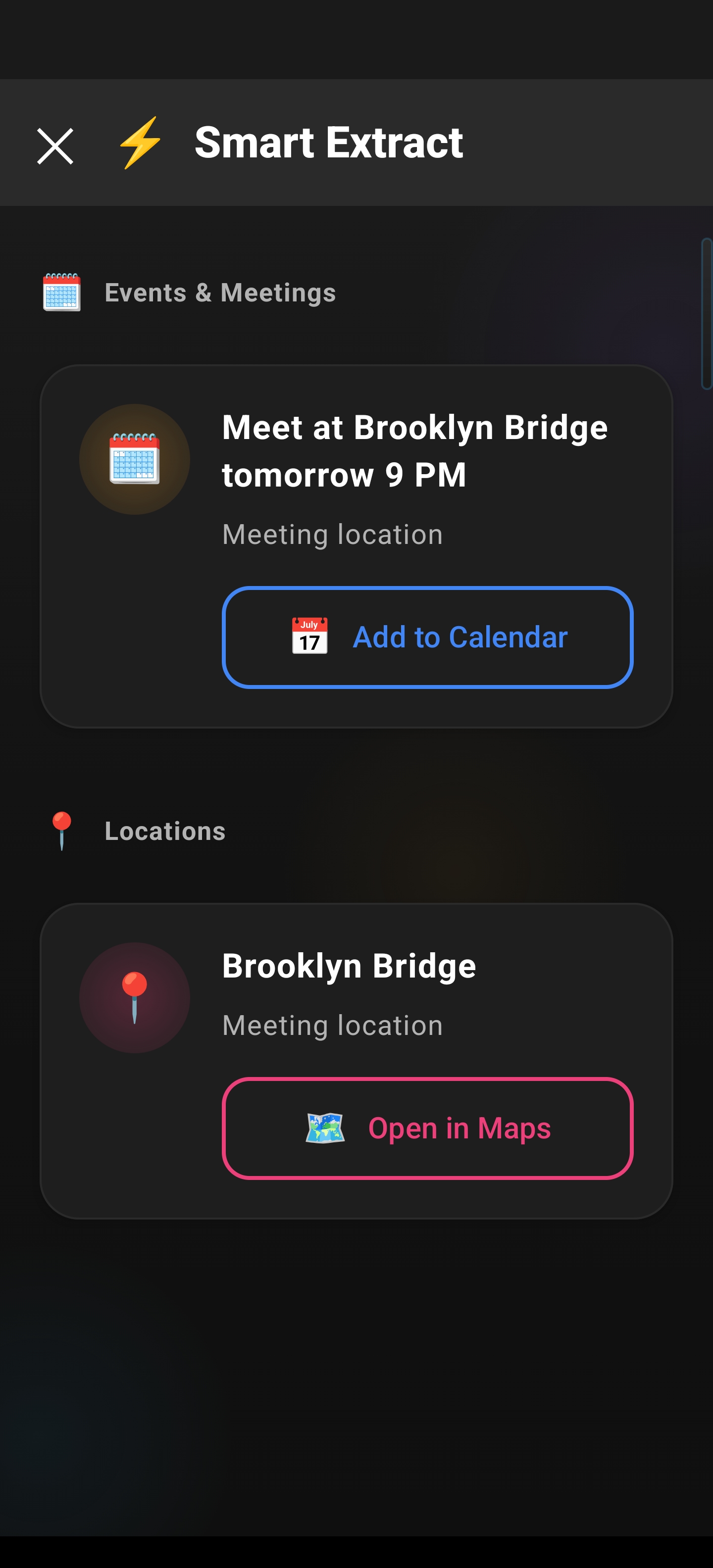
Beyond summaries, Smart Extract automates the tedious manual work that usually trips up executive function. Need to save a date for a deadline, a phone number, or a crucial link? A single tap extracts this data, ensuring that critical information isn’t lost in the shuffle of your daily workflow.
For ADHD users, Smart Extract is especially powerful for two scenarios that come up constantly:
- OTP and verification codes: You’re logging into a banking app and a verification SMS arrives. Normally, you’d swipe down, open Messages, memorize or copy the code, switch back, and paste — each step a chance to get distracted. With Smart Extract, the code is identified on your screen instantly. One tap to copy, one tap to paste. Done. The friction disappears, and so does the chance of losing your place.
- Action items buried in long messages: Your colleague sends a Slack message with three tasks and a deadline buried in paragraph four. By the time you’ve finished reading, you’ve already forgotten the first one. Smart Extract pulls out dates, links, and contacts so you can act on them immediately — save the deadline to your calendar, open the link in a new tab, call the phone number — without re-reading the entire message.
Smart Extract intelligently identifies dates, links, and contacts on your screen, allowing you to take action instantly-like adding an event to your calendar-without manual data entry.
Read Aloud: When Your Brain Needs to Hear It
Not everyone processes information best through reading. For many people with ADHD, auditory processing is significantly more effective than visual processing. When you read, your mind can wander mid-sentence. When you listen, the narrative carries you forward.
Arc’s Read Aloud feature converts any on-screen text into natural-sounding speech. It’s not a robotic screen reader — it’s designed to sound human, with proper pacing and inflection. Every month, users start over 1,800 Read Aloud sessions, turning text they’d otherwise skip into content they can absorb while walking, cooking, or winding down. This makes it invaluable for:
- Long articles and documentation that you need to absorb but can’t sustain focus on visually
- Emails and messages you want to process while walking or doing a repetitive task (body doubling, anyone?)
- Study material where hearing the content reinforces retention through a second sensory channel
I personally use Read Aloud during my evening catch-up. Instead of staring at screens after a full workday, I let Arc read my saved articles while I cook dinner. It’s passive consumption that actually sticks — because I’m not fighting my exhausted attention span.
Overcoming ‘Blank Page’ Paralysis with AI Writer
Starting a project or responding to a professional email can feel insurmountable. The “blank page” effect-where the starting point is unclear-often leads to procrastination.
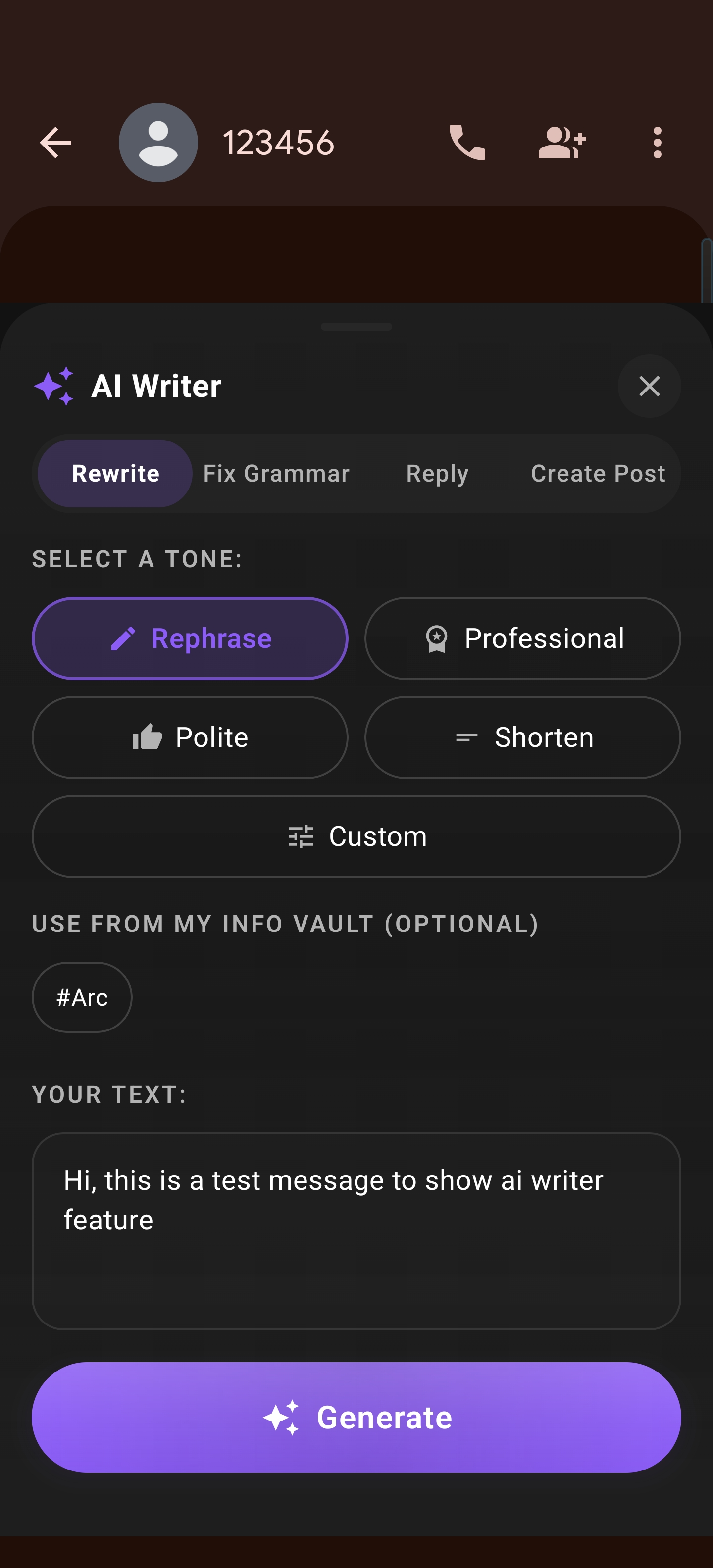
The AI Writer functions as a low-friction starting point. Whether you need to rewrite a drafted sentence, fix grammar, or structure a response, the AI handles the heavy lifting of the initial draft. This allows you to focus on editing rather than creating, which is significantly less taxing on executive resources.
The AI Writer offers multiple modes-Rewrite, Fix Grammar, Reply, and Create Post-to help you express yourself clearly across any application.
Managing Information Hoarding: The Unread Queue
We have all been there: saving dozens of tabs and articles to read “later,” only to never see them again. This cycle creates clutter and anxiety.
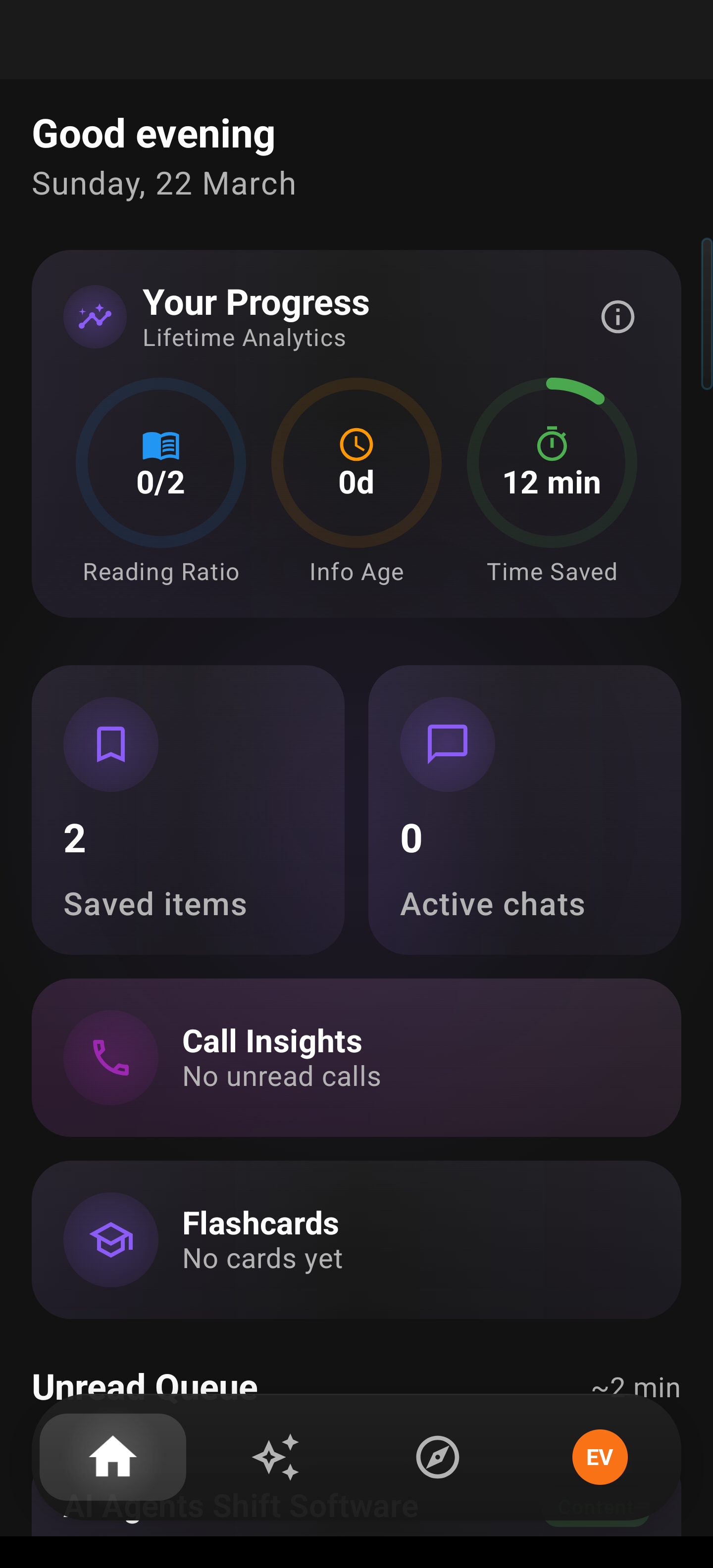
The Unread Queue acts as your centralized hub. By funneling all your saved content into a single location, it prevents digital “hoarding” and gives you a structured way to revisit information when you are actually ready to engage with it, rather than letting it pile up in browser tabs or hidden notification trays.
The Unread Queue automatically populates with your saved summaries and content, ensuring you have a single, organized place to catch up.
Building Retention: Automated Flashcards
For those who struggle with traditional note-taking or study methods, the Flashcards feature is a game-changer. By automating the creation of study tools directly from the content you are consuming, Arc supports active recall.
It turns passive consumption-reading an article or a document-into an active learning session, reinforcing memory without the manual labor of writing out index cards.
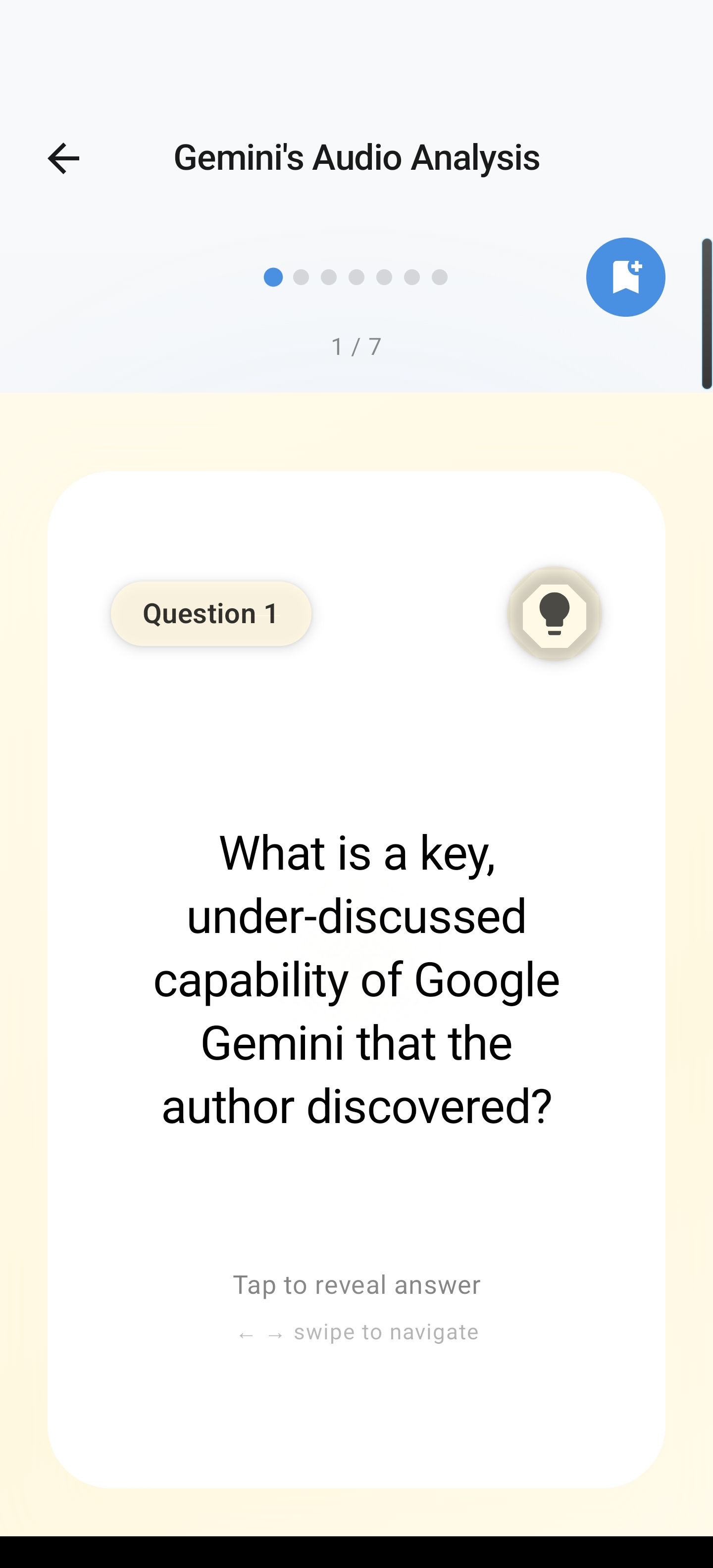
Flashcards are generated automatically from your content, making it easy to test your knowledge and retain important information.
A Daily ADHD Workflow with Arc
Tools are only useful if they fit into how you actually work. Here’s a realistic daily routine that leverages Arc’s features in sequence — not as isolated tricks, but as a system:
Morning (9:00–10:00 AM): Processing the flood. Open your email and messaging apps. Instead of reading every message in full, use AI Summary to get the gist of long threads. For anything with a deadline, event, or contact, tap Smart Extract to pull and save that data immediately. The goal: clear your inbox to zero without spending an hour re-reading everything.
Work sessions (throughout the day): Stay in the zone. Keep the Floating Sidebar enabled but dismissed. When you need to look something up — a definition, a quick calculation, a reference — summon the sidebar, ask, and dismiss. No app switching. No losing your tab. If you hit a wall of documentation, hit AI Summary instead of trying to read it all. If you’re composing a tricky response and staring at the cursor, use AI Writer to draft the first version, then edit from there.
Commute or downtime: Passive catch-up. Open your Unread Queue and use Read Aloud to listen to articles you saved but never got to. Your eyes get a break, your brain stays engaged, and your queue shrinks.
Evening review (5–10 minutes): Check your Flashcards for anything you want to retain from the day’s reading. Review them while the content is still fresh. This takes almost zero effort but makes a real difference in what sticks versus what vanishes overnight.
The point isn’t perfection — it’s momentum. Each feature handles one friction point, and together they create a workflow that actually works with your ADHD brain instead of against it.
Conclusion
Productivity for the ADHD brain isn’t about working harder; it’s about working in a way that aligns with how your brain naturally processes information. By reducing the friction between intent and action, the Arc AI Screen Assistant provides the support structure necessary to navigate the digital world with clarity and focus.
If you’ve been searching for an ADHD-friendly Android tool that doesn’t force you into neurotypical workflows, Arc is designed for you — by someone who shares the same struggles. It’s free to try, with core features like Smart Extract and AI Summary available from day one.
Frequently Asked Questions
How does Arc help with ADHD on Android?
Arc reduces cognitive overload by summarizing long content, reading screens aloud, and extracting key items — all without switching apps. This minimizes context-switching, which is a major ADHD productivity killer.
Can I use Arc’s floating sidebar with any app?
Yes. Arc’s floating sidebar appears on top of any app. Summon it with a swipe, use Smart Extract or AI Summary, then dismiss it. You never leave what you were doing.
Is Arc free to try?
Arc offers a free tier with core features like Smart Extract and screen summarization. Premium unlocks unlimited AI usage, Read Aloud, AI Writer, and more. It’s free to try — start with the basics and upgrade when you’re ready.
Ready to streamline your workflow? Download Arc AI Screen Assistant from the Play Store and reclaim your focus - or learn more about all Arc features.
Need Accessibility Tools for Android?
Arc includes built-in accessibility features for ADHD, dyslexia, and neurodivergent users — all in one floating sidebar. Explore Arc’s accessibility tools →