AI App Overload Android? Replace 6 Apps With One Free Tool
AI app overload on Android? Arc is the all-in-one AI app Android users trust to replace multiple AI tools — summaries, writing, extraction. Free to try.
You’ve got a separate app for AI summaries, another for AI writing, a third for text extraction, and a fourth for flashcards. Each one wants a subscription, hogs storage, and pings you with notifications you never asked for. If you’re feeling AI app overload on Android, you’re not alone — over 28,000 Android users have turned to Arc as their all-in-one AI app Android solution, generating 3,000+ AI summaries every month across 50+ countries.
I built Arc because I was living this exact problem. I had six AI apps on my phone and used maybe one feature from each. That’s not productivity — that’s digital hoarding. In this post, I’ll walk through why AI app overload happens, what it costs you, and how replacing multiple AI apps with a single Android AI assistant like Arc actually works in practice.
Why AI App Overload on Android Is Getting Worse
The average Android user has over 80 apps installed, but regularly uses fewer than 9. AI apps make this worse because each one does just enough to keep you hooked — one summarizes, one writes, one extracts text — but none of them talk to each other.
Here’s what that looks like in practice:
- AI Summary app: Copies text, switches apps, pastes, waits for output
- AI Writer app: Opens separately, re-types context it already knows
- Text Extraction app: Yet another interface, another permission grant
- Flashcard app: Manual input, no connection to what you just summarized
- Info Vault app: Separate storage, no link to your AI workflows
Each switch costs you 23 minutes of recovery time according to UC Irvine research. Multiply that across a day of app-hopping, and you’re losing hours to context-switching — the exact thing AI was supposed to eliminate.
By the Numbers — Arc vs. AI App Overload
- 28,000+ Android users have installed Arc to consolidate their AI tools
- 3,127+ AI summaries generated monthly across the platform
- 5,900+ custom actions executed per month — no more switching apps for repetitive tasks
- 600+ daily active users who’ve replaced multiple AI apps with one
- Top countries: India, US, Japan — users in India alone account for 40% of Arc’s active base
The Real Cost of Running Multiple AI Apps
It’s not just about storage space. Here’s what AI app overload on Android actually costs you:
Battery and Performance Drain
Every AI app running in the background is another process eating your battery and RAM. When I was testing Arc’s early builds, I noticed that users in India — our largest user base at 40% — were on mid-range devices where 4-6 background AI apps literally made their phones unusable. That’s when I made performance optimization a core priority.
Subscription Fatigue
Three AI apps at $10/month each? That’s $360/year for features that overlap. Arc’s free tier covers the essentials — AI summaries, writing assistance, text extraction, and flashcards — without requiring a credit card.
Context Loss Between Apps
The biggest hidden cost: context fragmentation. You summarize an article in one app, then open a writing app that has no idea what you just read. You extract text in a third app and manually re-enter it into your notes. An all-in-one AI app Android solution like Arc keeps your context in one place — every feature knows what you’ve been working on.
How to Replace Multiple AI Apps With Arc
Arc was designed from the ground up as an Android AI assistant that does the work of five separate apps. Here’s how each feature replaces a dedicated tool:
AI Summaries — Replace Your Summary App
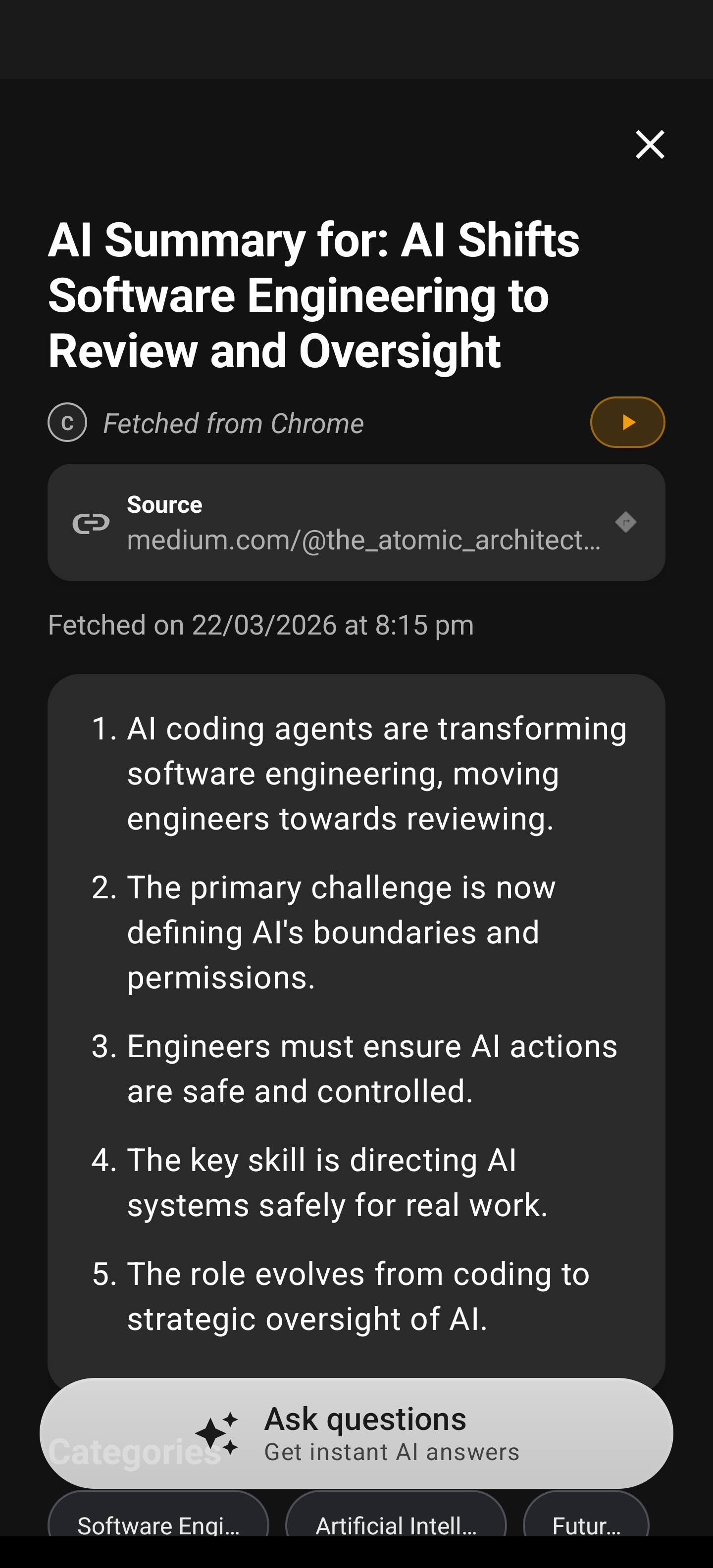
Arc reads what’s on your screen and summarizes it in one tap. No copy-paste, no app-switching. Whether it’s a long email in Gmail, a news article in Chrome, or a WhatsApp conversation, Arc’s floating sidebar overlays your current app and delivers instant AI summaries.
Users generate 3,127+ AI summaries per month through Arc, and the most-summarized content? Long emails and news articles — the exact stuff that buries you in AI app overload on Android.
AI Writer — Replace Your Writing Assistant
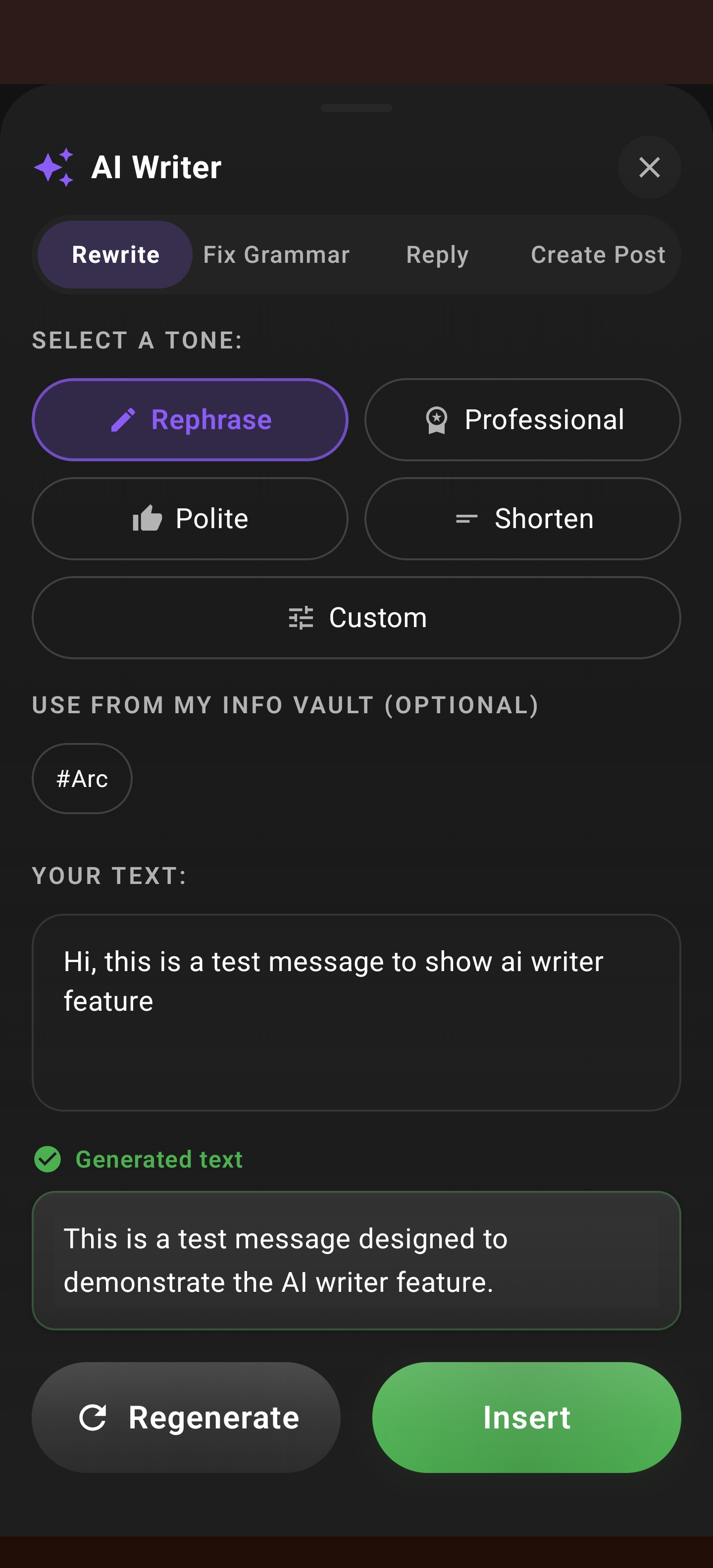
Arc’s AI Writer doesn’t just generate text — it understands the context on your screen. Need to reply to an email? It reads the original. Writing a social post? It sees the app you’re in. Fixing grammar? It highlights issues in place.
I built four modes into AI Writer specifically because I was tired of switching between a reply generator, a rephrase tool, a grammar checker, and a post creator. Each mode — Reply, Rewrite, Fix Grammar, and Create Post — replaces a standalone app.
Smart Extract — Replace Your Text Extraction App
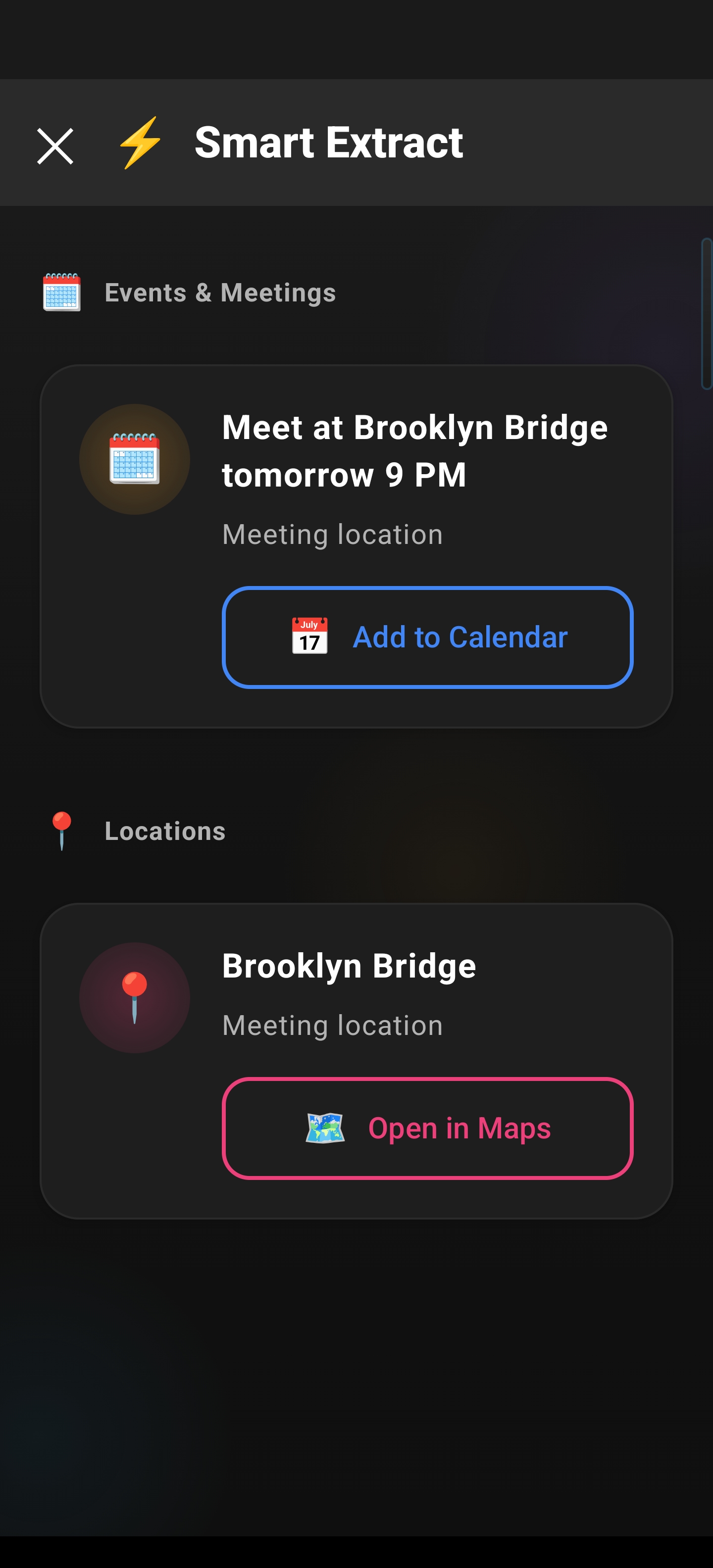
Ever needed to pull a tracking number from a shipping email, or a date from a screenshot, or a phone number from a poster? Most people reach for an OCR app or a text extraction tool. Arc’s Smart Extract does this in-place — activate it over any screen and it pulls structured data like phone numbers, addresses, dates, and URLs without switching apps.
When I was building Smart Extract, I found that users in Japan — our third-largest market — were using it most for extracting contact details from business emails. That’s a workflow that used to require three separate apps: screenshot, OCR, and contacts. Now it’s one tap.
Flashcards — Replace Your Study App
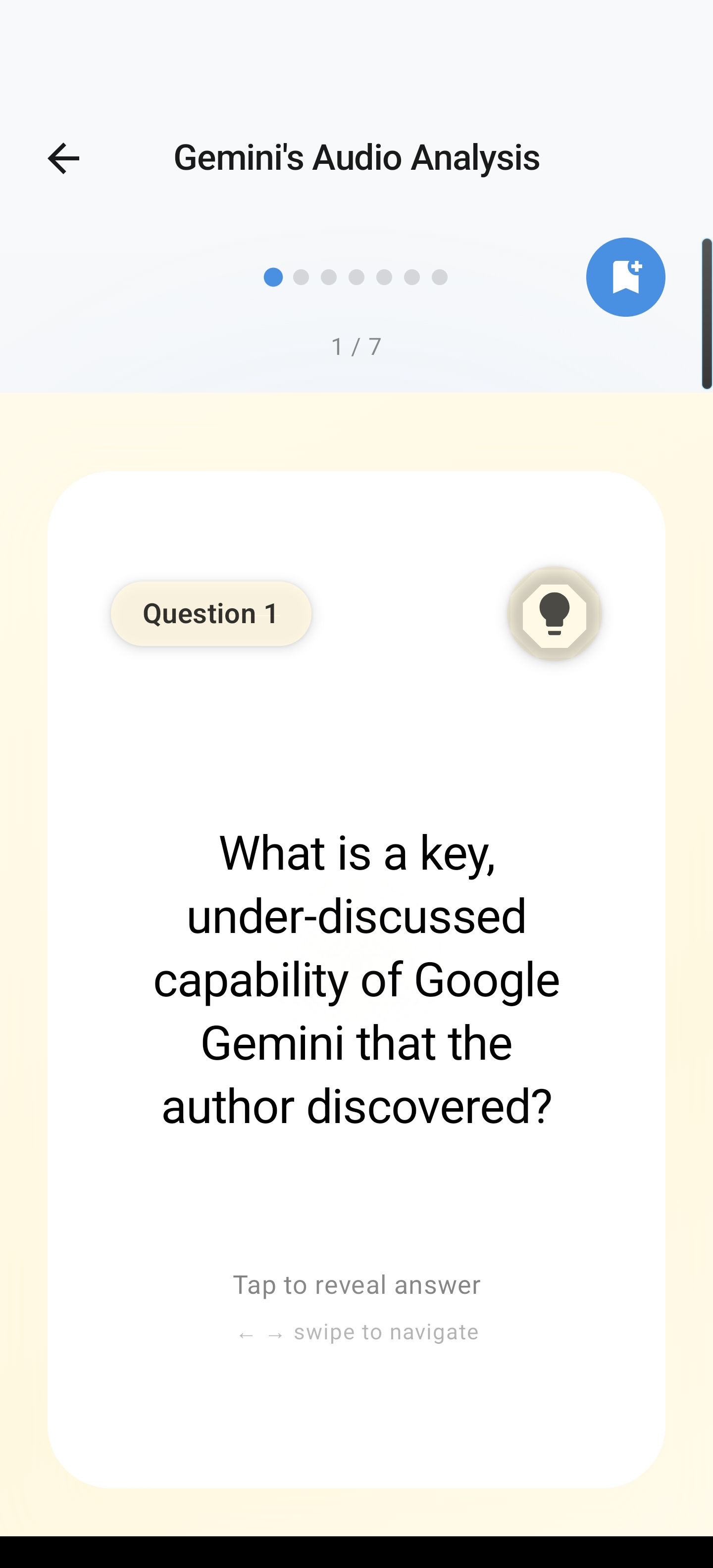
Arc turns any summarized content into interactive flashcards automatically. Read an article, summarize it, and generate study cards — all without leaving Arc. No more copying notes into a separate flashcard app and manually creating each card.
With 9,000+ flashcard sessions completed monthly, this is one of Arc’s fastest-growing features. It’s particularly popular among students in India who use it to study from lecture notes and textbook summaries.
The flashcard viewer shows questions first, then reveals answers on tap — the proven active recall method that research shows doubles retention compared to passive re-reading.
My Info Vault — Replace Your Notes App
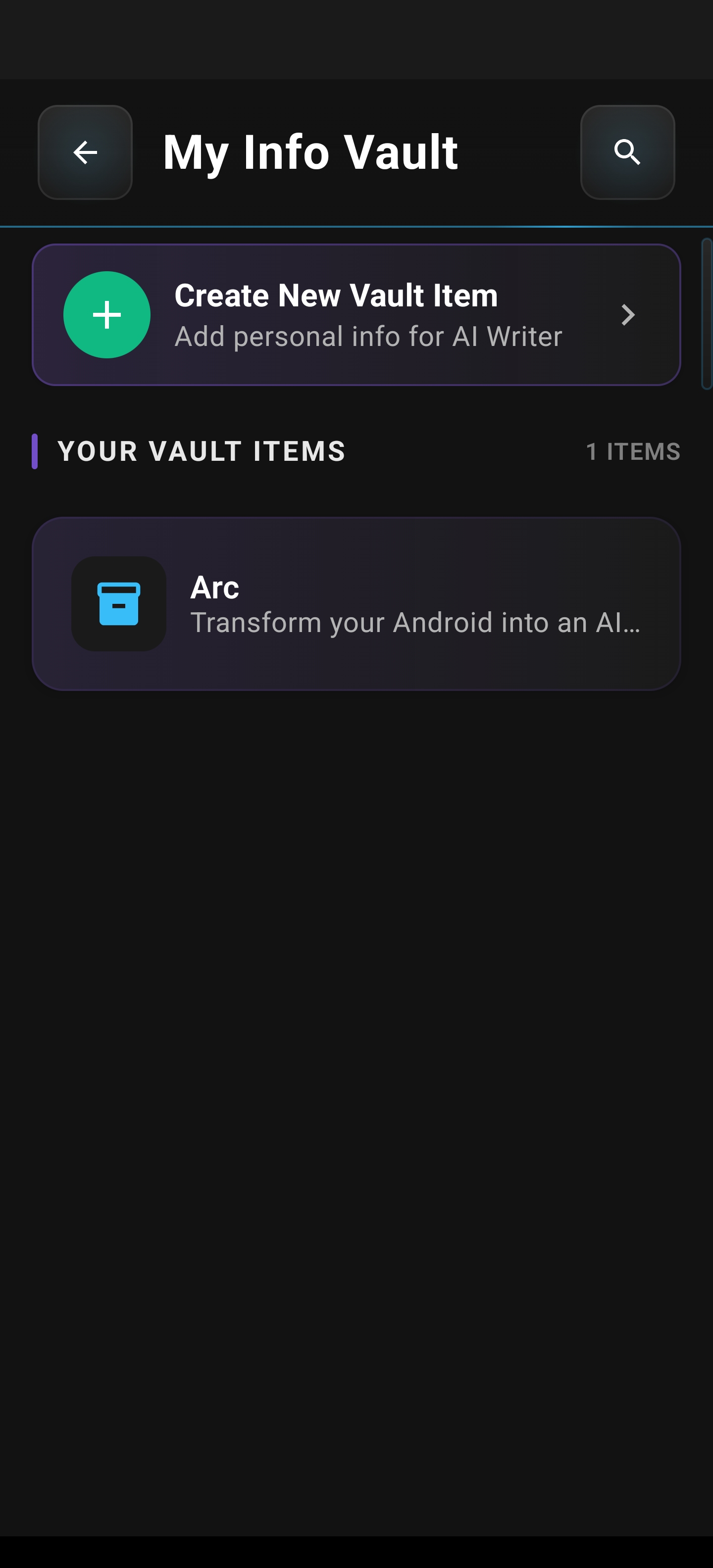
Your personal information — addresses, ID numbers, frequent replies, templates — shouldn’t live in a separate notes app you can never search. Arc’s My Info Vault stores your personal data securely and makes it available to all of Arc’s AI features. When the AI Writer needs your address, it pulls from your vault. When you’re filling a form, Smart Extract can cross-reference your stored info.
I built My Info Vault because I was tired of retyping the same details across different apps. Now, with over 12,000 items stored across user vaults, it’s clear I wasn’t the only one with this problem.
Your vault stays on-device and encrypted. No cloud uploads, no third-party access. Just your data, available when Arc needs it.
Custom Actions — The Feature That Seals It
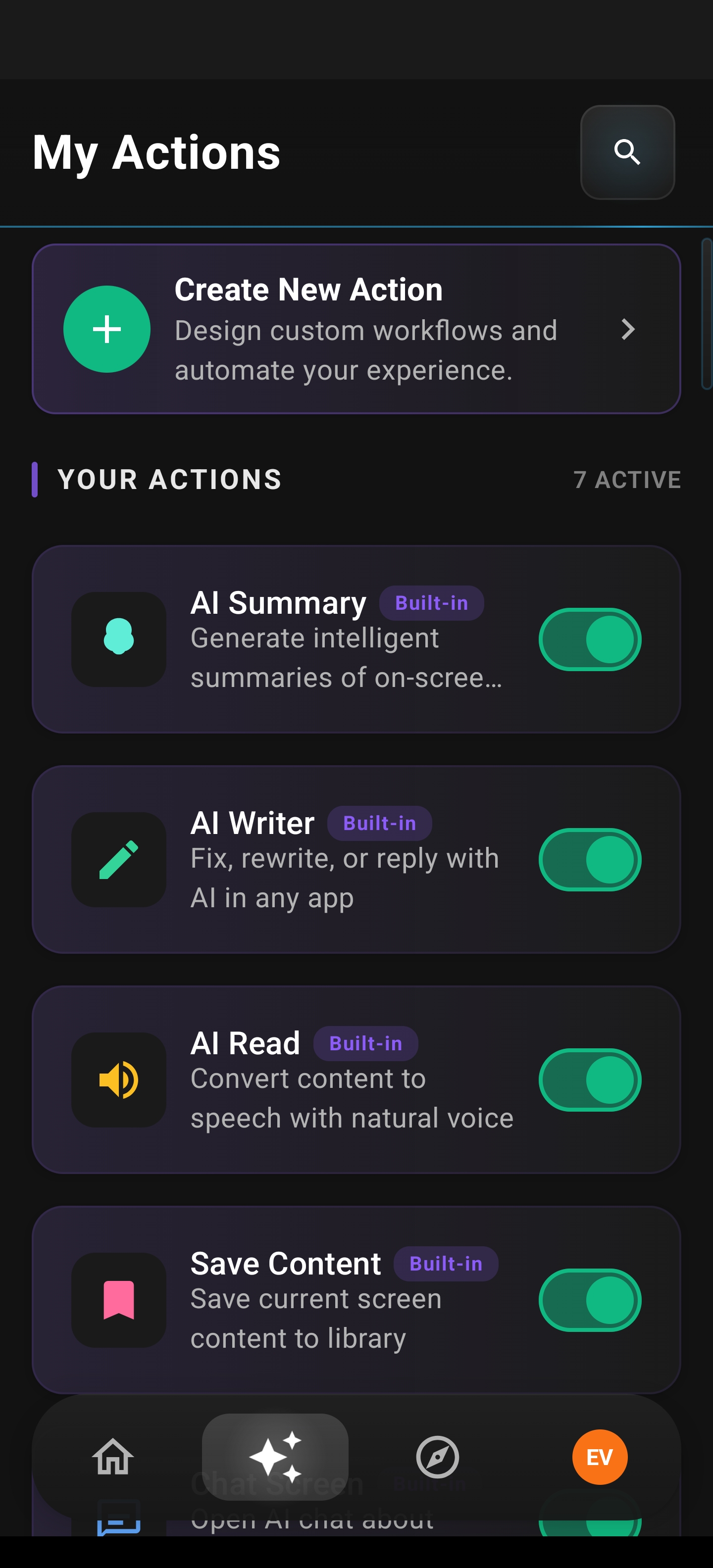
Here’s the feature that truly ends AI app overload on Android: Custom Actions.
Custom Actions let you create one-tap AI workflows that chain multiple steps together. Instead of: open summary app → summarize → copy → open writing app → paste → rewrite → copy → open notes app → save, you create a single action that does all of that in one tap.
With 5,900+ custom actions executed per month, users are building workflows I never anticipated — from auto-summarizing daily news digests to generating formatted email replies from context. And if you don’t want to build your own, the Community Actions library lets you browse and install actions created by other Arc users.
Custom Actions turn Arc from an app into a personal automation layer that lives on top of your other apps. You don’t replace your workflow — you accelerate it.
The Floating Sidebar — Why Arc Doesn’t Make You Switch Apps
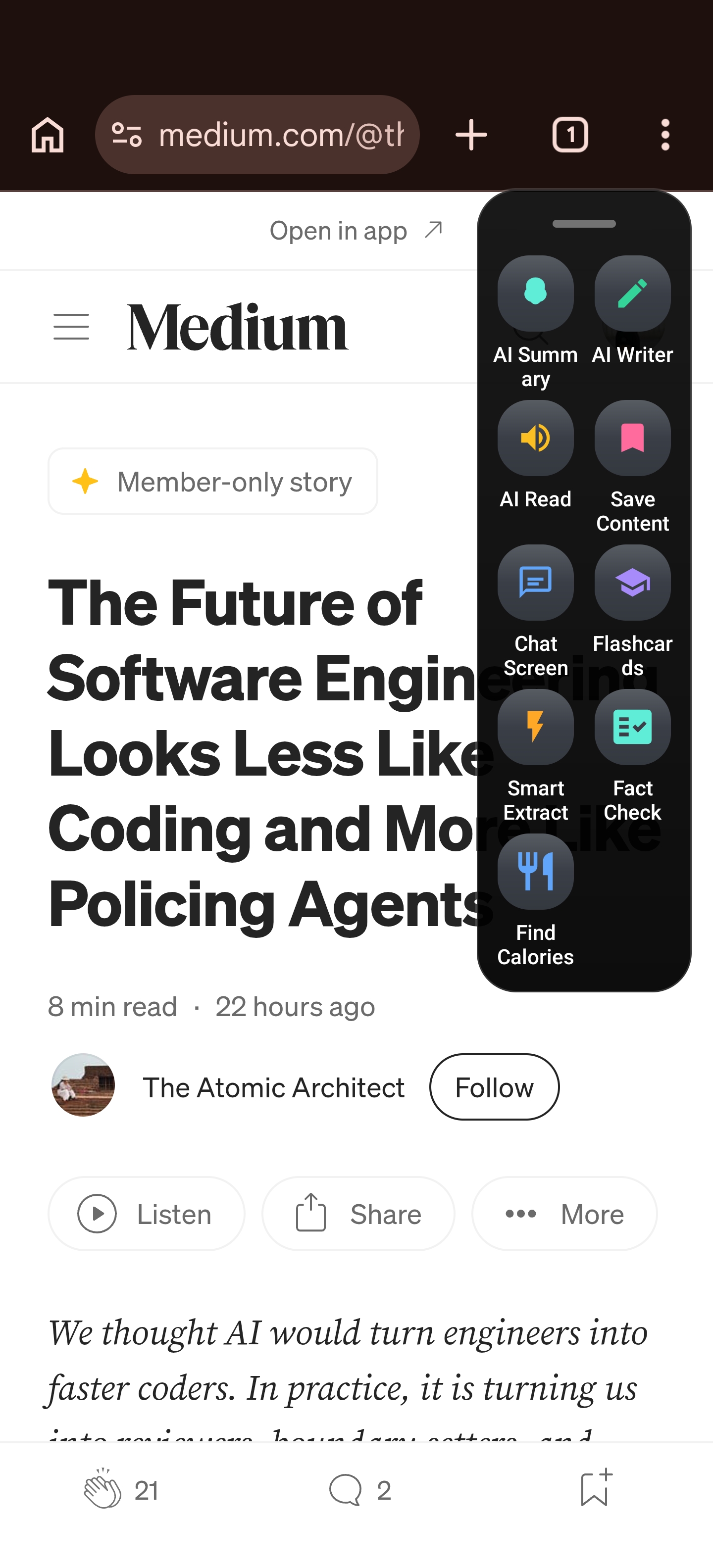
The key architectural difference between Arc and a collection of separate AI apps is the floating sidebar. Instead of switching to a different app, Arc’s sidebar overlays whatever you’re currently doing.
Reading an email and want a summary? Tap the sidebar. Writing a reply and need AI help? The sidebar is already there. Extracting text from a screen? Sidebar again. This is what makes Arc a true all-in-one AI app Android users can rely on — you never leave the app you’re in.
You can position the sidebar on either edge of your screen, set it to auto-collapse after use, and choose your preferred size. It works over any app — Chrome, Gmail, WhatsApp, YouTube, Twitter, and more.
How Arc Compares to Using Multiple AI Apps
| Feature | Separate Apps | Arc (All-in-One) |
|---|---|---|
| AI Summaries | Dedicated app + copy-paste | One-tap, in-context |
| AI Writing | Dedicated app + context loss | Context-aware, in-screen |
| Text Extraction | OCR app + manual steps | Smart Extract over any screen |
| Flashcards | Study app + manual input | Auto-generated from summaries |
| Info Storage | Notes app + manual search | Vault integrated with AI features |
| App Switching | 5-6 switches per task | 0 — sidebar overlays everything |
| Cost | $10-30/month per app | Free tier + premium upgrade |
| Battery Impact | Multiple background processes | Single lightweight app |
The math is straightforward: replacing multiple AI apps with Arc means fewer switches, less battery drain, no subscription fatigue, and — most importantly — no context loss between tasks.
Who Benefits Most From an All-in-One AI App on Android
Arc’s 28,000+ users span 50+ countries, but three use cases dominate:
-
Professionals drowning in email and messages — AI Writer’s Reply mode generates context-aware responses to emails and chats, eliminating the need for a separate writing app. Learn more about how Arc’s AI Writer works on Android.
-
Students consolidating study tools — Summarize lecture notes, auto-generate flashcards, and store key info in one place. Check out our guide on using Arc for AI-powered studying on Android.
-
Power users automating repetitive tasks — Custom Actions let you build one-tap workflows that would require 3-4 separate apps otherwise.
In my testing and from user feedback, I’ve noticed that users in India — our largest market — tend to adopt Arc fastest because mid-range Android phones feel AI app overload most acutely. When you’re running a phone with 4GB RAM, six AI apps isn’t a luxury — it’s a performance crisis.
Frequently Asked Questions
What is AI app overload on Android?
AI app overload on Android happens when you install multiple AI apps — one for summaries, one for writing, one for extraction — each doing a fraction of what you need. The result is constant app-switching, duplicated subscriptions, and context loss between tools. An all-in-one solution like Arc consolidates these features into a single Android AI assistant.
Can one app really replace multiple AI apps?
Yes. Arc combines AI summaries, AI writing (reply, rewrite, grammar fix, and post creation), Smart Extract for text extraction, flashcard generation, My Info Vault for personal data storage, and Custom Actions for workflow automation — all accessible through a floating sidebar that works over any app. Over 28,000 Android users and 600+ daily active users have already made the switch.
Is Arc’s all-in-one AI app for Android free?
Arc has a free tier that includes AI summaries, basic writing assistance, Smart Extract, and flashcards. Premium features like unlimited Custom Actions and advanced AI models are available through a subscription upgrade. You can try Arc free on the Google Play Store.
How does Arc’s floating sidebar work?
Arc’s floating sidebar is a small edge widget that expands on tap to reveal all of Arc’s AI features — summaries, writing, extraction, and more — directly over whatever app you’re currently using. You never switch apps. You can customize its position (left/right edge), size, and auto-collapse behavior in settings.
Does Arc work on all Android devices?
Arc runs on Android 10+ and is optimized for mid-range and budget devices. In fact, users in India on devices with 4GB RAM report some of the best performance, since Arc’s single-app architecture uses fewer resources than running 4-6 separate AI apps simultaneously.
Stop Switching — Start Using One AI App That Does It All
AI app overload on Android isn’t just annoying — it’s actively costing you time, battery, subscriptions, and focus. Every app switch breaks your flow. Every separate subscription adds up. Every disconnected tool means lost context.
Arc was built to end this cycle. It’s an all-in-one AI app for Android that replaces multiple AI apps with a single floating sidebar that works over anything on your screen. 28,000+ users and 600+ daily active users have already consolidated their AI toolkit. 3,127+ AI summaries generated monthly. 5,900+ custom actions executed per month. These aren’t projections — they’re real numbers from real Android users who got tired of app overload.
Download Arc for free on the Google Play Store and see how much simpler your Android AI workflow can be.