Taming the Digital Overwhelm: How Arc AI Supports Focus for Neurodivergent Minds
Managing digital noise when you have ADHD is a challenge. Learn how Arc: AI Screen Assistant reduces cognitive load through smart summarization, text-to-speech, and task extraction.
For those with ADHD, the modern digital experience is often less about utility and more about cognitive overload. Every webpage, article, and notification represents a potential demand on our limited executive function. This “executive function tax”—the mental energy required to parse, categorize, and act on digital information—can quickly lead to burnout.
At Rethink, we built Arc: AI Screen Assistant to act as a supportive layer for your Android experience, specifically designed to help offload that cognitive burden. Here is how it helps you manage your digital environment.
Reducing Analysis Paralysis with AI Summary
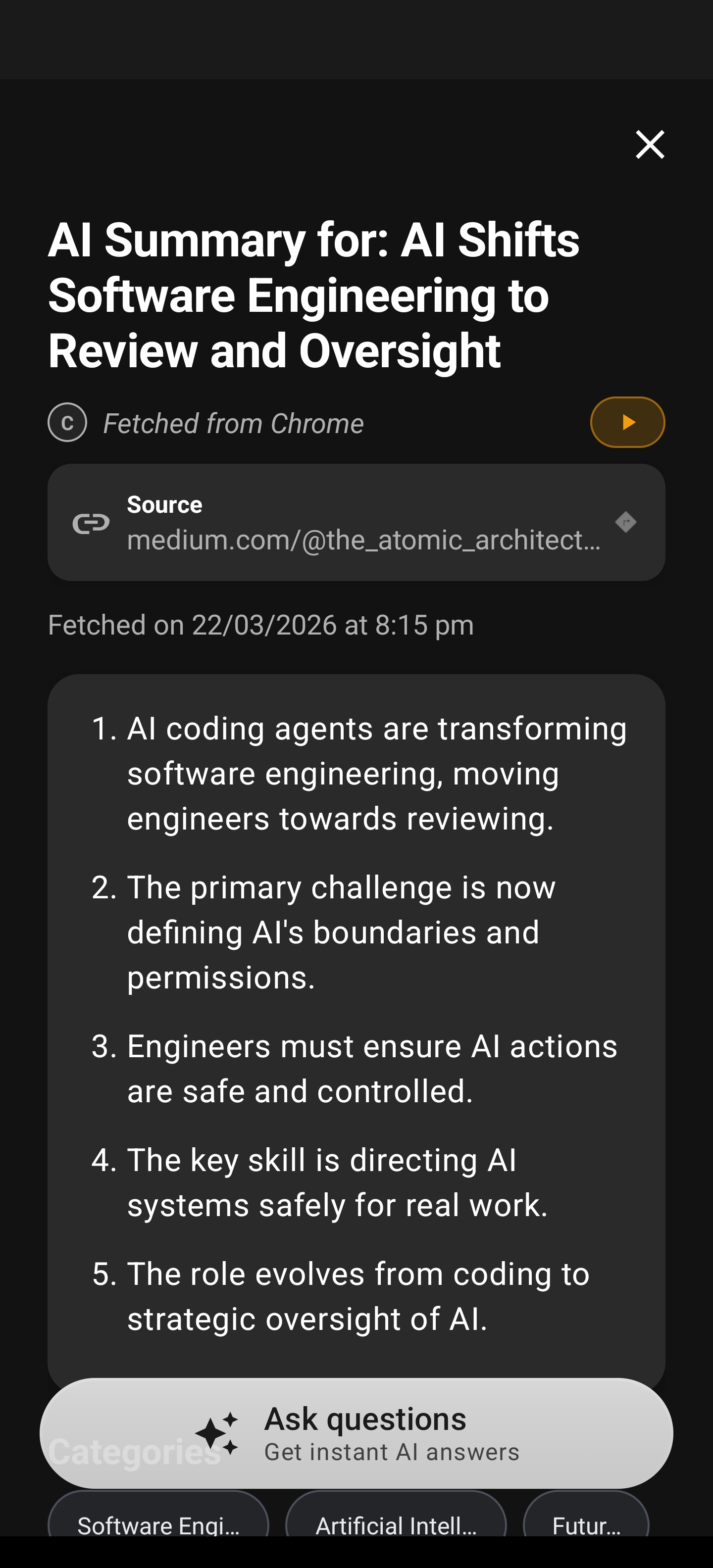
One of the most common hurdles for neurodivergent users is “analysis paralysis”—where the sheer volume of text on a page makes it difficult to even begin reading. Arc solves this by distilling complex pages into clear, actionable summaries. You no longer have to scan walls of text to find the core message.
By instantly surfacing the key takeaways, Arc allows you to decide if a page is worth your attention without expending the mental energy to read the entire document first. It turns an overwhelming wall of text into a manageable, digestible insight, allowing you to move forward with confidence.
Offloading Strain with AI Read (TTS)
Sometimes, the issue isn’t comprehension—it’s the physical and mental strain of visual tracking. For users with ADHD who struggle with focus, reading large blocks of text can lead to fatigue. AI Read (TTS) allows you to offload this strain by listening to content while you are on the move or multitasking. By converting long-form articles into audio, you can consume information in a lower-effort, passive way, preserving your focus for when you truly need it.
Eliminating the Executive Function Tax
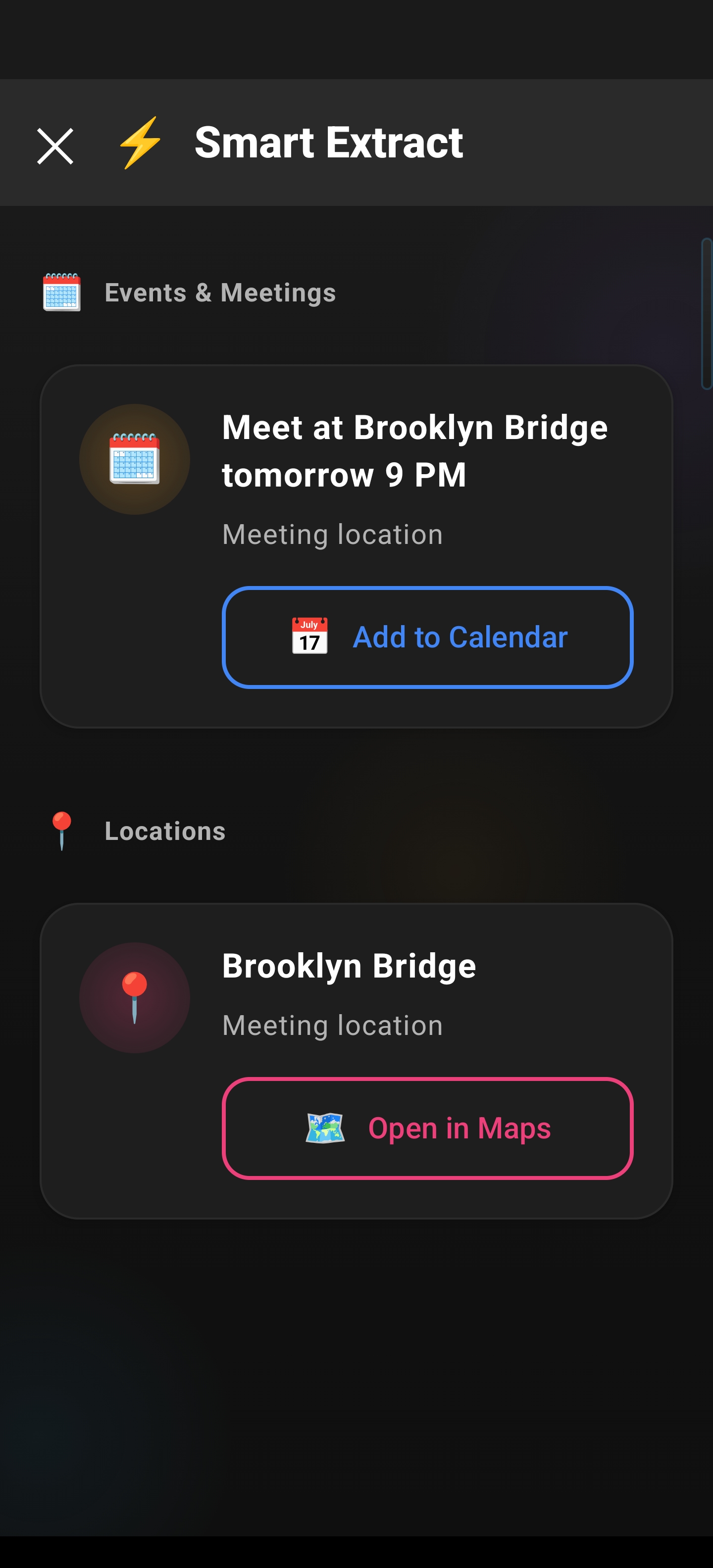
Beyond reading, the real tax comes from acting on data. When you find an address, a phone number, or a calendar event, extracting that info and moving it to the right place is where executive function often fails. Smart Extract automates this process, pulling data out of the messy web and into structured formats.
With Smart Extract, you don’t need to manually copy-paste or switch between apps repeatedly. Arc identifies the essential data automatically, effectively removing the friction between “seeing” the information and “using” it. It is about creating a path of least resistance for your daily tasks.
Your External Brain: The Unread Queue
Finally, the Unread Queue acts as your “external brain.” Instead of keeping 50 tabs open “just in case” you need to read them later—a common habit that exacerbates visual clutter and anxiety—you can offload those links to Arc. It preserves your peace of mind, knowing that your interesting finds are safely stored, categorized, and ready for when you actually have the bandwidth to engage with them.
Download Arc Today
Managing cognitive load shouldn’t feel like a full-time job. With Arc: AI Screen Assistant, you can start reclaiming your focus.
Download Arc on the Google Play Store
Frequently Asked Questions
Does Arc require a subscription? Arc is designed to be accessible. Check the Play Store listing for the latest pricing and features.
Is Arc a browser? No. Arc is an AI Screen Assistant that functions as an overlay on your Android device, helping you interact with apps and content, not a standalone browser.
How does Arc protect my privacy? We prioritize your data privacy. Arc processes information locally where possible to ensure your personal data remains on your device.