Studying Smarter, Not Harder: Transform Your Learning with Arc
Ditch the manual study grind. Learn how to generate flashcards from text automatically, solve complex math, and study smarter with AI using Arc's integrated toolset.
For students and lifelong learners, the biggest barrier to effective studying isn’t the material itself—it’s the friction of turning raw information into actionable practice. How many hours have you spent reading a textbook, switching windows to a flashcard app, typing a question, and manually copying the answer?
That manual process is a relic of the past. To study smarter with AI, you need a workflow that integrates directly with your content, not one that pulls you away from it.
Your Integrated Study Toolkit
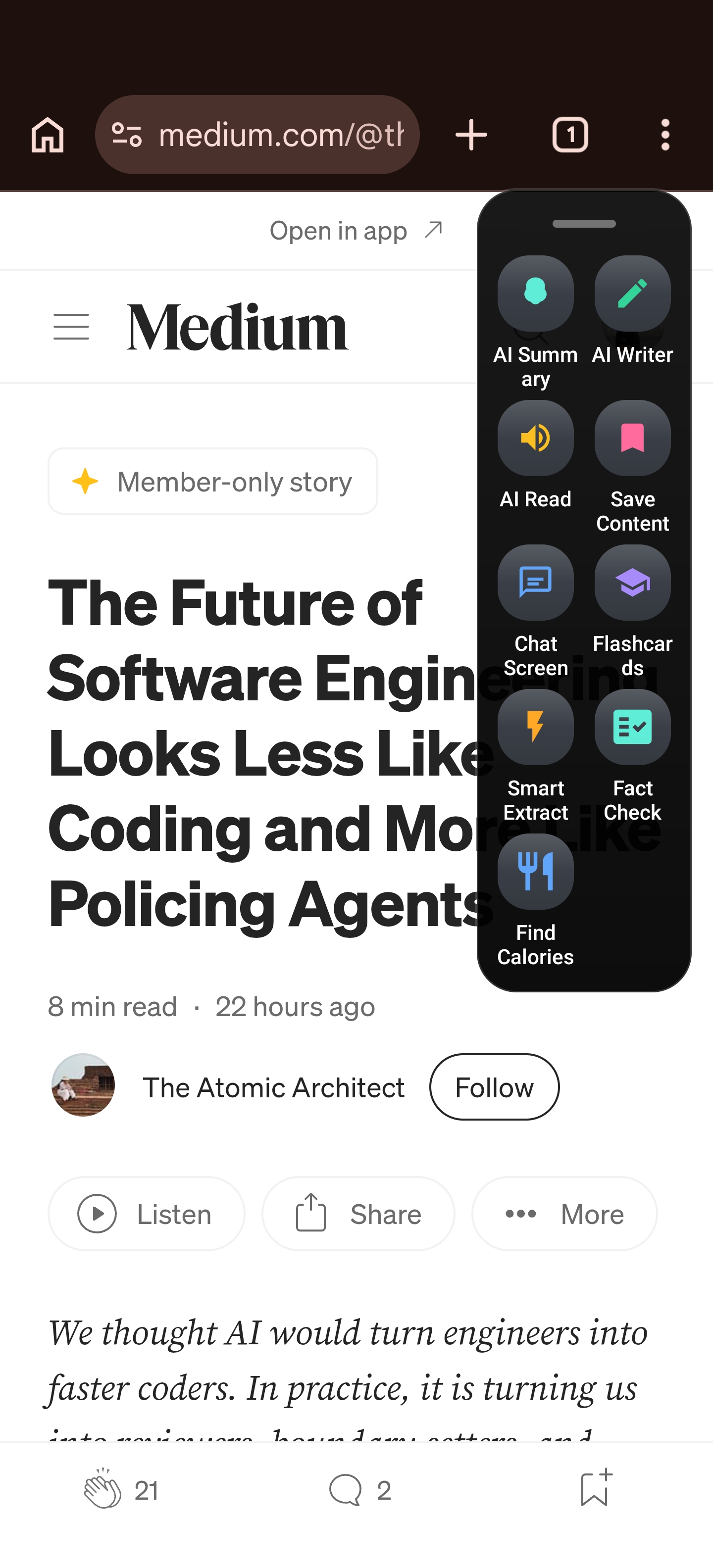
Arc transforms your browser into an intelligent learning environment. By leveraging a centralized Study Toolkit, you can access powerful generative AI features without ever leaving your research tab.
Whether you are on a desktop or mobile device, Arc provides seamless entry points to your productivity suite. By expanding the sidebar while browsing, you can instantly trigger custom actions, turning any dense article or textbook page into a focused study session.
How to Add Study Actions to Your Sidebar
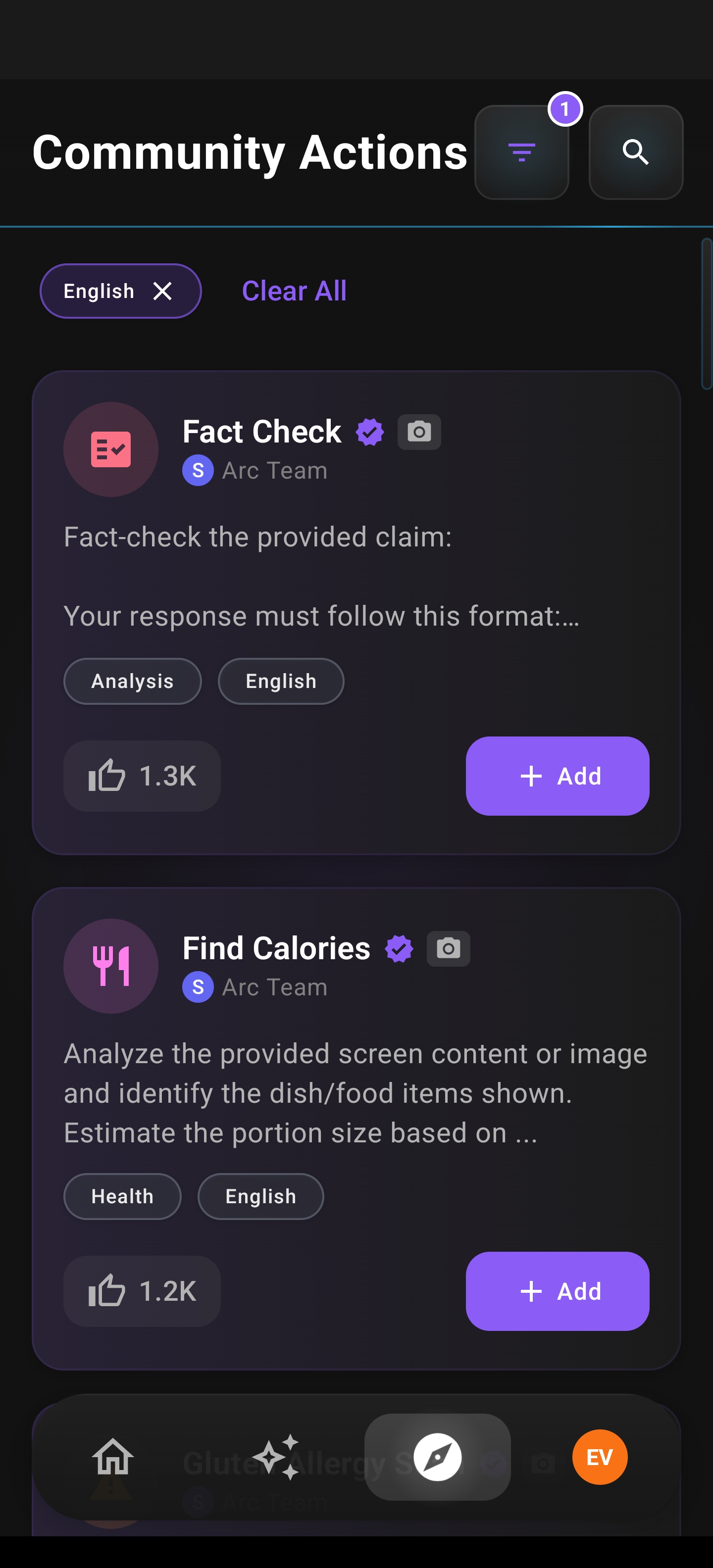
The ELI5, Analogy Generator, and other study features are available as Community Actions. Here’s how to add them to your personal sidebar:
- Open Arc and expand the floating sidebar by tapping the Arc icon
- Tap “Explore” (the compass icon) at the top of the sidebar
- Browse or search for the action you want (e.g., “ELI5”, “Analogy Generator”, “Flashcard Generator”)
- Tap the ”+” button next to any action to add it to your sidebar
- Organize your actions — long-press and drag to reorder them in your Custom Actions list
Once added, these tools are always one tap away, no matter what app you’re using.
The custom actions list allows you to curate your learning environment, prioritizing the tools you need most for your current curriculum or research project.
The Power of Automation: Flashcard Generator
If you are looking for an AI flashcard maker on Android (and desktop) that actually understands your material, Arc’s Flashcard Generator is your primary asset. It doesn’t just copy-paste text; it performs a deep analysis of on-screen content to extract key concepts, definitions, and context.
The generator uses Accessibility Services to read the context on your page. It presents information in a clean, interactive Question + Hint + Answer format, ensuring you engage with the material rather than passively reading it. If you need a different angle on the material, the “Regenerate” function creates a fresh set instantly.
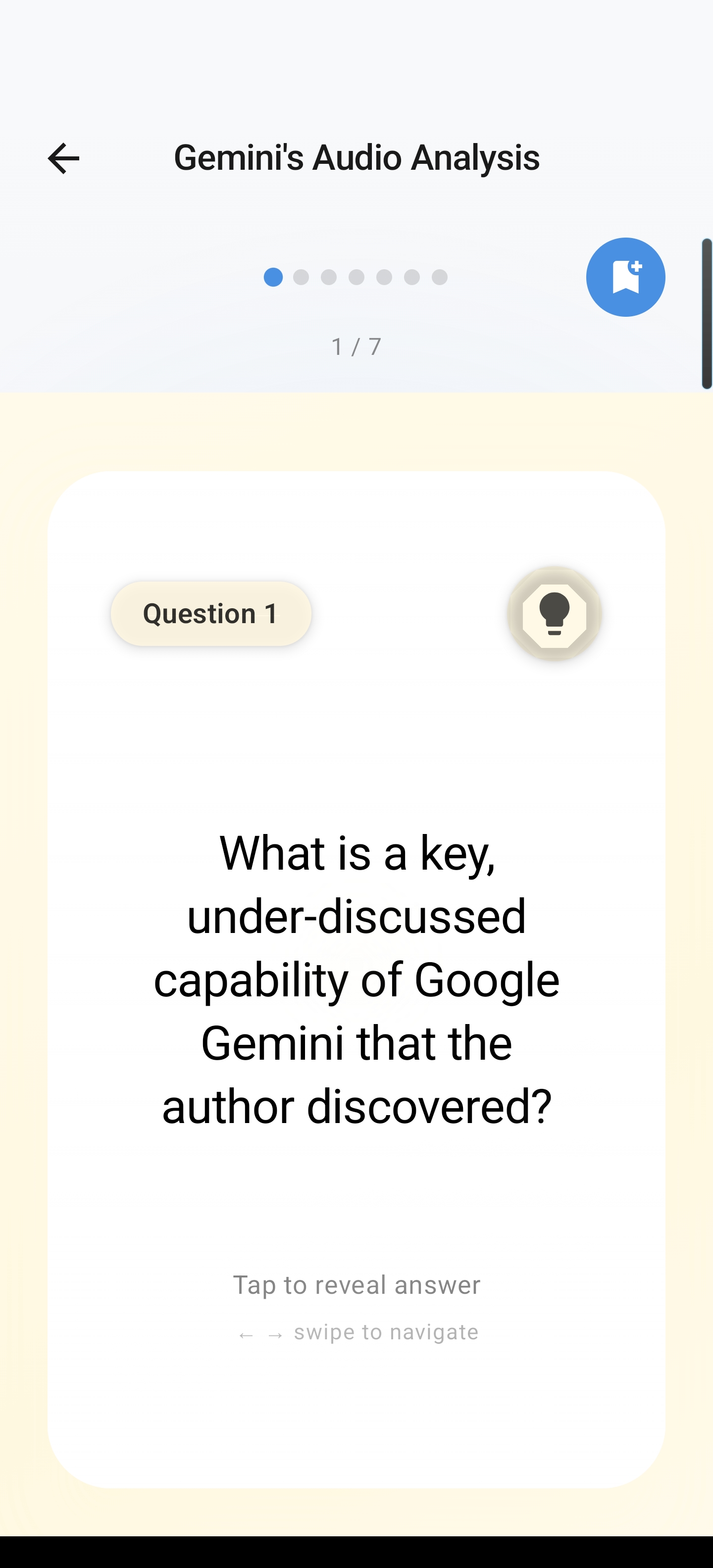
This is the fastest way to generate flashcards from text automatically, allowing you to convert 500 to 5,000 words of research into high-yield recall drills in seconds.
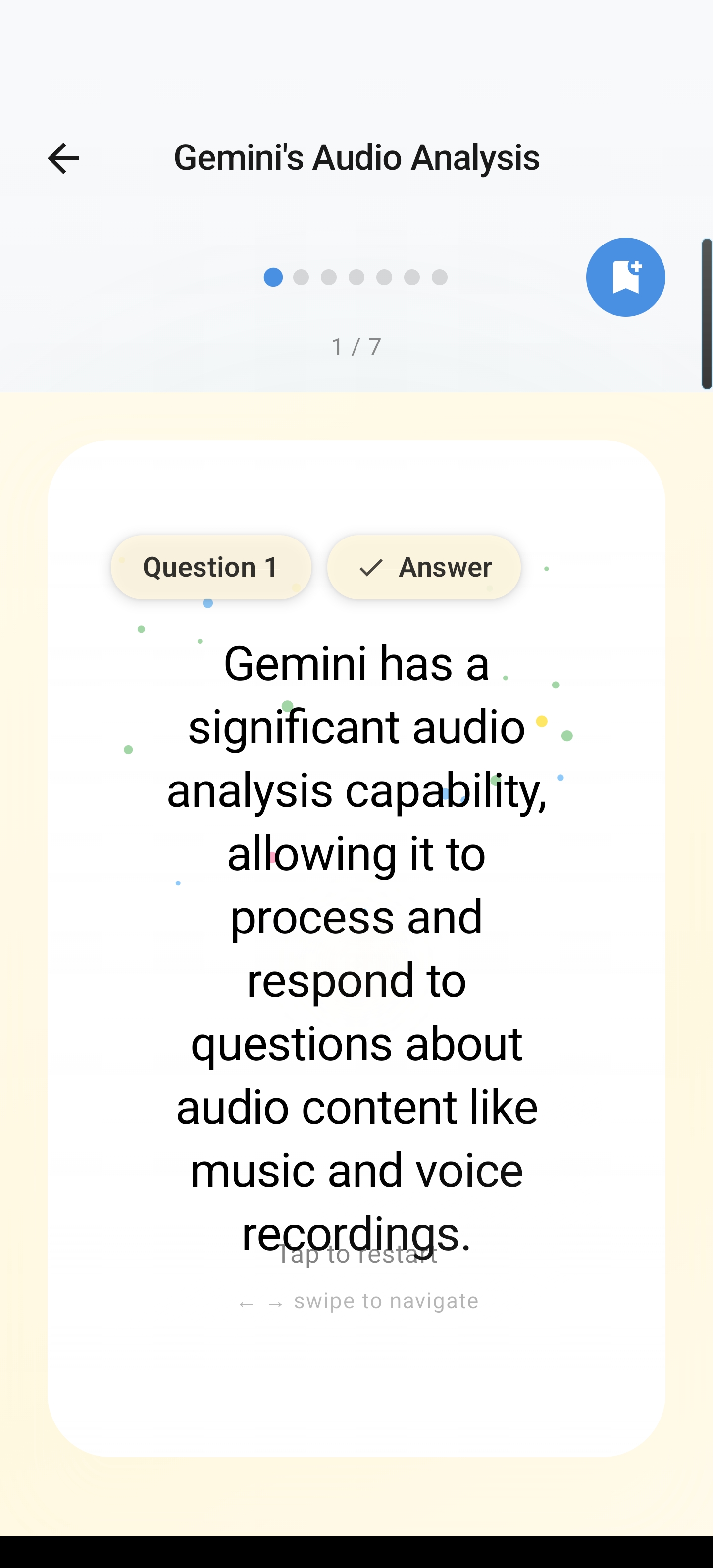
Once you’ve tested your knowledge, the answer view provides immediate, clear feedback. This loop of rapid generation and instant verification is the cornerstone of effective active recall.
Beyond Memorization: Mastering Complex Topics
Memorization is only half the battle. True mastery comes from understanding. Arc provides two distinct features for breaking down dense content:
- ELI5 (Explain Like I’m 5): This Community Action strips away industry jargon and rewrites complex passages into simple, analogy-rich language. It is essential for navigating dense legal documents, technical research, or scientific whitepapers.
- Analogy Generator: Sometimes, you just need a better mental model. This tool maps abstract concepts—like coding patterns or physics principles—to familiar real-world comparisons, drastically improving long-term retention.
Solving and Testing
For STEM-heavy subjects, Arc includes a Math Solver that handles everything from basic algebra to complex calculus. It doesn’t just output an answer; it provides step-by-step breakdowns, acting as a personal tutor.
When you are ready to prepare for an exam, the Generate Quiz Questions feature creates a mix of multiple-choice and short-answer questions based on your specific document. It provides a full answer key, perfect for self-testing without the effort of manual construction.
Start Studying Smarter
You no longer have to waste time manually creating your study resources. Whether you need to auto generate flashcards from a long-form article or solve a complex problem on the fly, Arc puts the power of AI into your daily research workflow.
Ready to transform your study habits?
Download Arc on the Google Play Store and start reclaiming your study time today.