Turn Chaos Into Clarity: Master Your Inbox with Arc's Smart Extract
Tired of manual copy-pasting? Learn how Arc's Smart Extract uses AI to turn messy texts into calendar events, contacts, and reminders in seconds.
We have all been there. You receive a long, rambling message from a colleague or a client containing a time, a location, and a phone number. Your next few minutes are spent in a tedious dance: switching between your messaging app, your calendar to block the time, your maps app to find the address, and your contacts app to save the number.
It is a friction-filled process that kills your flow. But what if your phone could do the heavy lifting for you?
That is exactly why we built Smart Extract.
The Problem: The Manual Copy-Paste Fatigue
Modern communication is fragmented. We receive important logistical data—flight times, meeting details, addresses—buried in text threads that were never designed to act as databases. Manually extracting this information is prone to errors, like misreading a date or transposing a digit in a phone number.
You shouldn’t have to toggle between five different applications just to organize your day. You need an app to extract dates from text and turn them into actionable data instantly.
The Solution: AI Smart Extract for Android
Smart Extract is an AI-powered assistant built directly into Arc that transforms on-screen text into structured, dynamic content. It eliminates the need for manual entry by using local-first, privacy-focused AI to parse the content on your screen the moment you need it.
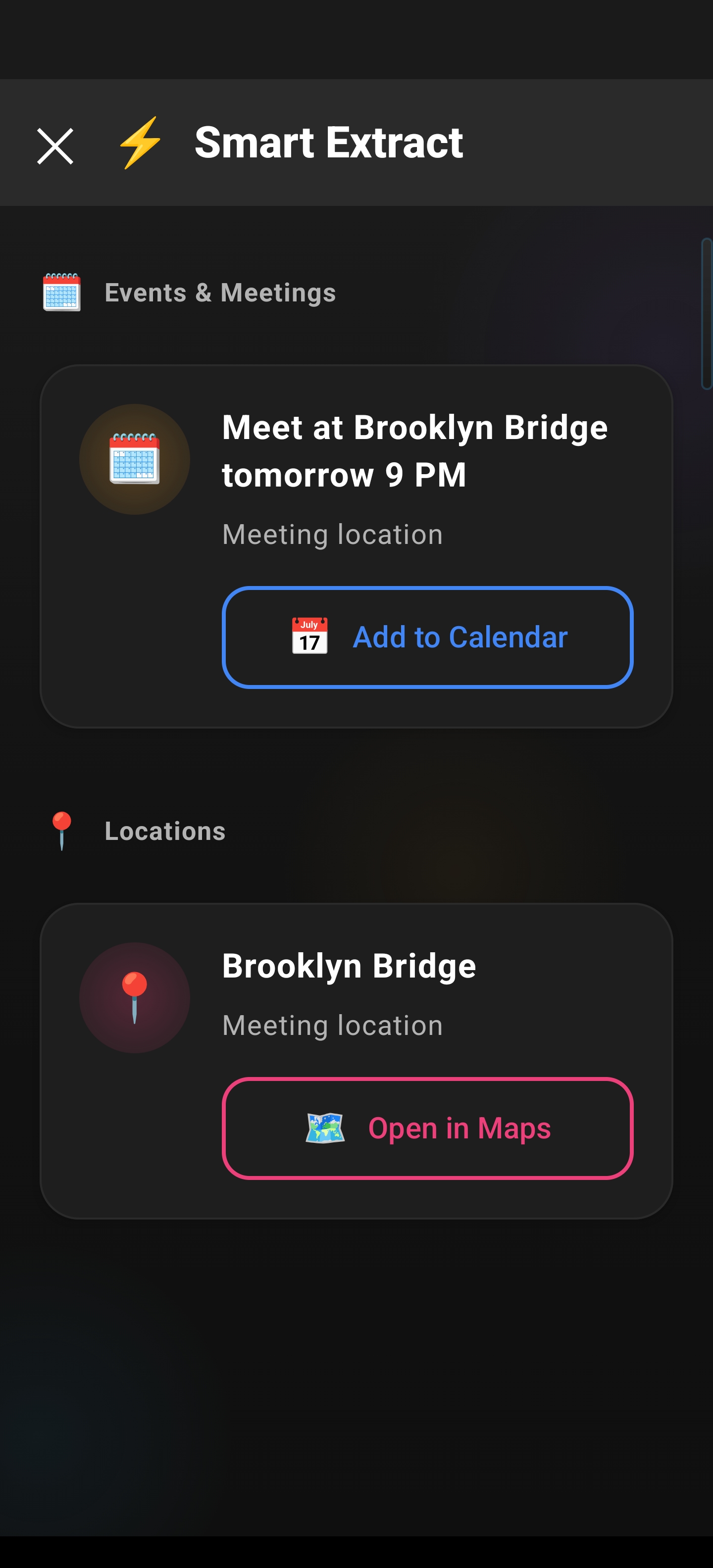
Whether you need to automatically create a calendar event from text or simply want to copy a complex string of data without the hassle, Smart Extract acts as a bridge between your passive messages and your active productivity tools. It works across eight key categories:
- Events & Meetings: Automatically populates calendar entries with date, time, and location.
- Reminders: Parses deadlines for instant task creation.
- Contacts: Creates complete contact cards from email signatures or texts.
- Meeting Links: Provides one-tap joining for Zoom, Google Meet, and Teams.
- Locations: Opens addresses directly in your preferred map app for instant navigation.
- Verification Codes (OTP): Instantly copies codes to your clipboard.
- Phone & Email: Quick-action buttons to dial or message.
- Links/URLs: Direct, one-tap navigation.
Technical Precision and Privacy-First Design
Smart Extract is designed for power users who value both speed and security. Leveraging the Google Gemini API via Android’s Accessibility Service, Arc analyzes text in real-time, delivering results in approximately 2–3 seconds.
But efficiency should never come at the cost of privacy. Smart Extract is built with an ephemeral processing model:
- Content is only analyzed when you explicitly trigger the tool.
- Arc does not store your extracted data on any external servers.
- Once the session closes, the data disappears.
By utilizing standard Android Intents (like ACTION_INSERT for calendars and ACTION_VIEW for maps), Arc ensures that your data flows securely into the apps you already trust. The AI is even smart enough to prioritize time-sensitive information, such as OTPs and meeting links, placing them at the top of your results list for maximum speed.
Ready to Streamline Your Workflow?
Stop manually retyping meeting times and addresses. Whether you are searching for a better text to calendar app or a comprehensive AI assistant that lives on your device, Arc’s Smart Extract is designed to save you time and reduce digital clutter.
Download Arc from the Google Play Store today and experience the future of intelligent, on-screen data management.