Navigating Digital Reading with Dyslexia: How Arc's AI Read Transforms Accessibility
Discover how Arc: AI Screen Assistant helps users with dyslexia overcome reading barriers with its system-wide AI Read feature. Streamline your digital reading today.
For many, the digital age is a constant barrage of text. While the web has democratized information, it has also introduced significant friction for neurodivergent readers. Dyslexia, which affects approximately 10-15% of the global population, isn’t just about reading words; it’s about the cognitive load of decoding text, managing dense formatting, and navigating the often overwhelming landscape of PDFs, articles, and long-form content.
When the act of decoding text consumes your mental energy, comprehension suffers. This is why finding the best AI screen reader for dyslexia is more than just a convenience—it’s a necessity for an equitable digital experience.
The Broken Accessibility Workflow
For years, users with dyslexia have been forced into a fragmented “copy-paste” workflow. If you encountered an inaccessible document or a dense article, you had to manually copy the text, exit your current app, open a specialized third-party tool, configure the settings, and finally listen.
This process is disruptive, time-consuming, and frankly, exhausting. Specialized software often comes with high subscription costs, creating yet another barrier to entry. We believe that accessibility should be a default, not an expensive, disjointed afterthought.
Arc’s AI Read: A System-Wide Solution
Arc: AI Screen Assistant was built to break these silos. By operating as a system-wide AI overlay, Arc eliminates the need to jump between applications. Whether you are in a browser, a document viewer, or a news app, Arc’s AI Read feature is ready to help.
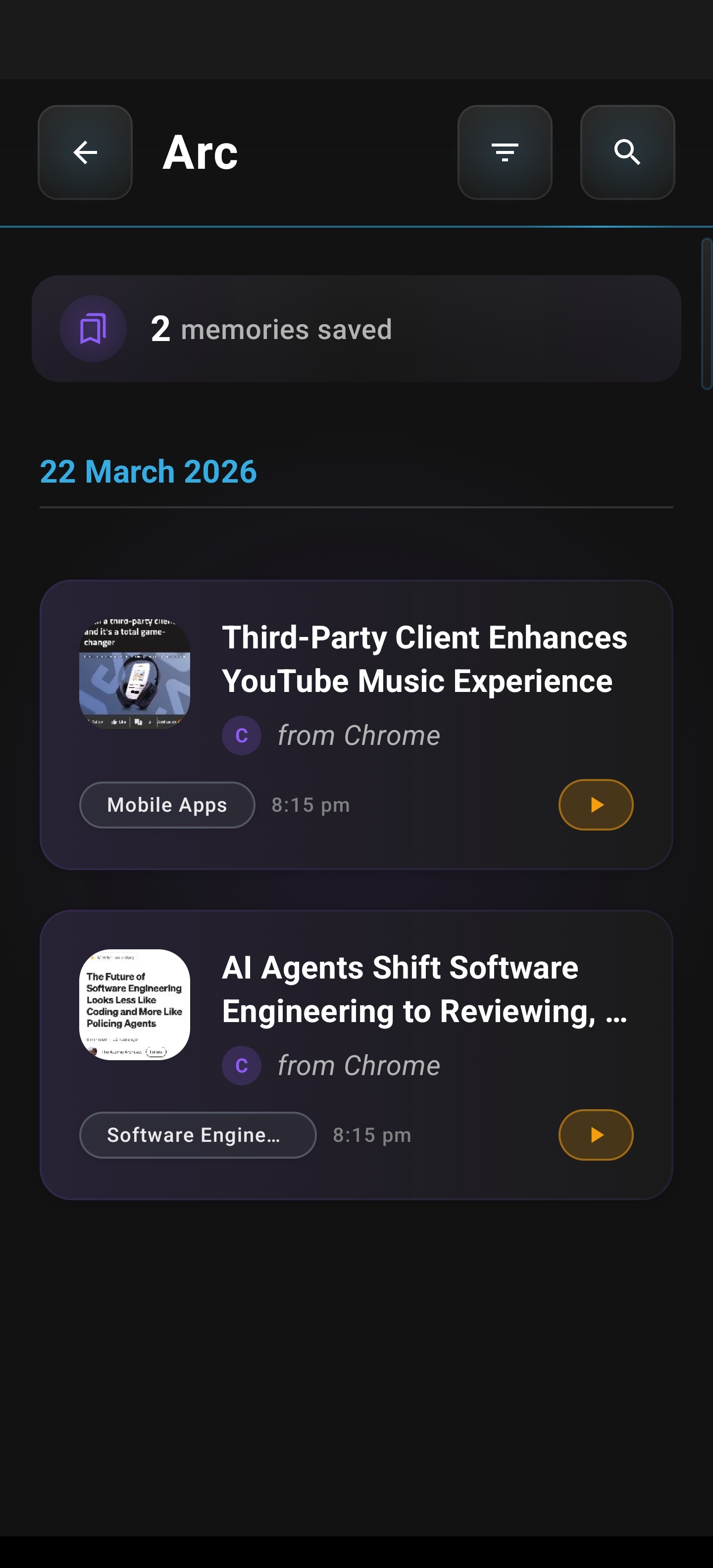
At the heart of Arc’s accessibility suite is the Summary Library. By leveraging advanced text-to-speech (TTS) technology, Arc allows you to transform static text into an auditory experience with a single tap. Once content is processed, you can simply use the “Listen” button in the library to engage with your saved articles or documents. This creates a seamless bridge between reading and listening, significantly reducing cognitive load.
Precision Control for Every Reader
Accessibility is not a “one size fits all” endeavor. Every reader has different preferences and sensory needs. Arc’s AI Read provides granular control to ensure the content is delivered exactly how you need it:
- Customizable Playback: Adjust speech rates from 0.5x to 2.0x, allowing you to pace the audio to your comfort level.
- Pitch Controls: Fine-tune the voice to improve clarity and minimize sensory fatigue.
- Universal Compatibility: Because Arc overlays your entire Android experience, it works in virtually any app, making it the most versatile dyslexia reading assistant on Android.
- Multilingual Support: With automatic language detection for over 100 languages, Arc ensures that barriers are removed, regardless of the content’s origin.
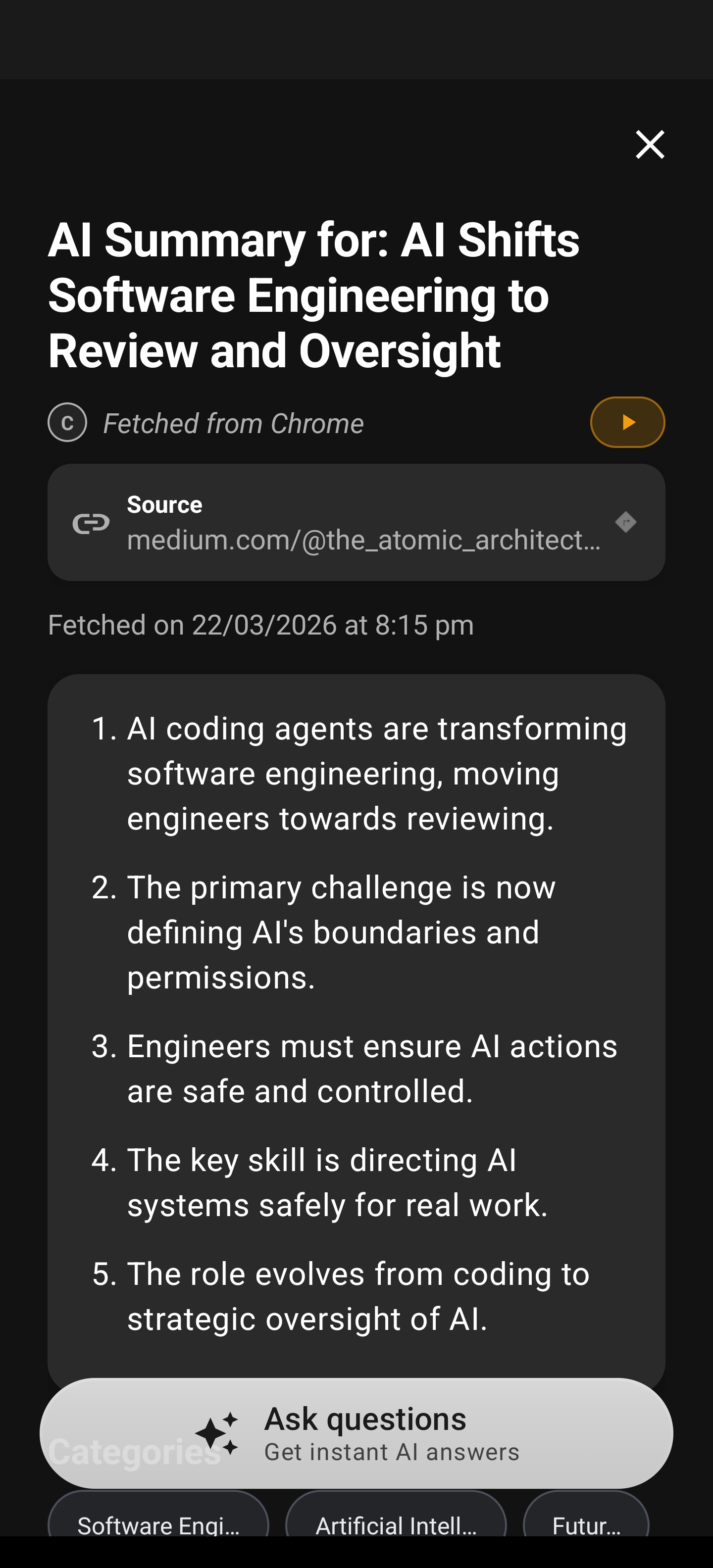
When you initiate AI Read, you gain access to an intuitive playback interface that keeps you in control. You can pause, skip, or adjust your settings on the fly without ever losing your place in the original application. This fluid experience makes text-to-speech app accessibility feel natural and integrated rather than forced.
Beyond Dyslexia: Additional Use Cases
While designed with accessibility in mind, AI TTS for reading provides benefits that extend to everyone.
- Commuting and Multitasking: Turn your morning commute into an opportunity for learning by listening to articles hands-free.
- Enhanced Comprehension: Combining visual reading with audio narration can help reinforce retention and understanding for many users.
- Low Vision Support: Arc serves as a critical tool for those with visual impairments, providing high-quality, reliable text-to-speech synthesis anywhere on their device.
Accessibility-First Design
At Rethink, we are committed to building tools that prioritize inclusivity. Arc is designed with WCAG 2.1 AA compliance in mind, utilizing high-contrast design principles and an interface that minimizes visual clutter. We believe that technology should empower, not hinder.
By integrating seamlessly into the Android ecosystem, Arc: AI Screen Assistant ensures that the power of modern AI is accessible to everyone, regardless of their reading style or ability.
Experience the Difference
Stop letting digital friction hold you back. Experience a more accessible way to consume the information that matters to you.
Download Arc: AI Screen Assistant today and transform the way you read.