Turn Any Screen into Flashcards on Android
Stop making flashcards by hand. Arc's AI turns any screen content into study cards with one swipe. Free to try.
If you have ever sat down to study and spent the next thirty minutes typing out flashcards one by one, you already know the problem: by the time your deck is ready, your motivation is gone. AI flashcards on Android should not mean opening yet another app to manually type questions and answers. It should mean pointing your phone at the material and letting the AI do the work.
That is exactly what Arc’s Flashcards feature does. With a single tap, it reads whatever is on your screen — a web article, a textbook PDF, your lecture notes — and generates a complete set of question-and-answer flashcards you can study right away.
No copy-pasting. No switching apps. No blank-card paralysis. Just instant, study-ready flashcards from anything on your phone. And it’s catching on — I’ve watched 511 flashcard sets get generated every month on Arc, with users viewing 1,843 flashcards in their libraries, proving that the remove-the-friction approach actually gets people studying instead of just planning to.
The Problem: Manual Flashcard Creation Is a Time Sink
Traditional flashcard apps have a fatal flaw: they depend on you to do the hard part. You read the material, identify what matters, formulate a question, write the answer, and repeat — dozens of times. Research on active recall shows that testing yourself is what drives retention, not the act of creating the cards. The card-creation step is pure overhead.
Here is what typically happens:
- You lose studying time to card-making time. A 30-minute study session can easily become 20 minutes of typing and 10 minutes of actual review.
- You never get around to it. The friction of creating cards means many students simply skip flashcards altogether, even though they know spaced repetition works.
- Your cards are uneven. When you are tired, your questions get sloppy. When you are rushing, you miss key concepts. Manual decks reflect your energy level, not the material’s importance.
What if you could turn screen content into flashcards without touching a keyboard? That is where Arc comes in.
How Arc’s AI Flashcards Work on Android
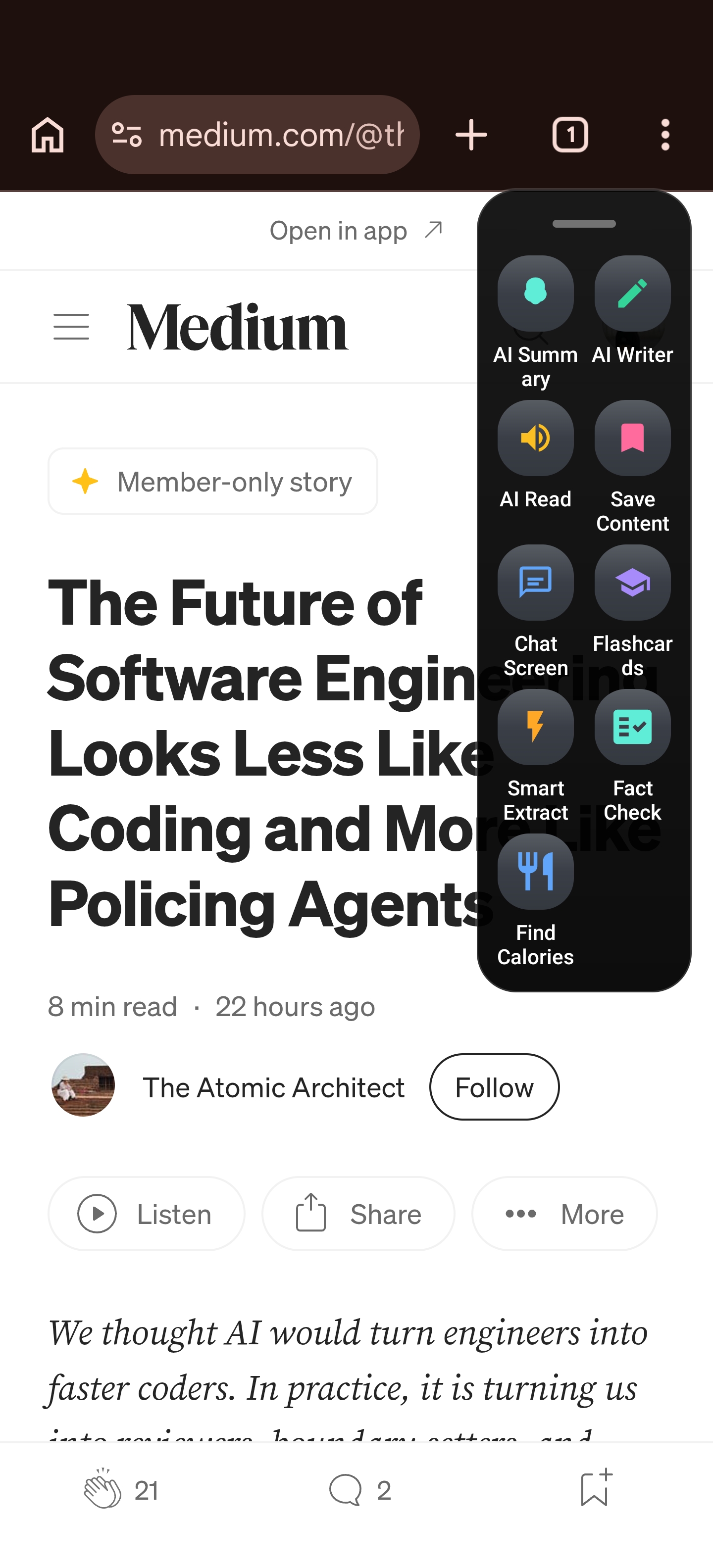
Arc is an AI screen assistant that lives in a floating sidebar on your Android phone. It uses Android’s Accessibility Services to read what is on your screen and can take action on it. The Flashcards feature is one of its most popular tools — and for good reason.
Here is how it works, step by step:
- Open any content on your phone — a Wikipedia article in Chrome, a PDF in your reader app, lecture notes in Google Docs, a language-learning page, anything.
- Expand the Arc sidebar — swipe in from the edge to bring up Arc’s floating panel over your current app.
- Tap Flashcards — Arc captures the text on your screen, sends it to the AI, and generates a set of structured flashcards.
- Review the set — each card has a question, a hint, and a concise answer. Tap to flip and check yourself.
- Save or regenerate — happy with the set? Save it to your Flashcard Library. Want different questions? Hit Regenerate and the AI creates a fresh set from the same content.
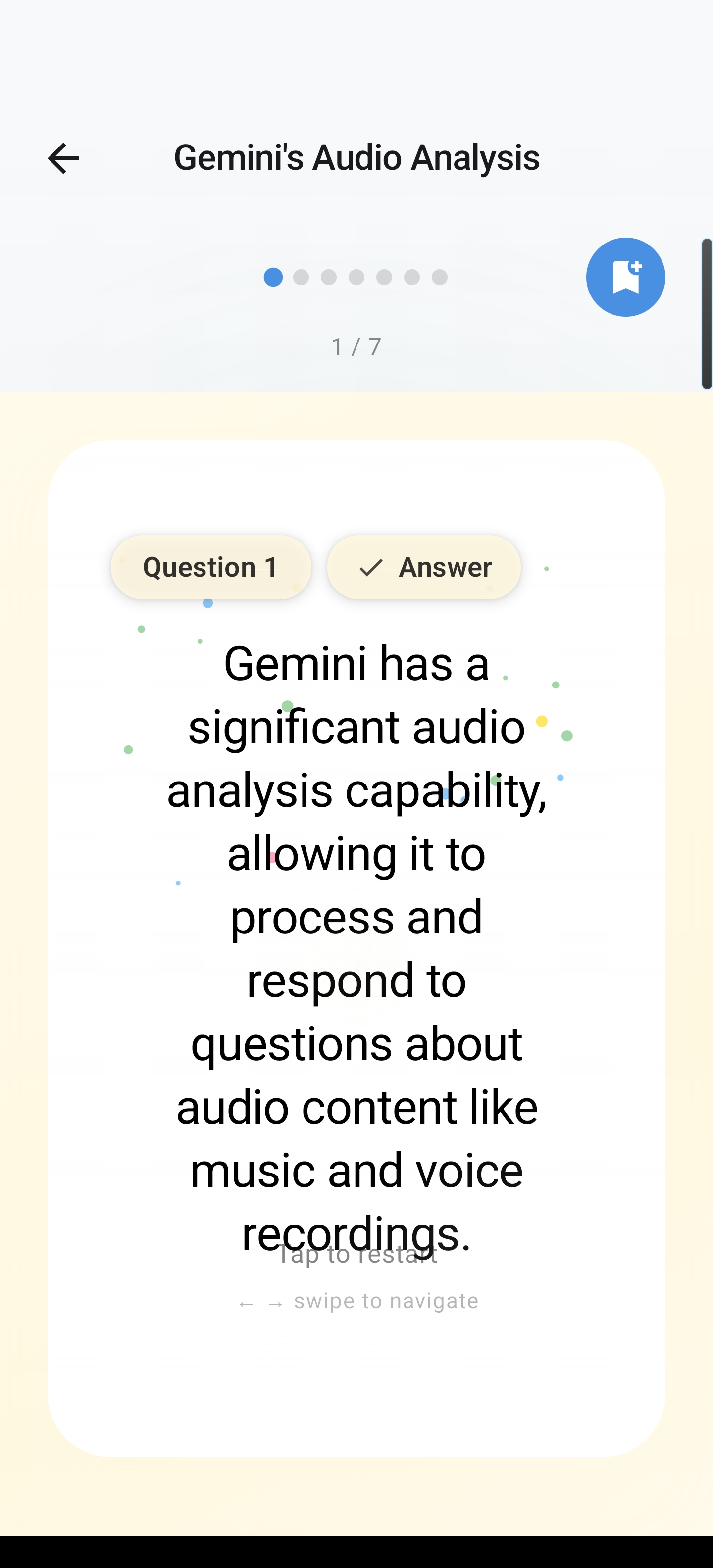
That is it. No typing. No app switching. You go from “I am reading this” to “I have a study deck” in about five seconds.
AI Flashcards Android: What Makes Arc Different
You might be thinking, “There are plenty of AI flashcard tools — what makes this one different?” The answer is simple: Arc works on anything already on your screen.
Most AI flashcard generators require you to paste text into their app, upload a file, or copy a URL. Arc skips all of that. Because it reads your screen directly, it works with:
- Any app — Chrome, Firefox, PDF readers, Google Docs, Notion, Kindle, you name it
- Any content type — articles, textbook pages, study guides, forum posts, even your own notes
- Any language — studying Spanish? Reading a French article? Arc generates flashcards in the language of the source material
This screen-first approach is what makes Arc the most practical Android study app with AI on the market. You do not adapt to the tool — the tool adapts to what you are already doing. With 28,000+ Android installs and 511 flashcard sets created every month by students who would otherwise skip the card-creation step entirely, Arc has become a go-to study companion across 50+ countries.
Real-World Scenarios: When Flashcards From Your Phone Screen Save the Day
Cramming for an exam from a textbook PDF
You are on the bus, reviewing a biology textbook chapter on your phone. Instead of switching to a flashcard app and retyping definitions, you open Arc, tap Flashcards, and get a 12-card set covering key terms like “mitochondria,” “ATP synthesis,” and “Krebs cycle.” You study the whole ride home without ever leaving the PDF.
Language learning from native content
You are reading a Spanish news article to build vocabulary. Arc’s Flashcards generates cards in Spanish — testing you on words and phrases directly from the article. You are not just memorizing isolated words; you are reinforcing the exact context you encountered them in, which research shows dramatically improves retention.
Reviewing lecture notes before class
You typed notes during yesterday’s lecture in Google Docs. Before the next class, you open Arc over your notes, generate flashcards, and do a quick 5-minute review. The Unread Queue even nudges you with new sets so you do not forget to study.
Studying from a research article
You found a dense article on machine learning concepts. Instead of reading it passively, you use Arc to turn screen content into flashcards — now you can actively test yourself on the key ideas instead of hoping they stick from a single read-through.
Flashcards Built for How People Actually Study
Arc’s Flashcards feature is not just about generation — it is about making the study experience smooth and effective:
- Flip-card interaction — tap a card to reveal the hint, tap again for the full answer. The 3D flip animation makes reviewing feel natural (and switches to a crossfade if you have reduced motion enabled).
- Progress tracking — each set shows how many cards you have reviewed (e.g., “5/12”). Your progress persists across sessions so you can pick up where you left off.
- Flashcard Library — all saved sets live in a searchable library, grouped by date, with source information preserved so you always know where a set came from.
- Regenerate for variety — not happy with the first set? Tap Regenerate and the AI creates a different set from the same content, giving you new angles on the same material.
- Region selection — for long articles, you can select a specific area of the screen to focus the flashcard generation on just the section you care about.
Accessibility: Study Tools That Work for Everyone
Arc is built with accessibility at its core, and the Flashcards feature is no exception:
- TalkBack fully supported — all flashcard elements are properly labeled for screen readers
- Reduced motion — the 3D card flip automatically switches to a crossfade when reduced motion is enabled, making study comfortable for motion-sensitive users
- Large touch targets — all interactive elements meet the 48dp minimum (WCAG 2.1 AA), so buttons are easy to tap
- System font scaling — flashcard text respects your device’s font size setting, so cards read the way you need them to
For neurodivergent learners — particularly those with ADHD who struggle with the executive function demands of manual card creation — Arc’s instant generation removes the barrier entirely. You can go from reading to reviewing without the “I will make flashcards later” step that so often becomes “I will make flashcards never.”
Why AI Flashcards on Android Matter More Than Ever
The 2026 studying landscape looks different from even two years ago. Students are reading more on their phones, AI study tools are reshaping how people prepare for exams, and the old “make cards by hand” approach is increasingly out of step with how people actually consume information.
The data backs this up: AI-powered study tools are one of the fastest-growing categories in education tech, with students reporting that the biggest barrier to using flashcards is not the review — it is the creation. When you remove that barrier, people study more, retain more, and perform better.
Arc’s AI flashcards on Android do exactly that. They take the most effective study method — active recall through flashcards — and remove the only part anyone dislikes: making the cards.
Start Studying Smarter Today
If you are tired of spending your study time making study materials, it is time to let your phone do the heavy lifting. Arc reads your screen, generates flashcards instantly, and saves them for review — all without making you type a single card.
Download Arc from the Google Play Store and turn anything on your screen into flashcards from your phone screen in seconds. Your future self — the one actually reviewing instead of typing — will thank you.