Unlock Your Productivity with Arc's Smart Extract: An AI Screen Assistant
Discover how Arc's AI Screen Assistant leverages Smart Extract to intelligently pull actionable information like events, contacts, and OTPs directly from your screen, streamlining your Android experience.
In today’s fast-paced digital world, efficiently managing information on your mobile device is key to staying productive. Arc’s AI Screen Assistant introduces a revolutionary feature called Smart Extract, designed to intelligently identify and surface actionable items directly from your screen. This powerful tool transforms how you interact with your Android device, offering seamless integration for tasks ranging from saving contacts to handling time-sensitive OTPs.
What is Arc Smart Extract?
Smart Extract is an AI-powered component of the Arc AI Screen Assistant that analyzes the content displayed on your Android device. Its primary function is to detect and categorize specific types of actionable information, making it incredibly easy to interact with them using simple, one-tap actions.
How It Works: Capture, Analyze, Categorize
The process behind Smart Extract is elegantly simple yet technologically advanced:
- Capture: When Arc’s AI Screen Assistant is active, it discreetly monitors your screen content.
- Analyze: Sophisticated AI algorithms analyze the captured text and visual elements to identify patterns and specific data types.
- Categorize: Detected information is then categorized into predefined types, such as events, contacts, or verification codes, and presented in an easily accessible format.
Initiating Smart Extract
To begin leveraging Smart Extract, you’ll typically activate the Arc AI Screen Assistant, which often appears as a floating sidebar. This sidebar provides quick access to Arc’s AI features, including Smart Extract.
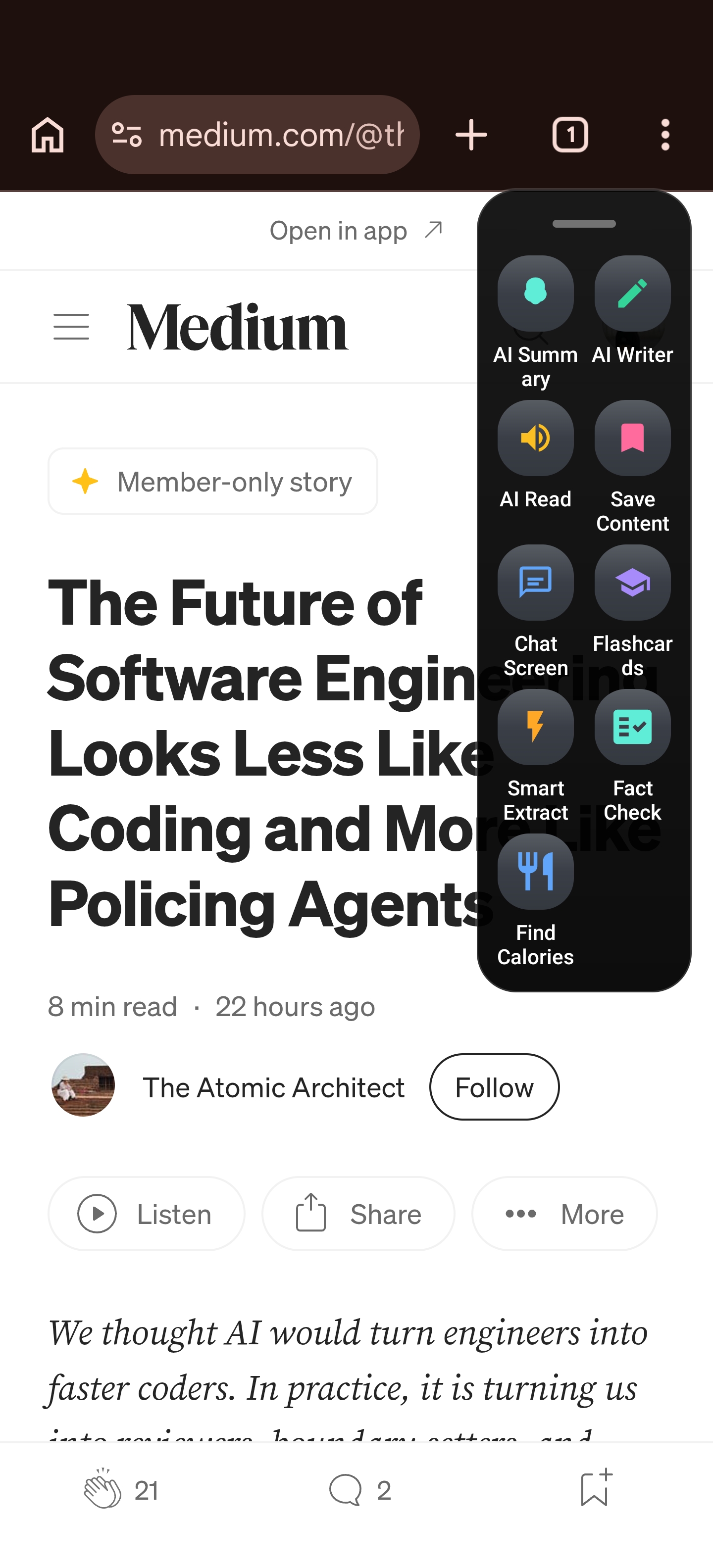
The 8 Types of Actionable Items Smart Extract Identifies
Smart Extract excels at recognizing and offering one-tap actions for a diverse range of information:
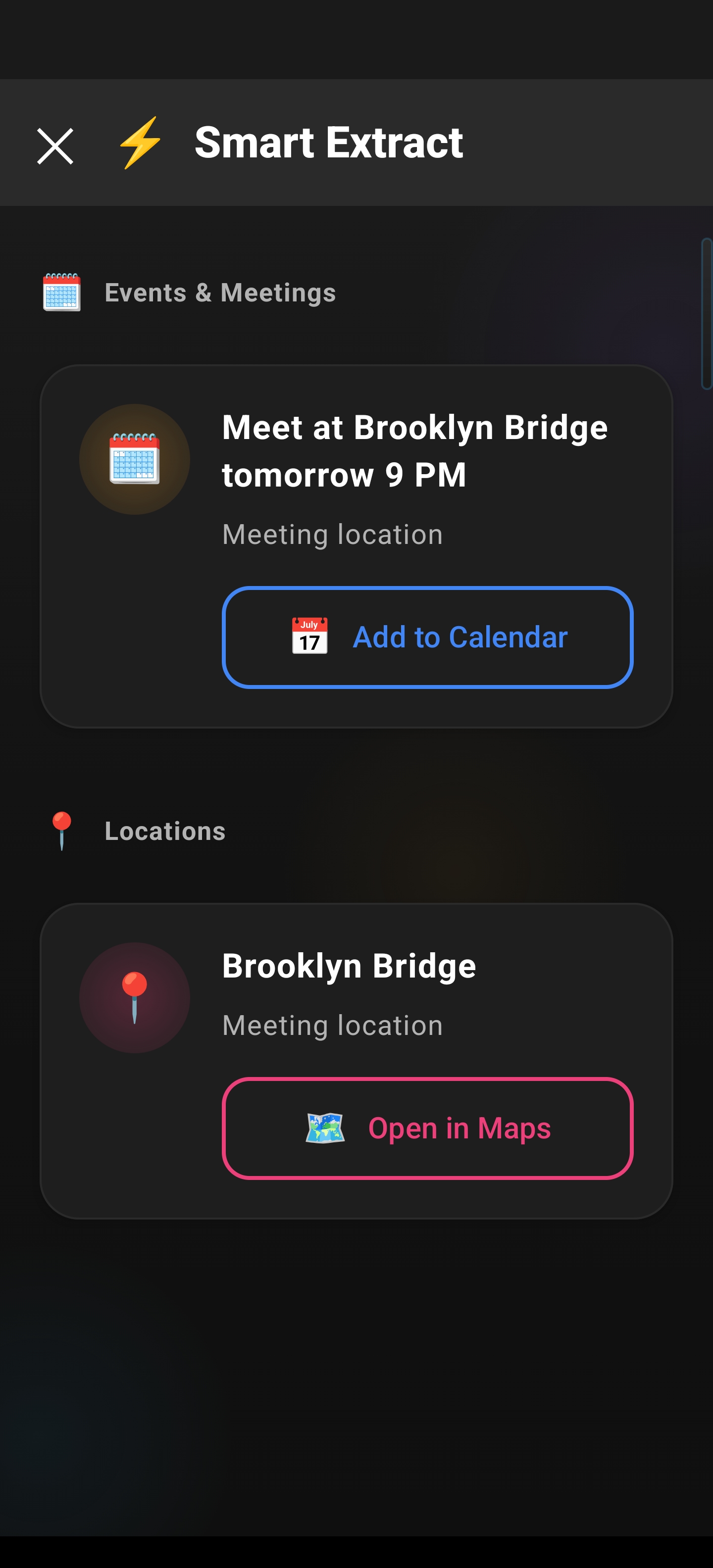
- Events & Meetings: Detects event details like dates, times, and locations, allowing you to add them directly to your calendar or join online meetings with a single tap.
- Reminders: Identifies text that suggests a task or reminder, enabling you to set a reminder without manually creating one.
- Contacts: Recognizes names, phone numbers, and email addresses that form contact information, offering options to save them to your contacts list or initiate a call/email.
- Meeting Links: Extracts URLs for online meetings (e.g., Zoom, Google Meet), allowing you to join the call instantly.
- Locations: Detects addresses and place names, providing a quick way to open them in your preferred maps application for navigation.
- Verification Codes/OTPs: Specifically designed to find time-sensitive one-time passwords sent via SMS or other apps, enabling you to copy the code with a single tap to complete verification processes swiftly. This is a crucial feature for OTP Extraction.
- Phone Numbers: Identifies phone numbers, giving you the option to initiate a call or save the number.
- Email Addresses: Recognizes email addresses, offering to compose an email to that address or save it to your contacts.
Seeing Smart Extract in Action
After Smart Extract analyzes your screen, the results are presented clearly. You can see how categorized items appear, ready for immediate action.
Real-World Use Cases
The practical applications of Arc Smart Extract are numerous, significantly boosting efficiency:
- Instant OTP Entry: No more manual copying and pasting for verification codes; just tap and go.
- Effortless Meeting Scheduling: Add event details from messages or emails directly to your calendar.
- Quick Contact Management: Save new contacts from conversations or web pages instantly.
- Seamless Call Joining: Join virtual meetings without fumbling for links.
- On-the-Go Navigation: Get directions to a detected address with a single tap.
Privacy and Security: A Core Focus
Arc understands the importance of user privacy. Smart Extract is designed with a strong emphasis on ephemeral processing, meaning data is analyzed and processed transiently. The focus on on-device processing further ensures that your sensitive information stays secure and private, minimizing the need to send extensive data to external servers.
Optimizing Your Android Experience
Arc Smart Extract is a prime example of how AI Screen Assistant technology can enhance everyday mobile use. By simplifying complex interactions and automating routine tasks, it allows users to focus more on what matters. Whether you’re a busy professional managing schedules, a student handling OTPs, or simply looking for a more streamlined way to interact with your phone, Smart Extract offers a powerful solution. Embrace the future of Android Productivity with Arc’s intelligent assistant.