Summarize Any Screen on Android — Not Just Gmail
Google's AI only summarizes Gmail. Arc summarizes any screen — WhatsApp, PDFs, web pages, any app. Free to try screen summarizer for Android.
You’ve probably noticed it by now — Android is getting AI summaries everywhere. Android 16 is rolling out AI notification summaries. Gemini auto-summarizes your long emails in Gmail. Samsung Galaxy AI extracts key points from content. The message is clear: your phone is supposed to do the reading for you.
But there’s a catch. And if you’ve ever tried to actually use these built-in summaries, you already know what it is.
They only work where Google allows them to.
Your Gmail? Summarized. Your notifications? Summarized. That 47-paragraph Reddit thread you need to understand before making a decision? That WhatsApp group chat spiraling into chaos? The PDF someone emailed you? The web article with the actual information you need?
Silence. No summary. No help.
That’s the gap — and it’s a big one. Over 28,000 Android users have turned to Arc precisely because built-in summaries don’t cover the apps where they actually read — and together they generate more than 3,000 AI summaries every month. In this post, we’ll break down exactly what Android’s built-in AI summary covers (and what it doesn’t), and show you how to summarize anything on screen on Android using a tool that actually works across all your apps.
What Android’s Built-In AI Summary Actually Covers
Let’s give credit where it’s due. Google has been steadily adding AI summary features to Android, and for the narrow cases they cover, they’re useful:
- Gmail summaries: Gemini can now auto-summarize long email threads directly in the Gmail app. If you’re a heavy email user, this saves real time.
- Notification summaries: Android 16 introduces AI-generated notification digests, grouping and summarizing your alerts so you can triage them faster.
- Samsung Galaxy AI: Samsung devices offer content extraction and summarization, but it’s limited to Samsung’s own browser and select apps.
These are genuinely helpful features. The problem isn’t what they do — it’s everything they don’t.
The Coverage Gap
Here’s what Android’s built-in AI summary cannot handle:
- Reddit threads — the ones with the actual answers you’re looking for
- WhatsApp conversations — where half your real communication happens
- Web articles in Chrome, Firefox, or any browser beyond Samsung Internet
- PDFs and documents opened in third-party apps
- Social media posts — Twitter/X threads, Instagram captions, LinkedIn articles
- News apps — the places where you actually need summaries most
In other words, the AI summary Android gives you for free covers roughly 20% of the content you actually read on your phone. The other 80%? You’re on your own.
The Real Problem: You Consume Content in Apps, Not in Gmail
Think about your actual phone usage for a minute. How much of the text you read on a given day lives in Gmail versus everywhere else?
If you’re like most Android users, the split looks something like this:
- Messaging apps (WhatsApp, Telegram, Slack, Discord) — 35%
- Social media (Reddit, Twitter/X, Instagram, LinkedIn) — 25%
- Web browsers (Chrome, Firefox, Brave) — 20%
- Email (Gmail, Outlook) — 10%
- Documents and PDFs — 10%
Google’s AI summary covers that 10% email slice and your notification feed. The remaining 90% — the Reddit deep-dives, the group chat catch-ups, the article skims, the document scans — still requires you to read every word yourself.
This isn’t a minor inconvenience. It’s a fundamental mismatch between how Android’s AI works (tied to specific apps) and how you actually use your phone (switching between dozens of apps constantly).
Why App-Locked Summaries Fall Short
The core issue is architectural. Google’s AI summary features are built into individual apps. Gmail gets its own summarizer. Android notifications get theirs. Each is a walled garden.
But your reading doesn’t happen in a walled garden. You bounce from a Reddit thread to a WhatsApp conversation to a news article to a PDF, often within the same five minutes. You need an Android AI screen summary that follows you, not one that lives inside a single app.
How Arc’s AI Summary Works — On Anything, In Any App
This is where Arc changes the equation entirely.
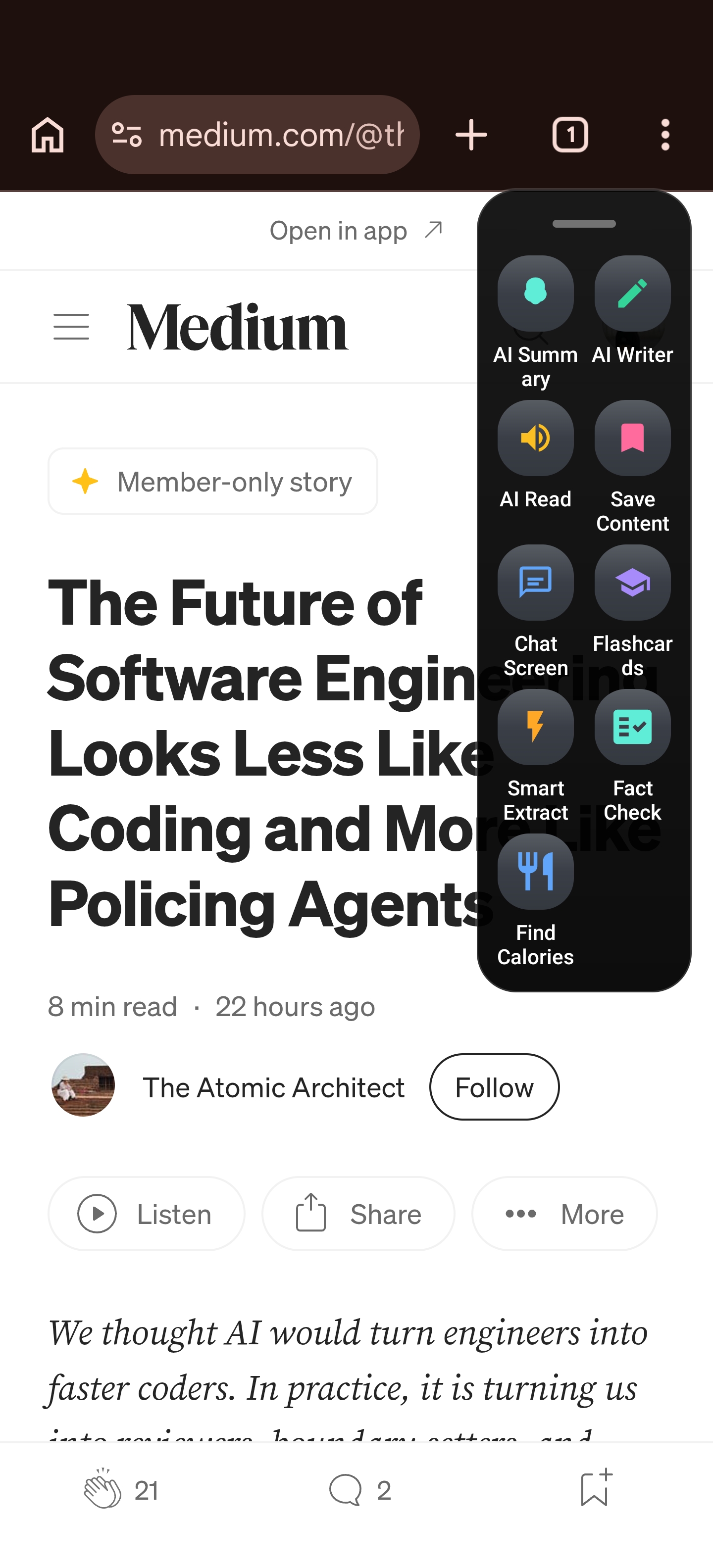
Arc is a floating sidebar for Android that sits on top of whatever app you’re using. Its AI Summary feature reads whatever text is currently on your screen and gives you the key points — instantly. No copy-pasting. No switching to another app. No “open in browser first.”
Here’s what that looks like in practice:
- You’re reading a long Reddit thread about whether the Pixel 9a is worth buying. Instead of scrolling through 200 comments, you tap Arc’s floating sidebar.
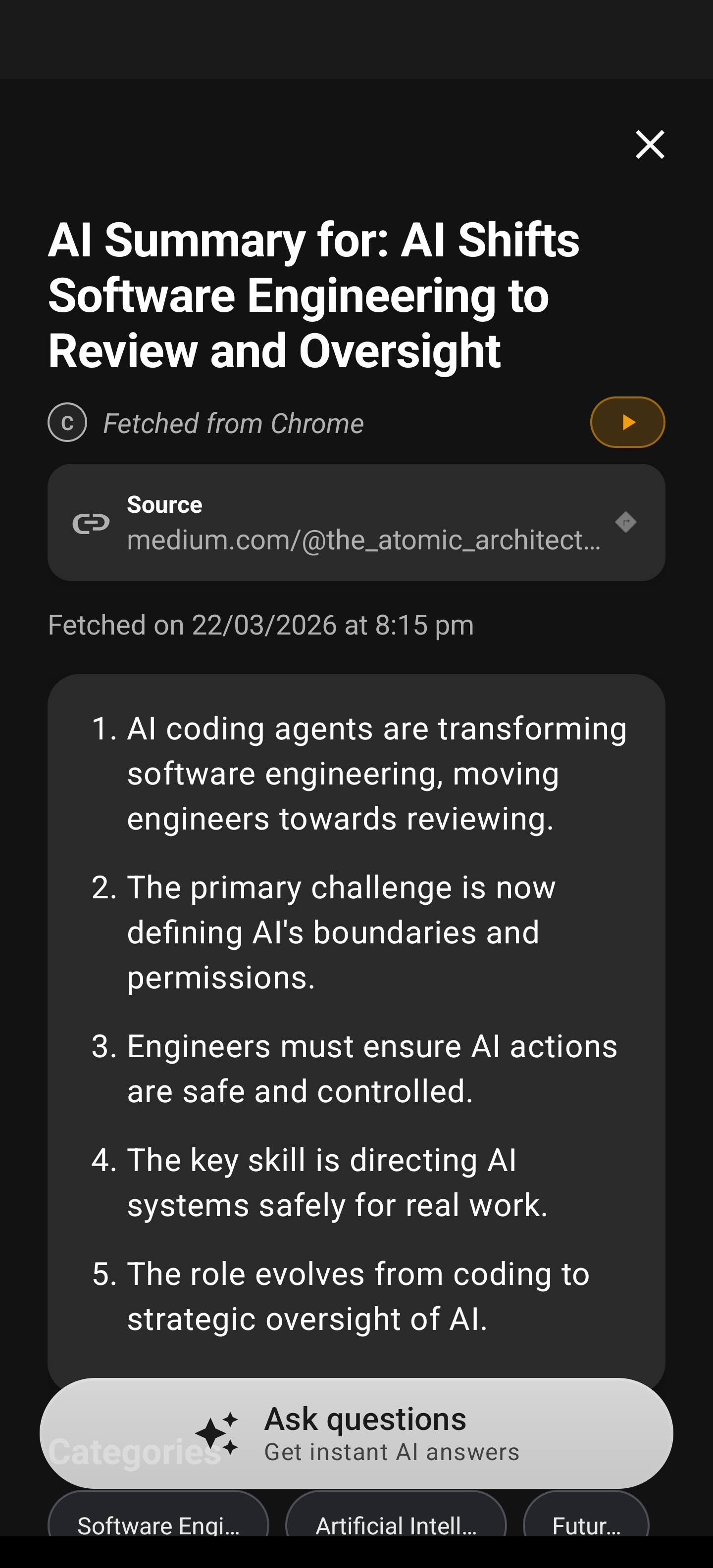
- Arc reads the entire thread visible on your screen and delivers a concise summary: the top-voted opinions, the common complaints, the verdict.
- Want to dig deeper? You can chat with Arc about the summarized content — ask follow-up questions, request more detail on specific points, or have it compare arguments.
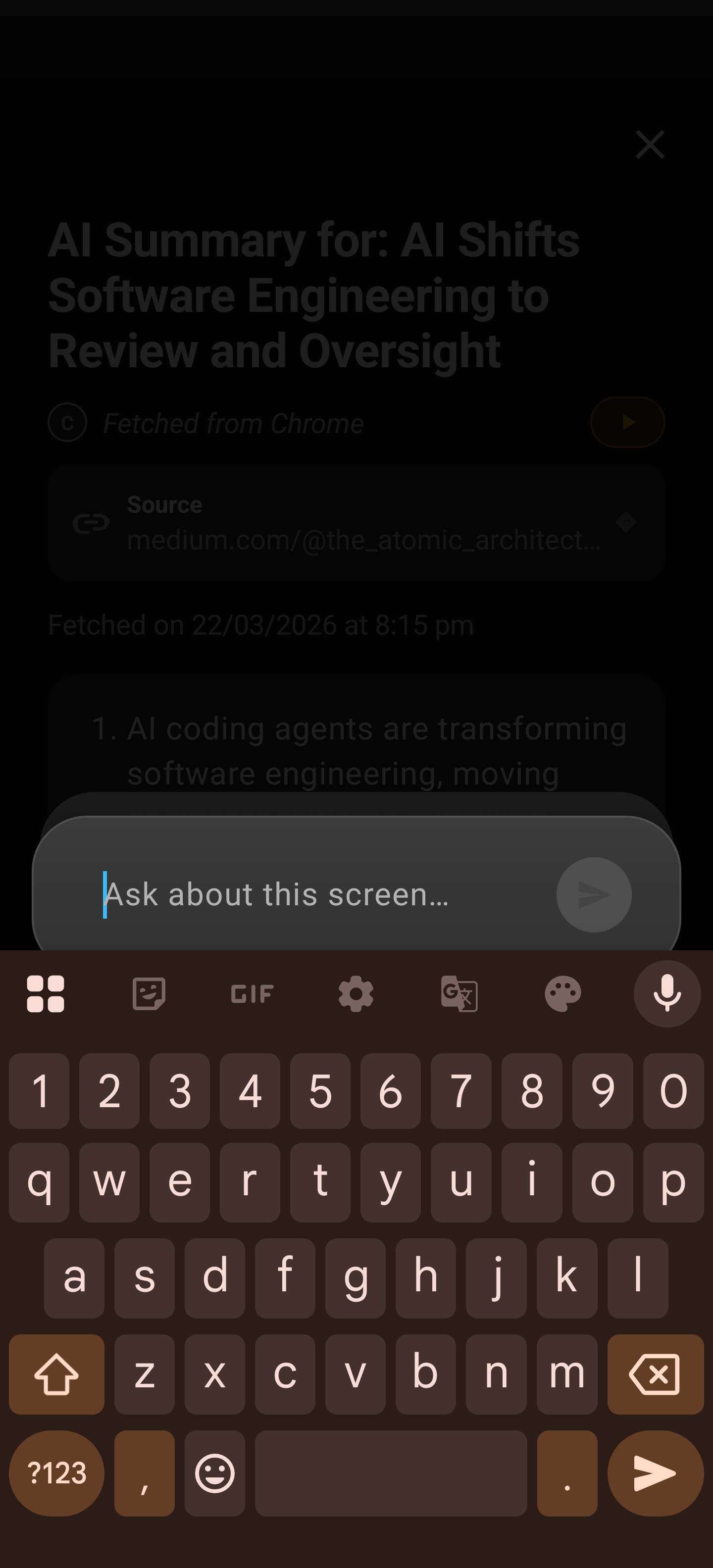
This isn’t theoretical — every month, Arc users generate over 3,000 AI summaries across these apps. The feature isn’t limited to Reddit. Arc’s AI Summary works on anything visible on your screen:
- Web articles in Chrome, Firefox, Brave, or any browser
- WhatsApp and Telegram group conversations
- PDFs and documents in any viewer
- Twitter/X threads and LinkedIn posts
- News app stories from any publisher
- Email threads (yes, it works on Gmail too — and Outlook, and everything else)
- Slack and Discord conversations
- Any app with text on screen
The key insight: Arc doesn’t need to be “integrated” into each app. It reads what’s on your screen, which means it works everywhere from day one. No waiting for Google to add support for your favorite app. No updating to a new Android version.
Real Use Cases: When You Actually Need an AI Summary on Android
Let’s move past the feature list and talk about the moments where this actually matters.
The Group Chat Information Overload
You step away from WhatsApp for two hours and come back to 300 messages. Most of it is memes and side conversations, but somewhere in there is an important decision about weekend plans, a time change, and an address you need. An Android AI screen summary that can read your WhatsApp chat and pull out the key points would save you ten minutes of scrolling. Arc does exactly that.
The Research Rabbit Hole
You’re comparing products, reading reviews, and checking forums. You have five Chrome tabs open, each with a 3,000-word article. You don’t need to read every word — you need the key takeaways so you can make a decision. Arc lets you summarize each article in seconds without leaving the page.
The Work Document You Didn’t Read
Someone drops a 15-page PDF in Slack and says “thoughts by EOD.” You could spend 30 minutes reading it, or you could tap Arc, get the summary, and start forming your response in 30 seconds. When you need to summarize anything on screen on Android, a floating sidebar beats copy-pasting into ChatGPT every time.
The Twitter Thread That Never Ends
A 50-tweet thread about AI regulation is making the rounds. You want the key points but you’re not reading all 50 tweets. Arc reads the visible portion and gives you the summary. Scroll down, summarize again, and you’ve got the full picture in a fraction of the time.
The “Catch Up on This” Moment
A colleague sends a long email and a Slack thread about the same topic. You need to understand both quickly. Arc lets you summarize each one in seconds, then chat about the combined information to get a unified view. No switching between apps, no mental juggling.
Why a Floating Sidebar Beats Copy-Paste Workflows
Before tools like Arc existed, the standard workflow for getting an AI summary on Android looked like this:
- Find the text you want to summarize
- Long-press and drag to select it all
- Copy the text
- Switch to ChatGPT or Gemini
- Paste and type “summarize this”
- Wait for the response
- Switch back to your original app
Seven steps. Context switches. Selection frustration when the text doesn’t highlight cleanly. And you have to repeat the process every time you want to summarize something new.
Arc’s floating sidebar collapses all of that into:
- Tap the Arc sidebar
- Tap “Summarize”
That’s it. Two taps, zero context switches, zero copy-paste frustration. The summary appears right there in the sidebar overlay, and you can dismiss it and keep reading.
The Chat-About-It Advantage
Summaries are great, but sometimes you need more than key points. Arc’s AI Summary doesn’t just give you a static summary — it opens a chat interface where you can ask follow-up questions about the content you just summarized.
“What was the main argument against the Pixel 9a?” “Did anyone mention battery life specifically?” “Summarize just the negative opinions.”
This turns a passive summary into an active research tool. You’re not just reading a condensed version — you’re interrogating the content, extracting exactly what you need, and moving on.
Arc AI Summary vs. Other Android AI Summary Options
Let’s be direct about how Arc compares to the alternatives:
| Feature | Arc AI Summary | Google Gemini | Samsung Galaxy AI | ChatGPT App |
|---|---|---|---|---|
| Works on any app | Yes | No (Gmail, select apps) | No (Samsung browser, select apps) | No (copy-paste only) |
| No copy-paste needed | Yes | Yes (limited apps) | Yes (limited apps) | No |
| Chat follow-up | Yes | Yes | Limited | Yes |
| Works system-wide | Yes | No | No | No |
| Reads on-screen content | Yes | No | Partial | No |
| Requires specific Android version | No | Yes (Android 16+ for notifications) | Yes (Samsung devices only) | No |
The pattern is clear: Google and Samsung give you AI summaries in their own ecosystems. ChatGPT gives you a powerful model but makes you do the manual work of getting text into it. Arc is the only option that combines a powerful AI model with system-wide, on-screen access.
Getting Started with Arc’s AI Summary on Android
Setting up Arc’s AI summary on Android takes about two minutes:
- Download Arc from the Play Store and follow the setup prompts
- Enable the floating sidebar — Arc appears as a small handle on the edge of your screen that you can swipe to expand anytime
- Open any app with text you want to summarize — Reddit, WhatsApp, Chrome, a PDF viewer, anything
- Tap the Arc sidebar and select “Summarize”
- Read your summary and chat further if you want to dig deeper
You can also customize how the sidebar behaves — auto-collapse after inactivity, choose which edge it sits on, adjust the width — so it stays out of your way until you need it.
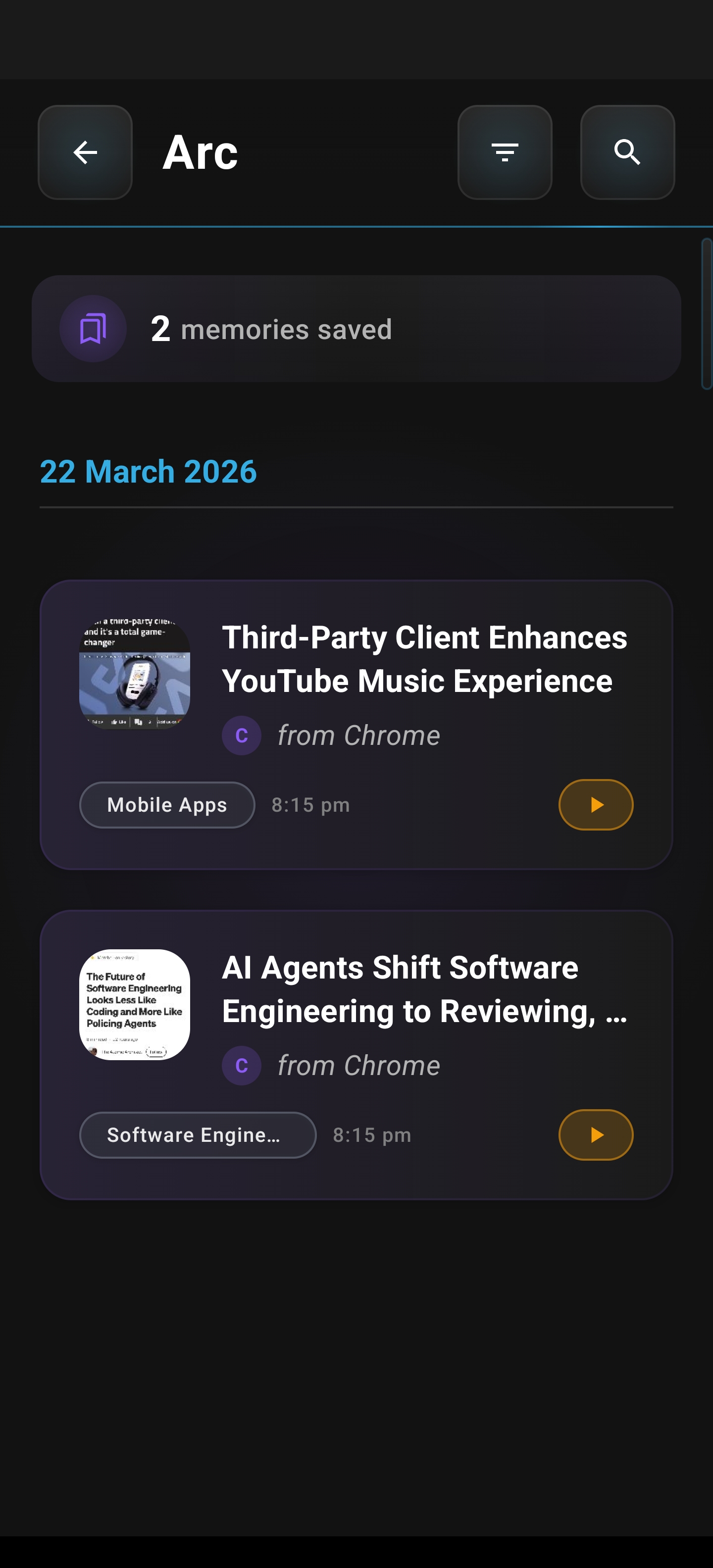
Arc also saves your summaries to a Summary Library, so you can revisit past summaries without re-summarizing the same content. It’s a research log built into your phone, and it’s genuinely useful when you need to recall what you read last week.
The Bottom Line on AI Summary for Android
Android’s built-in AI summaries are a good start. Gmail summaries save time. Notification digests reduce noise. But they cover a fraction of what you actually read on your phone.
The content that matters most — the Reddit threads with real answers, the WhatsApp group decisions, the web articles you actually need to understand, the PDFs you have to get through — still requires you to read every word or manually copy-paste into an AI tool.
Arc’s AI Summary closes that gap. It reads whatever’s on your screen, in any app, and gives you the key points instantly. No copy-pasting, no switching apps, no waiting for Google to add support for your favorite app.
If you’ve been searching for a way to summarize anything on screen on Android, Arc is the tool that actually delivers on that promise — not just for the apps Google chose, but for all of them. With 28,000+ installs across 50+ countries and thousands of summaries generated each month, Arc’s AI Summary is the screen-based summarizer that actually works where you need it.
Download Arc from the Google Play Store and start summarizing the content that matters to you, not just the content your phone decides you should read.
Frequently Asked Questions
What is an AI summary on Android?
An AI summary on Android is a feature that uses artificial intelligence to condense long-form content into key points. Android 16 includes built-in AI summaries for notifications, and Gemini summarizes emails in Gmail. However, these built-in summaries only work in specific apps. Arc’s AI Summary works system-wide, reading whatever text is on your screen regardless of which app you’re using.
Can I summarize anything on screen on Android?
Yes — with Arc. While Android’s built-in AI summary features are limited to Gmail and notifications, Arc’s floating sidebar reads any text visible on your screen across all apps. This includes Reddit threads, WhatsApp conversations, web articles, PDFs, Slack messages, and more.
How is Arc’s AI summary different from Gemini?
Gemini’s summarization is app-specific — it works in Gmail and can summarize text you manually paste into it. Arc’s AI summary is screen-based, meaning it reads whatever is currently displayed on your screen without requiring you to copy, paste, or switch apps. This makes it work across every app on your phone, not just the ones Google has integrated with.
Does Arc’s AI summary work offline?
Arc’s AI summary requires an internet connection to process your screen content through its AI models. However, the floating sidebar and summary library (where your past summaries are stored) are always accessible.
Is Arc free to try?
Arc offers a free tier with access to AI Summary features. Check the Google Play Store listing for the latest details on pricing and feature availability.